
WRIARICH
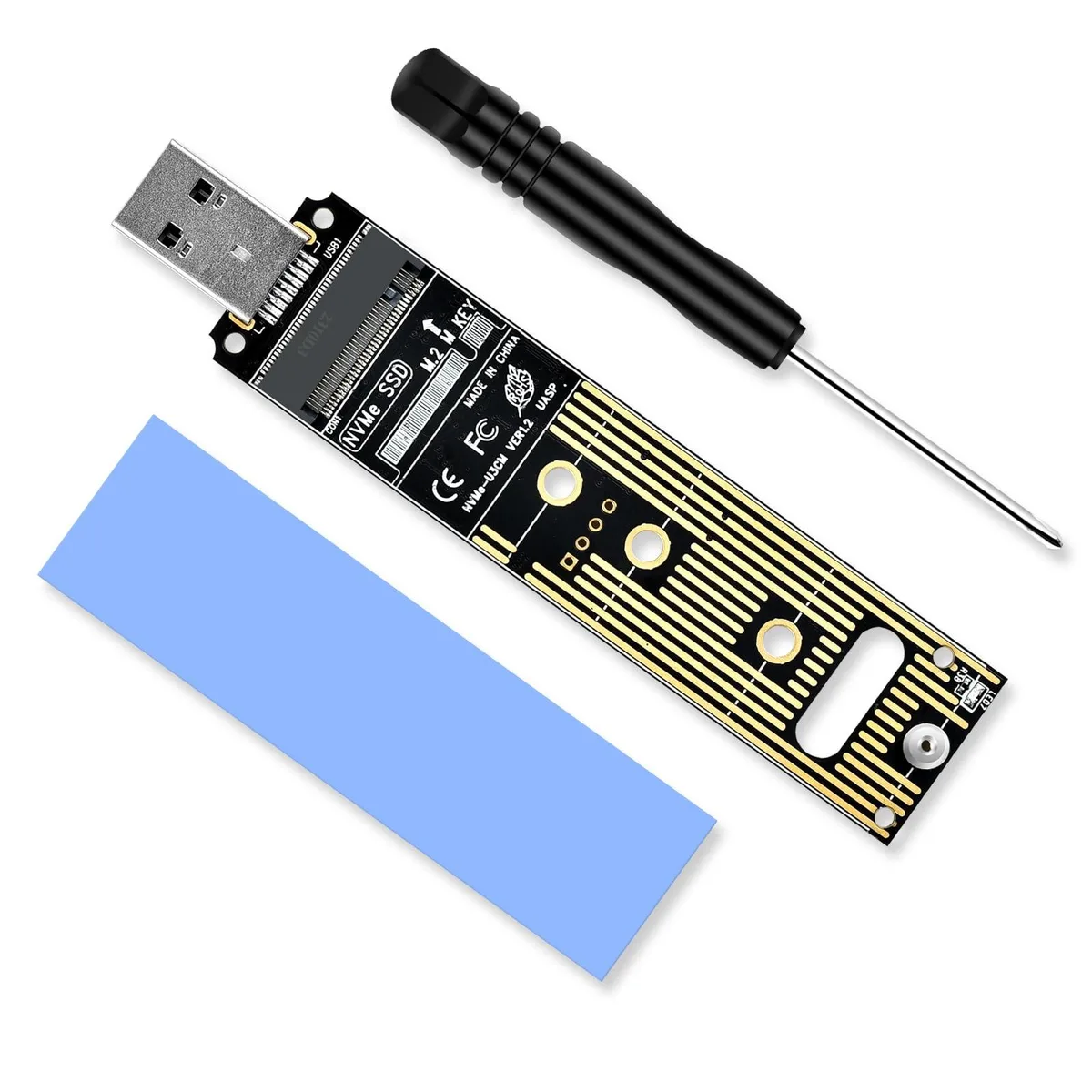
WRIARICH NVME to USB Adapter 10Gbps USB 3.1 Gen 2 M.2 NVME 2230 2242 2260 2280 Hard Drive Adapter
- Black
- SATA
15,99 $US
0.00020389BTC
En stockNous acceptons la cryptomonnaie — les cryptos que vous détenez peuvent ainsi acheter du matériel réel.Payez en crypto, dépensez-la en matériel réel. Livraison assurée offerte partout dans le monde au-delà de 399 $. Cartons neutres, sans marque, expédiés depuis l’Allemagne.Livraison assurée offerte au-delà de 399 $. Votre taux est bloqué pendant 30 minutes dès l’ouverture de la caisse.Taux bloqué 30 minutes. Chaque article est scellé, son numéro de série est vérifié, et il est couvert par une garantie de 24 mois.Scellé, garanti 24 mois.


DELL
Adapts a SATA hard drive for use in the Dell Precision T5820 workstation
This adapter lets a Dell Precision T5820 tower accept an additional SATA solid-state drive alongside the existing M.2 NVMe unit. It is aimed at engineers and creatives who need extra local capacity for large project files without replacing the factory storage. The part fits the workstation’s internal drive bays and connects to the motherboard’s SATA ports. Buyers who want NVMe speeds or PCIe connectivity should look elsewhere.
The T5820 chassis uses a toolless design so the adapter and drive can be installed or swapped without screws or special tools. A 950 W power supply provides headroom for the extra drive and other add-in cards. The SATA interface limits the new drive to SATA throughput, which is slower than the M.2 NVMe slot already populated in the system. The adapter does not add NVMe or PCIe capability.
SATA tops out at 6 Gb/s, so sequential reads and writes will remain well below NVMe performance. The workstation has eight memory slots and an LGA 2066 socket, but this adapter only addresses storage expansion, not memory or CPU upgrades. It cannot convert a SATA port into an NVMe slot or raise the link speed beyond the SATA standard. Users needing faster scratch disks must use the existing M.2 position or a PCIe add-in card.
| Brand | DELL |
|---|---|
| Series | Precision |
| Model | T5820 |
| Type | Business Desktops & Workstations |
| Form Factor | Tower |
| Usage | Workstation |
| Processor | 1x Intel Xeon W-2235 |
| Memory | 64GB |
| Storage | 1x 2TB SSD M.2, 1x 2TB SSD |
| Graphics | RTX 4000 |
| Power Supply | 950W |
| Operating System | Windows 11 Pro |
| Windows 11 | Ready |
| CPU Type | Intel Xeon |
| CPU Name | 1x Intel Xeon W-2235 |
| CPU Base Frequency | 3.80GHz |
| CPU Socket Type | LGA 2066 |
| Graphics Card | RTX 4000 |
| Memory Capacity | 64GB |
| Memory Slot (Total) | 8 |
| Maximum Memory Supported | 128GB |
| SSD | 4TB |
| HDD | No |
| Front USB | 4 |
| Front Audio Ports | 1 |
| Video Ports | 3x DisplayPort 1.4a, 1x USB Type-C |
| Rear USB | 6 |
| RJ45 | 1 port |
| Rear Audio Ports | 2 ports |
The adapter connects to the T5820's native SATA III ports, so it runs at the full 6 Gbps link speed the Xeon W-2235 platform provides.
It fits a standard 3.5-inch internal bay and uses the chassis toolless rails — no screws or extra brackets required.
Slide the adapter into a free 3.5-inch bay until the toolless latch clicks, attach the SATA data cable to the motherboard port and the SATA power lead from the 950 W supply; the step most often missed is securing the data cable to the motherboard clip so it cannot vibrate loose.
Également dans ce rayon
Même rayon, même caisse — huit monnaies et un taux bloqué 30 minutes.
Ce que vous envoyez, et ce dans quoi vous lisez les prix.
Envoyé depuis votre portefeuille à la caisse
Affichage seul — le catalogue est libellé en dollars
Aucune monnaie ne correspond.
Choisissez la langue dans laquelle le site vous parle.
Première visite ?
Vous avez déjà un compte ?
Il n’y a pas de réinitialisation automatique : cette boutique n’envoie aucun e-mail, il n’existe donc aucun lien à usage unique à demander. Laissez l’adresse sur le compte, elle sera traitée à la main.
Demande enregistrée
Rien n’arrivera dans votre boîte de réception — cette boutique n’envoie aucun e-mail. Quelqu’un s’en occupe à la main.
Vous l’avez retrouvé ?


