
WRIARICH
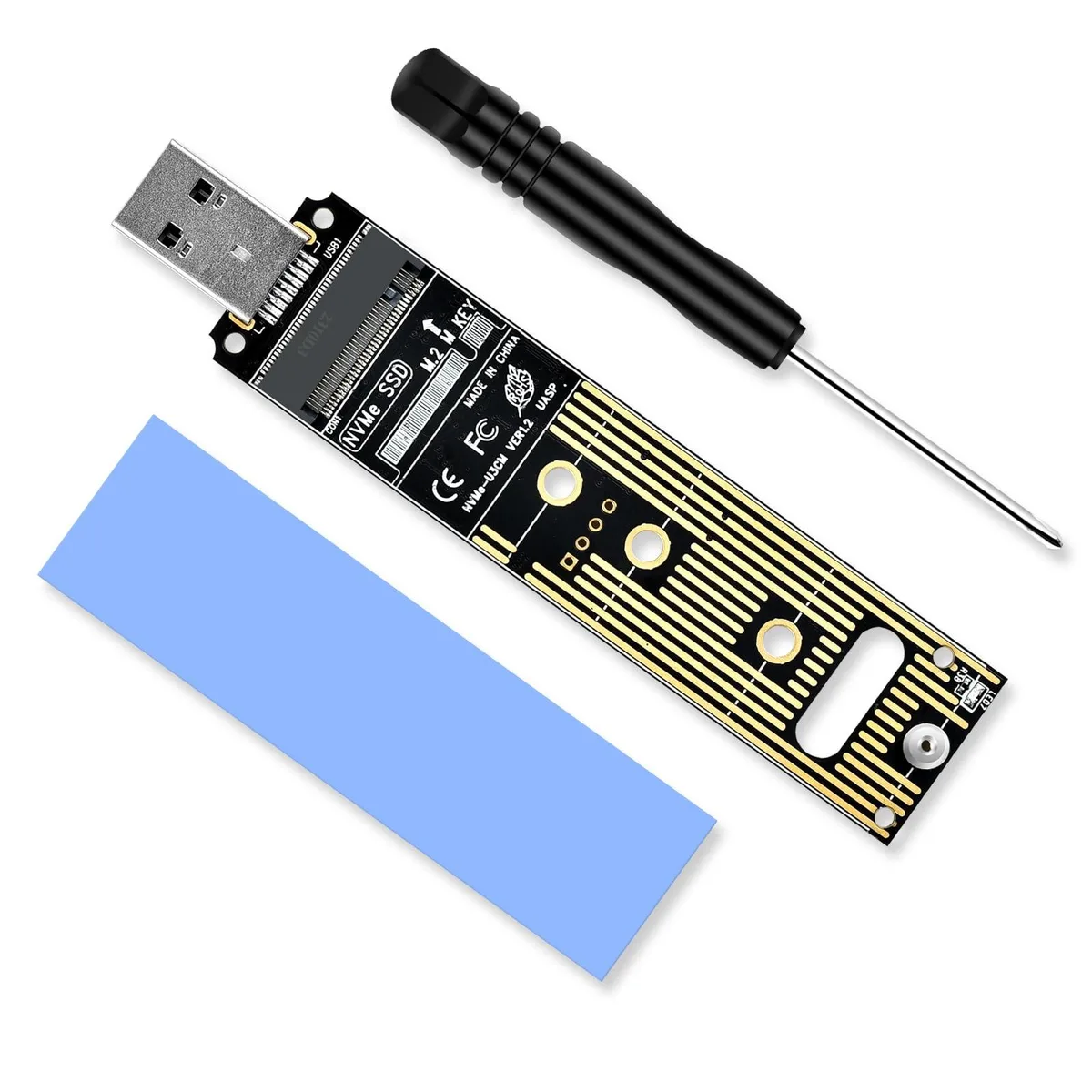
WRIARICH NVME to USB Adapter 10Gbps USB 3.1 Gen 2 M.2 NVME 2230 2242 2260 2280 Hard Drive Adapter
- Black
- SATA
15,99 $US
0.00020389BTC
En stockNous acceptons la cryptomonnaie — les cryptos que vous détenez peuvent ainsi acheter du matériel réel.Payez en crypto, dépensez-la en matériel réel. Livraison assurée offerte partout dans le monde au-delà de 399 $. Cartons neutres, sans marque, expédiés depuis l’Allemagne.Livraison assurée offerte au-delà de 399 $. Votre taux est bloqué pendant 30 minutes dès l’ouverture de la caisse.Taux bloqué 30 minutes. Chaque article est scellé, son numéro de série est vérifié, et il est couvert par une garantie de 24 mois.Scellé, garanti 24 mois.


DELL
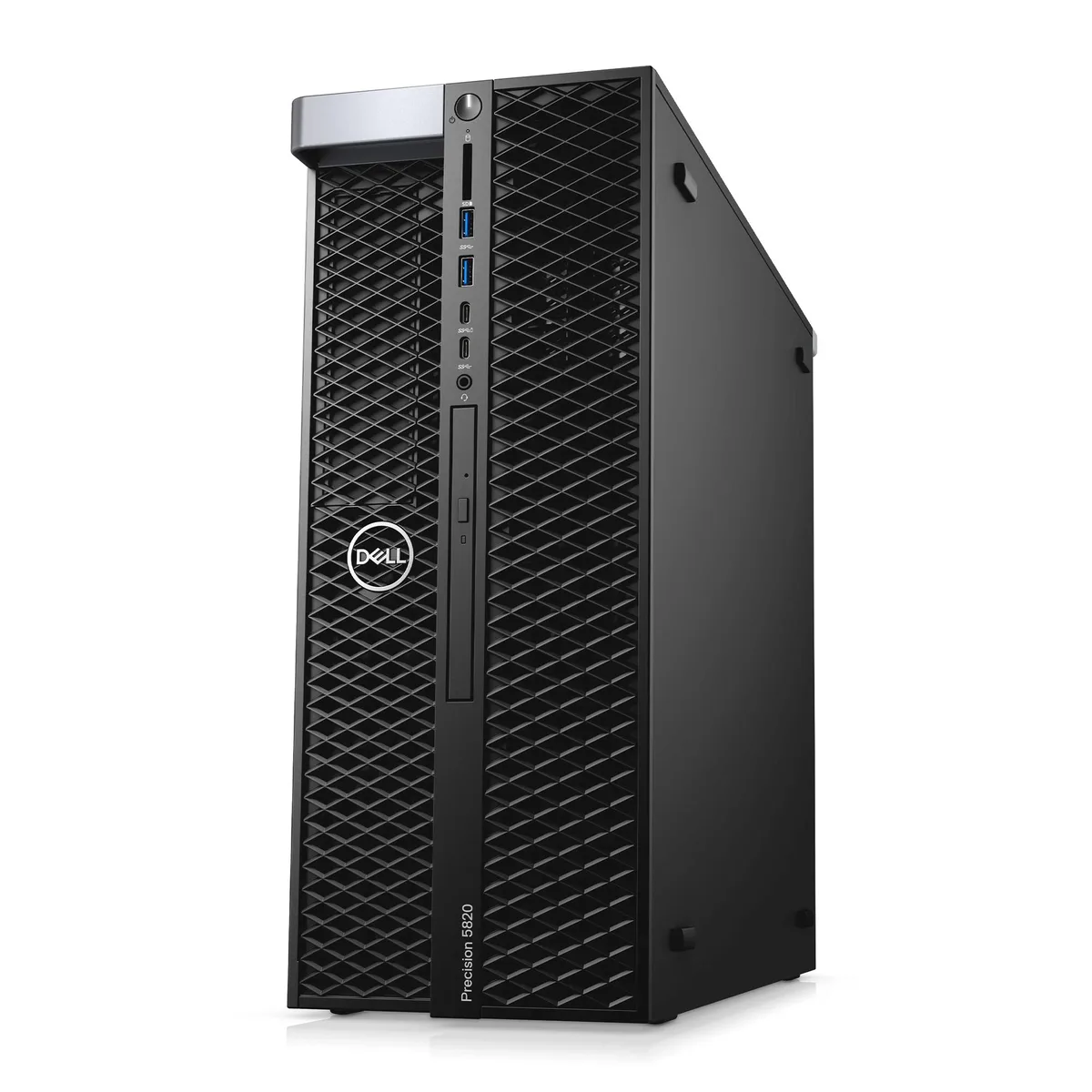
Converts a SATA drive for use in the Dell Precision 5820 workstation tower
This adapter integrates the Dell Precision T5820 tower workstation into professional engineering environments. It supports the Xeon W-2295 processor and RTX 4000 graphics for CAD, 3D rendering, and visualization workloads. The 64GB memory capacity handles large project files and complex multitasking scenarios.
The modular tower design features toolless access for drive and component upgrades. Installers should verify the LGA 2066 socket alignment and 950W power supply connections before seating the adapter. Mismatched cable routing or incomplete seating in the expansion slots are the most common issues during setup.
The SATA storage connection caps sequential transfer speeds below NVMe alternatives. This affects large dataset loading and scratch-disk performance in rendering pipelines. The 2TB SSD capacity provides ample space but the interface bandwidth constrains sustained write workloads.
| Brand | DELL |
|---|---|
| Series | Precision |
| Model | T5820 |
| Type | Business Desktops & Workstations |
| Form Factor | Tower |
| Usage | Workstation |
| Processor | 1x Intel Xeon W-2295 |
| Memory | 64GB |
| Storage | 1x 2TB SSD M.2, 1x 2TB SSD |
| Graphics | RTX 4000 |
| Power Supply | 950W |
| Operating System | Windows 11 Pro |
| Windows 11 | Ready |
| CPU Type | Intel Xeon |
| CPU Name | 1x Intel Xeon W-2295 |
| CPU Base Frequency | 3.00GHz |
| CPU Socket Type | LGA 2066 |
| Graphics Card | RTX 4000 |
| Memory Capacity | 64GB |
| Memory Slot (Total) | 8 |
| Maximum Memory Supported | 128GB |
| SSD | 4TB |
| HDD | No |
| Front USB | 4 |
| Front Audio Ports | 1 |
| Video Ports | 3x DisplayPort 1.4a, 1x USB Type-C |
| Rear USB | 6 |
| RJ45 | 1 port |
| Rear Audio Ports | 2 ports |
Open Windows Device Manager and verify the NVIDIA RTX 4000 appears under Display adapters without error codes, then run the NVIDIA Control Panel system information to confirm driver version and GPU utilisation during a test render.
The box contains the T5820 tower and a power cable; all other components such as the Xeon W-2295 processor, 64GB memory, 2TB M.2 SSD, 2TB SATA SSD and RTX 4000 graphics are already installed, so no additional parts are required for the listed configuration.
Use the 2TB M.2 SSD as the boot and active project drive for faster access speeds, and keep the 2TB SATA SSD for larger archives, backups and secondary data that benefit from high capacity but lower latency demands.
Également dans ce rayon
Même rayon, même caisse — huit monnaies et un taux bloqué 30 minutes.
Ce que vous envoyez, et ce dans quoi vous lisez les prix.
Envoyé depuis votre portefeuille à la caisse
Affichage seul — le catalogue est libellé en dollars
Aucune monnaie ne correspond.
Choisissez la langue dans laquelle le site vous parle.
Première visite ?
Vous avez déjà un compte ?
Il n’y a pas de réinitialisation automatique : cette boutique n’envoie aucun e-mail, il n’existe donc aucun lien à usage unique à demander. Laissez l’adresse sur le compte, elle sera traitée à la main.
Demande enregistrée
Rien n’arrivera dans votre boîte de réception — cette boutique n’envoie aucun e-mail. Quelqu’un s’en occupe à la main.
Vous l’avez retrouvé ?


