

DELL
DELL PowerEdge R940 3U Rack Server 4x Xeon Gold 6134 3.2GHz 256GB DDR4 8x 800GB SSD
- Rack
- 3U
3 756,99 $US
0.04764972BTC
En stockNous acceptons la cryptomonnaie — les cryptos que vous détenez peuvent ainsi acheter du matériel réel.Payez en crypto, dépensez-la en matériel réel. Livraison assurée offerte partout dans le monde au-delà de 399 $. Cartons neutres, sans marque, expédiés depuis l’Allemagne.Livraison assurée offerte au-delà de 399 $. Votre taux est bloqué pendant 30 minutes dès l’ouverture de la caisse.Taux bloqué 30 minutes. Chaque article est scellé, son numéro de série est vérifié, et il est couvert par une garantie de 24 mois.Scellé, garanti 24 mois.


DELL
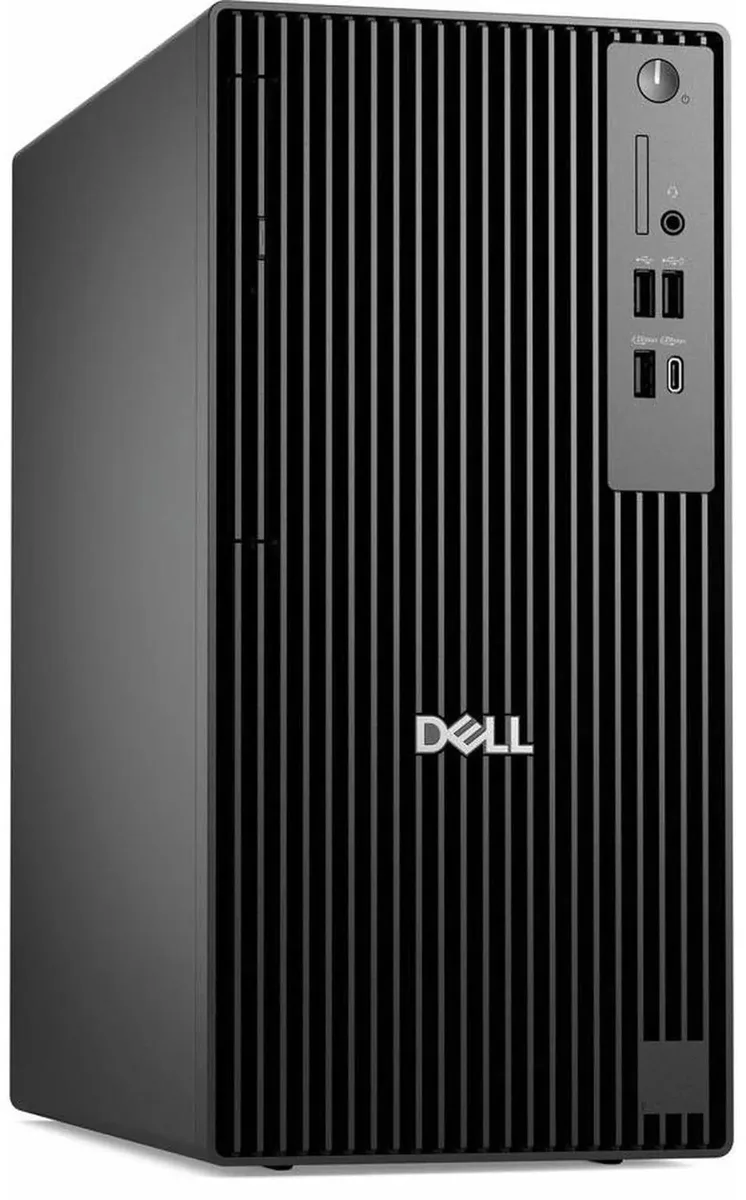
Business tower desktop with a 14-core Intel Core Ultra 5 235 processor, 32 GB DDR5 memory and a 512 GB SSD running Windows 11 Pro
The Dell Pro Tower Plus QBT1250 is a business desktop built around an Intel Core Ultra 5 235 processor. It targets office professionals and home users who need reliable performance for daily productivity tasks. The system ships with Windows 11 Pro and includes a DVD-RW optical drive.
The 260W power supply and tower chassis with advanced cooling support steady operation during extended multitasking sessions. DDR5 memory at 32GB capacity maintains bandwidth for multiple business applications. Intel HD Graphics drives multi-display setups without a discrete card.
The single specification that decides suitability is the 32GB DDR5 memory configuration soldered into this unit. Buyers who need more memory capacity or different memory generation cannot upgrade this aspect. The 512GB SSD and 14-core processor complement this fixed memory foundation.
| Brand | DELL |
|---|---|
| Series | Dell Pro |
| Model | QBT1250 |
| Type | Business Desktops & Workstations |
| Form Factor | Tower |
| Usage | Business |
| Processor | Intel Core Ultra 5 235 14-Core Processor at 3.40GHz up to 5.00GHz |
| Processor Main Features | 64 bit 14-Core Processor |
| Cache Per Processor | 24MB Intel Smart Cache |
| Memory | 32GB DDR5 |
| Storage | 512GB SSD |
| Optical Drive | DVD-RW |
| Graphics | Intel HD Graphics |
| Ethernet | Gigabit Ethernet |
| Power Supply | 260W |
| Monitor | Monitor not included |
| Operating System | Windows 11 Pro |
| CPU Type | Intel Core Ultra 5 (Series 2) |
| L3 Cache Per CPU | 24MB |
| CPU Main Features | 64 bit 14-Core Processor |
| GPU/VGA Type | Intel HD Graphics |
| Graphics Card | Intel HD Graphics |
| Graphics Interface | Integrated |
| Memory Capacity | 32GB DDR5 |
| Memory Speed | DDR5 |
| Memory Spec | 32GB DDR5 |
| SSD | 512 GB |
| HDD | No |
| Storage Spec | 512GB SSD |
| Optical Drive Type | DVD-RW |
| Optical Drive Spec | 8x DVD+/-RW 9.5mm Drive |
| Screen Size | No Screen |
| Display Feature | Supports Multiple Displays |
| LAN Speed | 10/100/1000Mbps |
| WLAN | No |
| Front USB | 2 x USB 2.0,1 x USB 3.2, 1 x USB Type-C 3.2 |
| Front Audio Ports | 1 x Headphone Jack |
| Card Reader | No |
| Video Ports | 3 x DisplayPort |
| Rear USB | 3 x USB 3.2, 2 x USB 2.0, 1 x USB Type-C |
| RJ45 | 1 port |
| Keyboard Type | Dell Keyboard |
| Mouse Type | Dell Mouse |
| Dimensions (H x W x D) | 18 x 16 x 10 |
| Weight | 15 |
| Package Type | Dell Brown Box |
| Package Contents | Tower Desktop, Power cord, Keyboard,Mouse |
The 260W supply powers the 14-core Intel Core Ultra 5 235 and 32GB DDR5 within the Pro chassis cooling design; Dell rates the system for continuous business workloads without thermal throttling.
The tower provides DisplayPort outputs for multi-display support, so you need DisplayPort cables or DisplayPort-to-HDMI adapters for each monitor you connect.
Yes, the four USB 2.0 ports natively support legacy keyboards, mice, printers and other USB 2.0 devices without adapters.
Également dans ce rayon
Même rayon, même caisse — huit monnaies et un taux bloqué 30 minutes.
Ce que vous envoyez, et ce dans quoi vous lisez les prix.
Envoyé depuis votre portefeuille à la caisse
Affichage seul — le catalogue est libellé en dollars
Aucune monnaie ne correspond.
Choisissez la langue dans laquelle le site vous parle.
Première visite ?
Vous avez déjà un compte ?
Il n’y a pas de réinitialisation automatique : cette boutique n’envoie aucun e-mail, il n’existe donc aucun lien à usage unique à demander. Laissez l’adresse sur le compte, elle sera traitée à la main.
Demande enregistrée
Rien n’arrivera dans votre boîte de réception — cette boutique n’envoie aucun e-mail. Quelqu’un s’en occupe à la main.
Vous l’avez retrouvé ?


