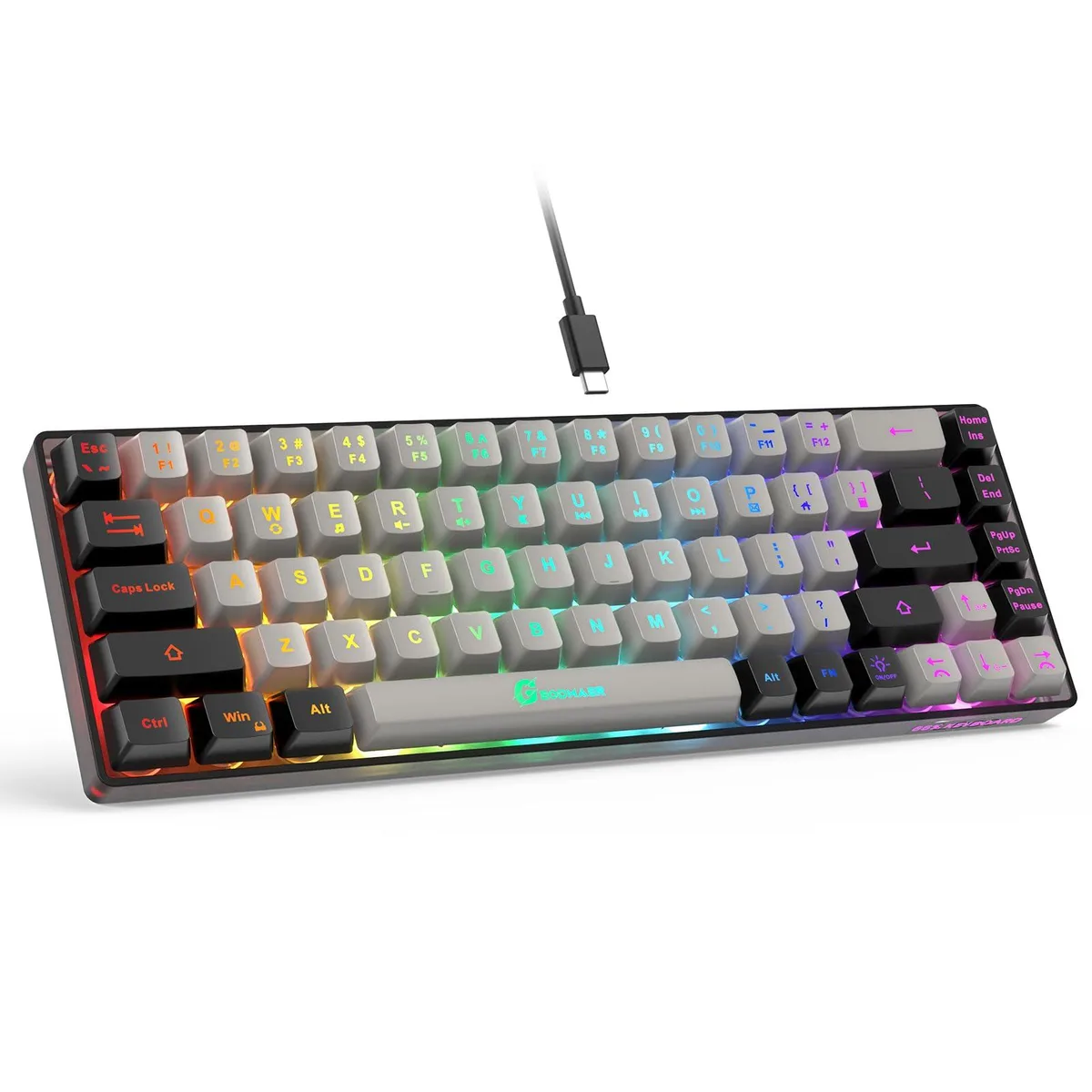


GE GM68 65% 68-Key Membrane Gaming Keyboard Grey Black
A 65% wired membrane keyboard with 68 keys, LED backlighting, 26-key anti-ghosting and a 10,000,000-keystroke lifespan
- NameGM68 Gaming Keyboard
- MaterialPlastic
- Keyboard InterfaceUSB
- Design StyleRainbow
- Palm RestContemporary, USB Cable
- Function Keys1
- Saves desk space with a 65 % compact 68-key layout
- Stable ultra-low-latency link via detachable Type-C wired connection
- Keys rated for over 10000000 keystrokes for long working life
- Clear visibility in darkness with LED backlight and transparent key legends
- Comfortable extended sessions thanks to ergonomic keycap height and mechanical feel
Compact 65% Layout
The GE GM68 is a 65% wired membrane gaming keyboard with 68 keys and a grey-black colour scheme. It uses a detachable Type-C USB connection for low-latency input and features two-colour injection keycaps with LED backlighting. The linear membrane switches provide a mechanical feel while remaining quiet, and the board is rated for 10000000 keystrokes.
Suited For Space-Saving Setups
This keyboard suits users who want a compact wired board with dedicated arrow keys and no numeric keypad. The 26-key anti-ghosting covers core gaming clusters, and 11 media shortcuts are accessible via the function row. Buyers who need full n-key rollover, per-key RGB customisation, or a numpad for data entry should look at larger or mechanical alternatives.
Check USB Port And Desk Space
Verify your system has a free USB-A or USB-C port for the detachable cable. The compact footprint measures 3 cm by 1.5 cm by 4 cm, so confirm that the reduced width fits your workspace and that the 65% layout matches your muscle memory for arrow and navigation keys.
Points forts
- Saves desk space with a 65 % compact 68-key layout
- Stable ultra-low-latency link via detachable Type-C wired connection
- Keys rated for over 10000000 keystrokes for long working life
- Clear visibility in darkness with LED backlight and transparent key legends
- Comfortable extended sessions thanks to ergonomic keycap height and mechanical feel
Caractéristiques
| Brand | GE |
|---|---|
| Series | GM68 Gaming Keyboard |
| Name | GM68 Gaming Keyboard |
| Model | GM68 Gaming Keyboard |
| Part Number | Wired Gaming Keyboard |
| Material | Plastic |
| Keyboard Interface | USB |
| Design Style | Rainbow |
| Palm Rest | Contemporary, USB Cable |
| Function Keys | 1 |
| Mechanical Keyboard | Linear |
| Key Switch | Linear |
| Key Switch Type | Linear |
| Keyboard Color | Grey Black |
| Backlit | Compact Design, Wired Connection, Long Lifespan, LED Backlit, Ergonomic, Mechanical Feel, rgb |
| Dimensions | 3 cm x 1.5 cm x 4 cm |
| Mouse Included | Contemporary |
| Mouse DPI | Gaming |
| Hand Orientation | Ambidextrous |
| Mouse Grip Style | Compact Design, Wired Connection, Long Lifespan, LED Backlit, Ergonomic, Mechanical Feel |
| Mouse Adjustable Weight | Compact Design, Wired Connection, Long Lifespan, LED Backlit, Ergonomic, Mechanical Feel |
| Buttons | 6 |
| Mouse Color | Black |
| Power Source | Wired |
| Operating Time | Wired, false |
| System Requirement | USB Cable |
| Features | Compact Design, Wired Connection, Long Lifespan, LED Backlit, Ergonomic, Mechanical Feel, rgb, Plastic, Ambidextrous |
| Package Contents | USB Cable |
Questions sur cet article
What USB port does the GE GM68 need to work?
The keyboard connects through a detachable Type-C cable to any standard USB port on a PC or laptop running Windows.
Will the 26-key no-conflict feature still register correctly if I keep using an older USB 2.0 hub?
Yes, the wired connection and 26-key anti-ghosting operate independently of the hub version, so every press is detected without conflict.
How can I confirm the LED backlight modes are functioning after plugging it in?
Press the dedicated light key to toggle the backlight on or off, then use FN plus the light key to cycle through always-bright and breathing modes while adjusting brightness and speed with FN plus the arrow keys.
Également dans ce rayon
Les clients ont aussi comparé
Même rayon, même caisse — huit monnaies et un taux bloqué 30 minutes.