

ASUS
ASUS TUF Gaming FX505DT-EB73 gaming laptop 15.6 120Hz Ryzen 7 3750H GTX 1650 8GB 512GB
$999.99
0.01293196BTC
En stockNous acceptons la cryptomonnaie — les cryptos que vous détenez peuvent ainsi acheter du matériel réel.Payez en crypto, dépensez-la en matériel réel. Livraison assurée offerte partout dans le monde au-delà de 399 $. Cartons neutres, sans marque, expédiés depuis l’Allemagne.Livraison assurée offerte au-delà de 399 $. Votre taux est bloqué pendant 30 minutes dès l’ouverture de la caisse.Taux bloqué 30 minutes. Chaque article est scellé, son numéro de série est vérifié, et il est couvert par une garantie de 24 mois.Scellé, garanti 24 mois.


GIGABYTE
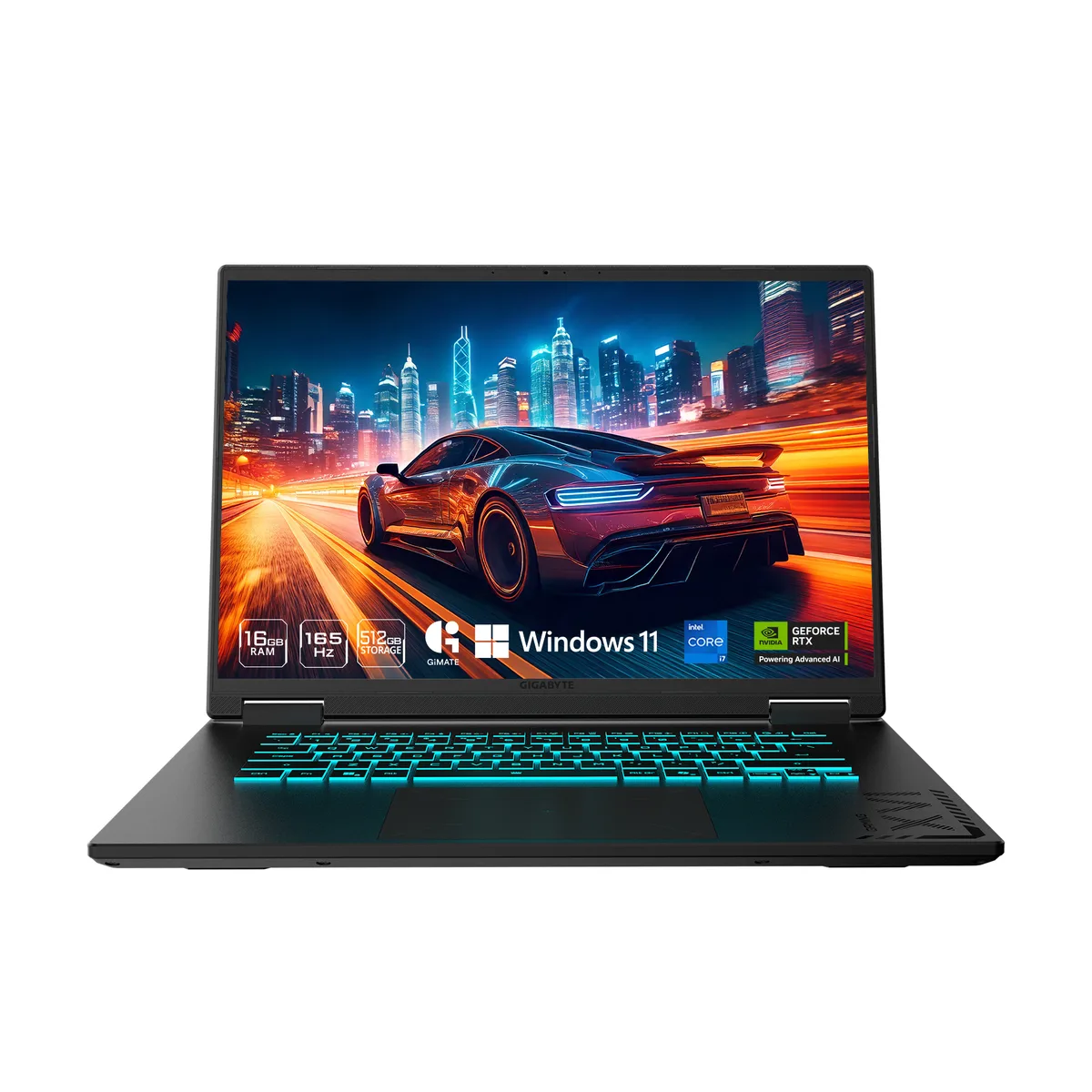
16-inch WUXGA 165 Hz panel driven by an RTX 5050 GPU, Intel Core i7-13620H processor, 16 GB DDR5 memory and a 1 TB NVMe SSD running Windows 11 Home
The GIGABYTE GAMING A16 CTHI3US894SH is a 16-inch Windows 11 Home laptop built around an Intel Core i7-13620H processor and an NVIDIA GeForce RTX 5050 Laptop GPU with 8 GB GDDR7. It ships with 16 GB of DDR5 5200 memory in a single stick and a 1 TB PCIe Gen4 NVMe M.2 SSD. The non-touch IPS panel delivers 1920 x 1200 resolution at 165 Hz and supports a MUX switch for direct GPU output.
This configuration fits users who want high-refresh 16:10 gaming and content creation on the move, with a 10-core CPU, dedicated RTX graphics and expandable memory slots supporting up to 64 GB DDR5. Buyers needing a lighter chassis under 2 kg, a touchscreen, or a larger factory SSD should evaluate other models.
The single specification that determines suitability is the NVIDIA GeForce RTX 5050 Laptop GPU with 8 GB GDDR7. It defines the graphics performance ceiling for modern titles and GPU-accelerated workloads; if that tier matches the target frame rates and settings, the surrounding CPU, memory and storage complement it without bottleneck.
| Brand | GIGABYTE |
|---|---|
| Model | GAMING A16 CTHI3US894SH |
| Color | Black Steel |
| Operating System | Windows 11 Home |
| CPU | Intel Core i7-13620H |
| Screen | 16" |
| Memory | 16GB |
| Storage | 1 TB PCIe Gen4 NVMe M.2 SSD |
| Graphics Card | NVIDIA GeForce RTX 5050 Laptop GPU |
| Communication | Gigabit LAN and WLAN |
| Dimensions (W x D x H) | 14.11" x 10.33" x 0.77"-0.91" |
| Weight | 4.85 lbs. |
| CPU Type | Intel Core i7 13th Gen |
| Processor Name | Intel Core i7-13620H |
| Number of Cores | 10-core (6P+4E) Processor |
| CPU L3 Cache | 24 MB |
| Screen Size | 16" |
| Touchscreen | Non-Touch Screen |
| Wide Screen Support | Yes |
| Display Type | WUXGA |
| Resolution | 1920 x 1200 |
| Panel | IPS |
| Refresh Rate | 165 Hz |
| Display Features | Supports MUX Switch |
| GPU/VPU | GeForce RTX 5050 Laptop GPU |
| Graphic Type | Dedicated Card |
| SSD | 1TB NVMe |
| Memory Speed | DDR5 5200 |
| Memory Spec | 16 GB x 1 |
| Memory Slot (Total) | 2 |
| Memory Slot (Available) | 1 |
| Optical Drive Type | No |
| LAN | 10/100/1000Mbps |
| WLAN | 802.11ax Wireless LAN |
| WiFi Generation | Wi-Fi 6E |
| Bluetooth | Bluetooth 5.2 |
| USB | 1 x USB 2.0/1.1 / 1 x USB4 / 2 x USB 3.2 Gen 1 Type-A |
| HDMI | 1 x HDMI 2.1 |
| Ethernet | 1 x RJ-45 (1Gbps) |
| Audio Ports | 1 x Headphone/Microphone Combo Jack |
| Audio | Microphone Dolby Atmos |
| Speaker | 2 x 2W speakers |
| Virtual Reality Ready | Yes |
| Keyboard | 1-zone RGB Backlit Keyboard, Up to 1.7mm Key-travel (Support N-Key) |
| Backlit Keyboard | Backlit |
| Webcam | Yes |
| Style | Thin and Light |
| Type | Gaming |
| Usage | Consumer |
| AC Adapter/Charger | 150-watt AC Adapter |
| Battery | Li Polymer 76Wh |
No, the built-in 16.0" 165Hz WUXGA panel works immediately; the HDMI 2.1 port is only required if you want a second display.
Yes, the laptop provides one USB 2.0 Type-A and two USB 3.2 Gen1 Type-A ports so both legacy and current peripherals work together.
Open the GIGABYTE Control Center, select GPU Mode, and verify Discrete or Dynamic is active; the on-screen indicator will show the dedicated GPU driving the 165Hz panel.
Également dans ce rayon
Même rayon, même caisse — huit monnaies et un taux bloqué 30 minutes.
Ce que vous envoyez, et ce dans quoi vous lisez les prix.
Envoyé depuis votre portefeuille à la caisse
Affichage seul — le catalogue est libellé en dollars
Aucune monnaie ne correspond.
Choisissez la langue dans laquelle le site vous parle.
Première visite ?
Vous avez déjà un compte ?
Il n’y a pas de réinitialisation automatique : cette boutique n’envoie aucun e-mail, il n’existe donc aucun lien à usage unique à demander. Laissez l’adresse sur le compte, elle sera traitée à la main.
Demande enregistrée
Rien n’arrivera dans votre boîte de réception — cette boutique n’envoie aucun e-mail. Quelqu’un s’en occupe à la main.
Vous l’avez retrouvé ?


