


GIGABYTE
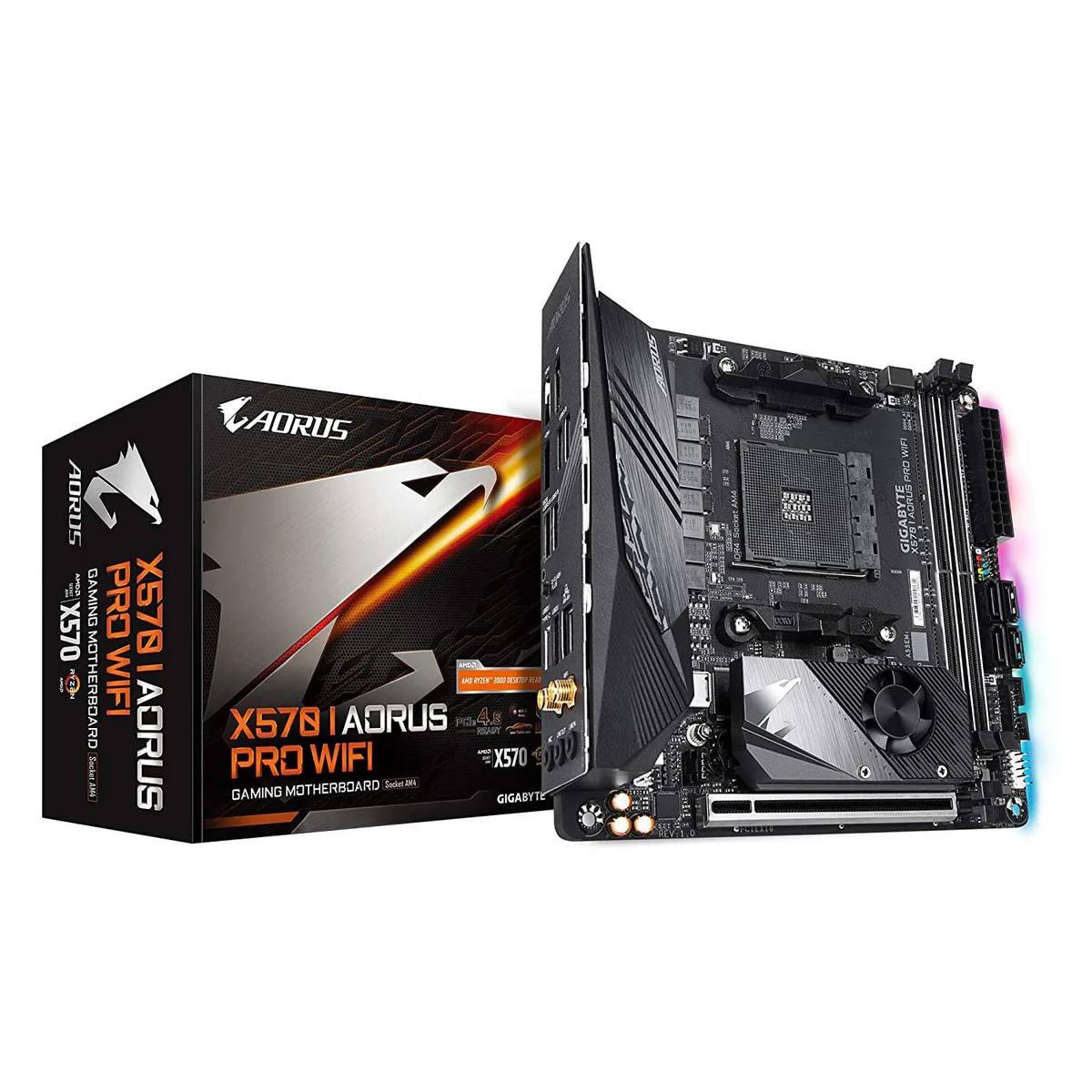
GIGABYTE X570 I AORUS Pro Wi-Fi AMD motherboard
Mini-ITX AMD motherboard with dual M.2 slots, USB 3.1 and HDMI 2.0 outputs
- CPU TypeATOM
- Mini-ITX form factor fits compact builds
- Direct 8-phase Infineon VRM with 70A power stages
- Dual M.2 slots support PCIe 4.0 x4 storage
- Realtek ALC1220-Vb audio with extended VRM heatsink
- DisplayPort 1.4 and dual HDMI 2.0B for integrated graphics
Compact AMD platform
The Gigabyte X570 I Aorus Pro Wi-Fi is a Mini-ITX motherboard built on the X570 chipset for AMD Ryzen processors. It includes integrated Wi-Fi and DisplayPort 1.4 alongside two HDMI 2.0B outputs for display flexibility. RGB Fusion 2.0 lighting adds visual customisation for small-form-factor builds.
Build focus
This board suits builders who need PCIe 4.0 NVMe storage and high-quality Realtek ALC1220-Vb audio in a compact layout. The dual-channel DDR4 design with only two DIMM slots limits total memory capacity, so users requiring four slots should consider a larger form factor.
Power delivery
A direct 8-phase Infineon digital VRM with 70A power stages and an extended heatsink backed by a 5W/mK thermal pad handles demanding CPU loads in a restricted space. This specification determines whether the board can sustain the performance level your chosen processor requires.
Points forts
- Mini-ITX form factor fits compact builds
- Direct 8-phase Infineon VRM with 70A power stages
- Dual M.2 slots support PCIe 4.0 x4 storage
- Realtek ALC1220-Vb audio with extended VRM heatsink
- DisplayPort 1.4 and dual HDMI 2.0B for integrated graphics
Caractéristiques
| CPU Type | ATOM |
|---|
Questions sur cet article
Will the Mini-ITX board's 10.43 x 9.25 x 3.14 cm dimensions fit my compact case?
The board measures 10.43 by 9.25 by 3.14 centimetres. Verify your case supports Mini-ITX and check clearance for the extended VRM heatsink and rear I/O shield before purchase.
How do I install the CPU cooler without bending the 8-phase Infineon VRM heatsink?
Mount the motherboard in the case first. Align the cooler with the AM4 socket, then secure it using a cross-pattern tightening sequence to distribute pressure evenly across the VRM heatsink area.
When should I replace the 5W/mK thermal pad on the VRM heatsink?
Replace the thermal pad if VRM temperatures rise unusually high under load, or whenever you remove the heatsink for cleaning or hardware changes. Use a pad of the same thickness and conductivity rating.
Également dans ce rayon
Les clients ont aussi comparé
Même rayon, même caisse — huit monnaies et un taux bloqué 30 minutes.


PrimoChill
PrimoChill Praxis Wetbench Open-Air Test Bench 461.8mm
- Open-Air
274,89 $US
0.00355155BTC
En stock
Silverstone Technology
SilverStone Technology Strider 1200W 80 Plus Platinum Modular Power Supply
- ATX Mid Tower
- 1200W
324,03 $US
0.00418643BTC
En stock