


GIGABYTE
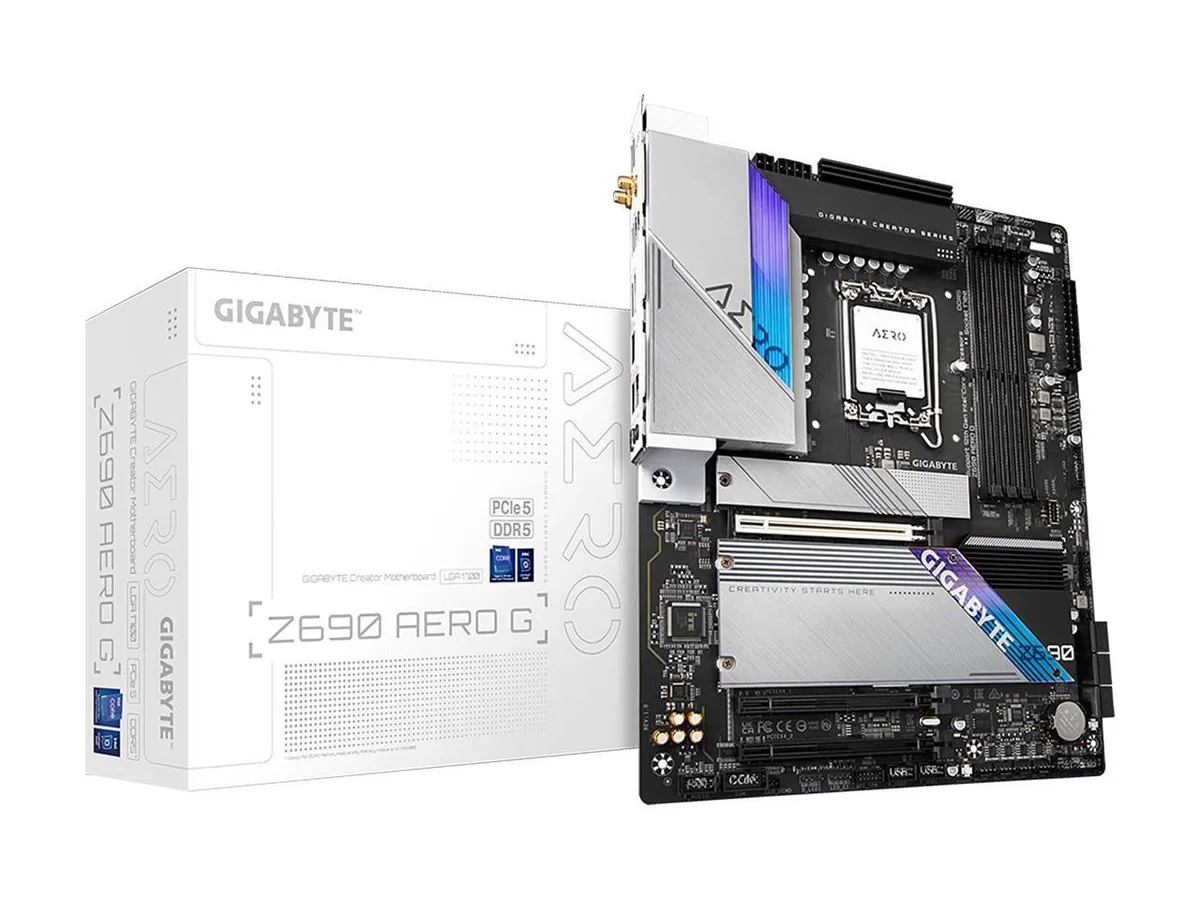
GIGABYTE Z690 AERO G Intel motherboard
ATX board for 12th and 13th Gen Intel CPUs with DDR5 memory, PCIe 5.0, four M.2 slots, WiFi 6, 2.5 GbE LAN and USB 3.2 Gen2x2 Type-C
- CPU Socket TypeLGA 1700 * Dedicated LGA1700 mounting bracket is required.
- CPU TypeSupports 13th / 12th Gen Intel Core, Pentium Gold, Celeron P
- ChipsetIntel Z690
- Onboard Video ChipsetSupported only by CPU with integrated graphic
- Number of Memory Slots4x288pin (DDR5)
- Memory StandardDDR5 6000(OC) / 5800(OC) / 5600(OC) / 5400(OC) / 5200(OC) /
- Supports 12th and 13th Gen Intel Core processors via LGA 1700 socket
- DDR5 memory up to 6000 MT/s across four slots with 128 GB maximum
- PCIe 5.0 x16 slot plus quad M.2 connectors for NVMe PCIe 4.0 x4 storage
- WiFi 6 and Bluetooth 5.2 alongside Intel 2.5 GbE LAN for fast networking
- Realtek ALC4080 audio with 7.1-channel digital output and RGB FUSION 2.0 lighting control
Intel LGA 1700 Z690 ATX Motherboard
The GIGABYTE Z690 AERO G is an ATX board built for Intel Core processors on the LGA 1700 socket. It runs the Intel Z690 chipset and supports 12th and 13th generation CPUs including Pentium Gold and Celeron models. Four 288-pin slots accept dual-channel DDR5 memory up to 128 GB at speeds from 4000 to 6000 MT/s with overclocking.
Creators needing quad M.2 and PCIe 5.0 graphics
Content creators and builders who want four PCIe 4.0 M.2 slots, a single PCIe 5.0 x16 slot and USB 3.2 Gen 2x2 Type-C will find the layout suited to high-throughput workflows. Users requiring more than two full-speed x16 slots or legacy PCI support should look at a different platform.
128 GB DDR5 and four M.2 slots for heavy workloads
The board comfortably handles 128 GB of DDR5 across four slots and provides four M.2 connectors for 2260, 2280 and 22110 drives. The single PCIe 5.0 x16 slot and two chipset-linked x4 slots set the expansion ceiling, while six SATA 6 Gb/s ports cover additional storage.
Points forts
- Supports 12th and 13th Gen Intel Core processors via LGA 1700 socket
- DDR5 memory up to 6000 MT/s across four slots with 128 GB maximum
- PCIe 5.0 x16 slot plus quad M.2 connectors for NVMe PCIe 4.0 x4 storage
- WiFi 6 and Bluetooth 5.2 alongside Intel 2.5 GbE LAN for fast networking
- Realtek ALC4080 audio with 7.1-channel digital output and RGB FUSION 2.0 lighting control
Caractéristiques
| Brand | GIGABYTE |
|---|---|
| Model | Z690 AERO G |
| CPU Socket Type | LGA 1700 * Dedicated LGA1700 mounting bracket is required. |
| CPU Type | Supports 13th / 12th Gen Intel Core, Pentium Gold, Celeron Processors |
| Chipset | Intel Z690 |
| Onboard Video Chipset | Supported only by CPU with integrated graphic |
| Number of Memory Slots | 4x288pin (DDR5) |
| Memory Standard | DDR5 6000(OC) / 5800(OC) / 5600(OC) / 5400(OC) / 5200(OC) / 4800 / 4000 |
| Maximum Memory Supported | 128GB |
| Channel Supported | Dual Channel |
| PCI Express 5.0 x16 | 1 x PCI Express 5.0 x16 * For optimum performance, if only one PCI Express graphics card is to be installed, be sure to install it in the PCIEX16 slot. |
| PCI Express 3.0 x16 | 2 x PCI Express 3.0 x16, running at x4 (PCIEX4_1, PCIEX4_2) |
| Serial ATA (SATA) | 6 x SATA 6Gb/s |
| M.2 | CPU: 1 x M.2 connector (Socket 3, M key, type 2260/2280/22110 PCIe 4.0 x4/x2 SSD support) (M2A_CPU) Chipset: 2 x M.2 connectors (Socket 3, M key, type 2260/2280/22110 PCIe 4.0 x4/x2 SSD support) (M2P_SB, M2Q_SB) 1 x M.2 connector (Socket 3, M key, type 2260/2280/22110 SATA and PCIe 4.0 x4/x2 SSD support) (M2M_SB) |
| Intel Optane Ready | Yes * System acceleration with Intel Optane Memory can only be enabled on the M.2 connectors supported by the Chipset. |
| Audio Chipset | Realtek ALC4080 |
| Audio Channels | 2-channel analog output 7.1-channel digital signals * Actual output of digital signals may vary depending on the playback content and software used, and an external DAC is required. |
| Max LAN Speed | 2.5Gbps |
| Wireless LAN | Wi-Fi 802.11 ax |
| Bluetooth | Bluetooth 5.2 |
| Back I/O Ports | 2 x USB 2.0/1.1 ports 4 x USB 3.2 Gen 1 ports 2 x USB 3.2 Gen 2 Type-A ports (red) 1 x USB Type-C port, with USB 3.2 Gen 2x2 support 1 x USB Type-C port, with USB 3.2 Gen 1 support 2 x SMA antenna connectors (2T2R) 1 x RJ-45 port 1 x DisplayPort In port 1 x HDMI port 1 x optical S/PDIF Out connector 2 x audio jacks |
| Onboard USB | 1 x USB Type-C header, with USB 3.2 Gen 2x2 support 1 x USB 3.2 Gen 1 header 2 x USB 2.0/1.1 headers |
| Other Connectors | 1 x CPU fan header 1 x water cooling CPU fan header 4 x system fan headers 2 x system fan/water cooling pump headers 2 x addressable LED strip headers 2 x RGB LED strip headers 1 x front panel header 1 x front panel audio header 1 x noise detection header 2 x Thunderbolt add-in card connectors 1 x Trusted Platform Module header (For the GC-TPM2.0 SPI/GC-TPM2.0 SPI 2.0 module only) 1 x serial port header 1 x Q-Flash Plus button 1 x reset button 1 x reset jumper 2 x temperature sensor headers 1 x Clear CMOS jumper |
| Windows 11 | Supported |
| Form Factor | ATX |
| LED Lighting | RGB |
| Dimensions (W x L) | 12.0" x 9.6" |
| Power Pin | 1 x 24-pin ATX main power connector 1 x 8-pin ATX 12V power connector 1 x 4-pin ATX 12V power connector |
| Features | Multi-Graphics Technology Support for AMD Quad-GPU CrossFire and 2-Way AMD CrossFire technologies I/O Controller iTE I/O Controller Chip H/W Monitoring Voltage detection Temperature detection Fan speed detection Water cooling flow rate detection Fan fail warning Fan speed control * Whether the fan (pump) speed control function is supported will depend on the fan (pump) you install. Noise detection BIOS 1 x 256 Mbit flash Use of licensed AMI UEFI BIOS PnP 1.0a, DMI 2.7, WfM 2.0, SM BIOS 2.7, ACPI 5.0 Unique Features Support for APP Center * Available applications in APP Center may var |
Questions sur cet article
Do I need a dedicated LGA 1700 mounting bracket for my CPU cooler to fit this board?
Yes, the board only accepts LGA 1700 cooling brackets, so a dedicated mounting kit is required for any cooler.
Will my PCIe 3.0 x16 add-in cards work in the PCIEX4_1 and PCIEX4_2 slots?
Those two slots are PCI Express 3.0 x16 physical connectors that run at x4 electrical, so PCIe 3.0 cards will function at x4 speed.
How can I confirm the quad M.2 NVMe drives are running at PCIe 4.0 x4 after installation?
Check the BIOS M.2 configuration screen or use a system information tool in the OS to verify each drive shows a PCIe 4.0 x4 link width.
Également dans ce rayon
Les clients ont aussi comparé
Même rayon, même caisse — huit monnaies et un taux bloqué 30 minutes.


PrimoChill
PrimoChill Praxis Wetbench Open-Air Test Bench 461.8mm
- Open-Air
274,89 $US
0.00353779BTC
En stock
Silverstone Technology
SilverStone Technology Strider 1200W 80 Plus Platinum Modular Power Supply
- ATX Mid Tower
- 1200W
324,03 $US
0.00417022BTC
En stock