


HP
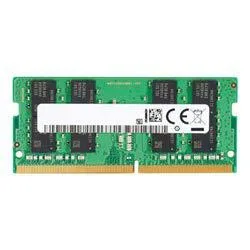
HP 13L78AT 4GB DDR4 3200 Desktop RAM
A 4 GB DDR4 desktop module running at 3200 MHz with CL1.5 latency in a 288-pin DIMM format
- Capacity4GB
- SpeedDDR4 3200 (PC4 25600)
- CAS LatencyCL1.5
- ColorBlack
- LED ColorNone
- 4 GB capacity expands system memory for everyday tasks
- DDR4 3200 speed delivers 25600 MT/s data rate
- CL1.5 latency reduces access delay for responsive performance
- 288-pin DIMM form factor fits standard desktop slots
- RoHS certification confirms environmentally friendly materials
4GB DDR4 3200 Desktop Memory
This HP 13L78AT module adds 4GB of DDR4 3200 memory to a desktop system. It uses the standard 288-pin DIMM form factor and runs at PC4 25600 speed with a CAS latency of CL1.5. The black module has no LED lighting and carries RoHS environmental certification.
Upgrade from lower-capacity or slower DDR4 modules
Replacing a smaller or slower DDR4 stick with this 4GB 3200 MHz module increases total memory bandwidth for everyday multitasking. The jump is worth it when the motherboard has a free 288-pin slot and supports the DDR4 3200 standard without requiring a voltage change.
Limited by the DDR4 3200 standard
The DDR4 3200 interface caps transfer rates at PC4 25600, so total throughput cannot exceed this ceiling even with tighter timings. A single 4GB module also restricts total system capacity unless additional identical sticks are installed in matched channels.
Points forts
- 4 GB capacity expands system memory for everyday tasks
- DDR4 3200 speed delivers 25600 MT/s data rate
- CL1.5 latency reduces access delay for responsive performance
- 288-pin DIMM form factor fits standard desktop slots
- RoHS certification confirms environmentally friendly materials
Caractéristiques
| Brand | HP |
|---|---|
| Capacity | 4GB |
| Speed | DDR4 3200 (PC4 25600) |
| CAS Latency | CL1.5 |
| Color | Black |
| LED Color | None |
| Poids d’expédition | 0.45 kg |
| Dimensions du colis | 229 × 152 × 13 mm |
Questions sur cet article
Does the 288-pin DIMM fit a standard DDR4 desktop slot?
Yes, the module uses the 288-pin DIMM form factor that matches any desktop DDR4 motherboard slot.
How do I install the module and what step is often missed?
Align the notch with the slot key, press down firmly until both side clips snap shut, then verify the system shows 3200 MHz in BIOS.
When might the 4 GB DDR4 module need replacement?
Replace it if memory diagnostics report errors, if you need more than 4 GB capacity, or if a future platform requires a different DDR generation.
Également dans ce rayon
Les clients ont aussi comparé
Même rayon, même caisse — huit monnaies et un taux bloqué 30 minutes.


PrimoChill
PrimoChill Praxis Wetbench Open-Air Test Bench 461.8mm
- Open-Air
274,89 $US
0.00355155BTC
En stock
Silverstone Technology
SilverStone Technology Strider 1200W 80 Plus Platinum Modular Power Supply
- ATX Mid Tower
- 1200W
324,03 $US
0.00418643BTC
En stock