HP
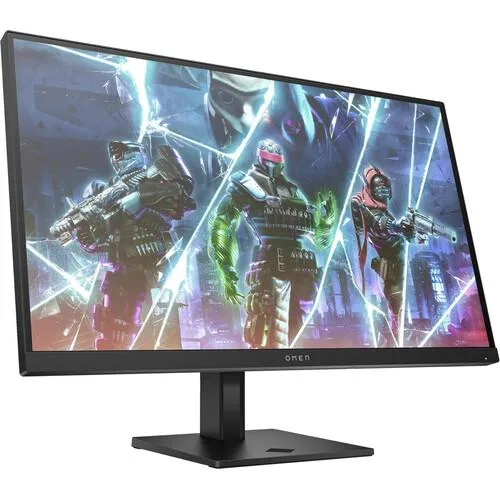
HP OMEN 27k 27" 4K 144Hz Gaming Monitor
A 27-inch 4K gaming monitor with a 144 Hz IPS panel covering 99% sRGB and 95% DCI-P3, plus a built-in KVM switch
- Screen Size27"
- Sharp 4K detail from 3840 x 2160 pixel-dense panel
- Lifelike colour with 99% sRGB and 95% DCI-P3 coverage
- Smooth 144 Hz refresh keeps fast motion fluid
- Built-in KVM lets one keyboard and mouse control two devices
- OMEN Gaming Hub centralises monitor and accessory settings
What the OMEN 27k delivers
The OMEN 27k is a 27 inch gaming monitor with a 3840 x 2160 pixel IPS panel running at 144 Hz. It covers 99 percent sRGB and 95 percent DCI-P3 for accurate colour reproduction. A built-in KVM switch lets you control two devices with one keyboard and mouse, while OMEN Gaming Hub centralises display and lighting settings.
Who benefits and who should look elsewhere
Competitive players who value high pixel density and colour fidelity at 144 Hz will appreciate the sharp 4K image and wide gamut. Creative professionals needing factory calibration reports or hardware calibration support should look elsewhere. Buyers wanting higher refresh rates, HDR certification or larger screen sizes should also consider other options.
Behaviour under sustained load
The IPS panel maintains consistent colour and viewing angles during long sessions, and the 144 Hz refresh rate remains stable without frame skipping. Integrated dual speakers provide basic audio without external hardware. The KVM switch operates reliably when toggling between sources repeatedly. OMEN Gaming Hub settings persist across power cycles for a consistent setup.
Points forts
- Sharp 4K detail from 3840 x 2160 pixel-dense panel
- Lifelike colour with 99% sRGB and 95% DCI-P3 coverage
- Smooth 144 Hz refresh keeps fast motion fluid
- Built-in KVM lets one keyboard and mouse control two devices
- OMEN Gaming Hub centralises monitor and accessory settings
Caractéristiques
| Screen Size | 27" |
|---|
Questions sur cet article
Do I need a graphics card that can drive 3840 x 2160 at 144 Hz to use this monitor at its full capability?
Yes, the panel runs at 3840 x 2160 and 144 Hz, so the source must support that resolution and refresh rate over the cable you connect.
Can I keep my older 1080p 60 Hz monitor as a second screen while using this one?
Yes, the operating system treats each display independently, so the older monitor will run at its native 1080p 60 Hz while this panel runs at 3840 x 2160 144 Hz.
How can I confirm the panel is actually displaying 99% sRGB and 95% DCI-P3 after setup?
Open the OS colour-management control panel, assign the monitor’s ICC profile, then run a calibration tool that reports measured gamut coverage against the sRGB and DCI-P3 targets.
Également dans ce rayon
Les clients ont aussi comparé
Même rayon, même caisse — huit monnaies et un taux bloqué 30 minutes.