
DELL
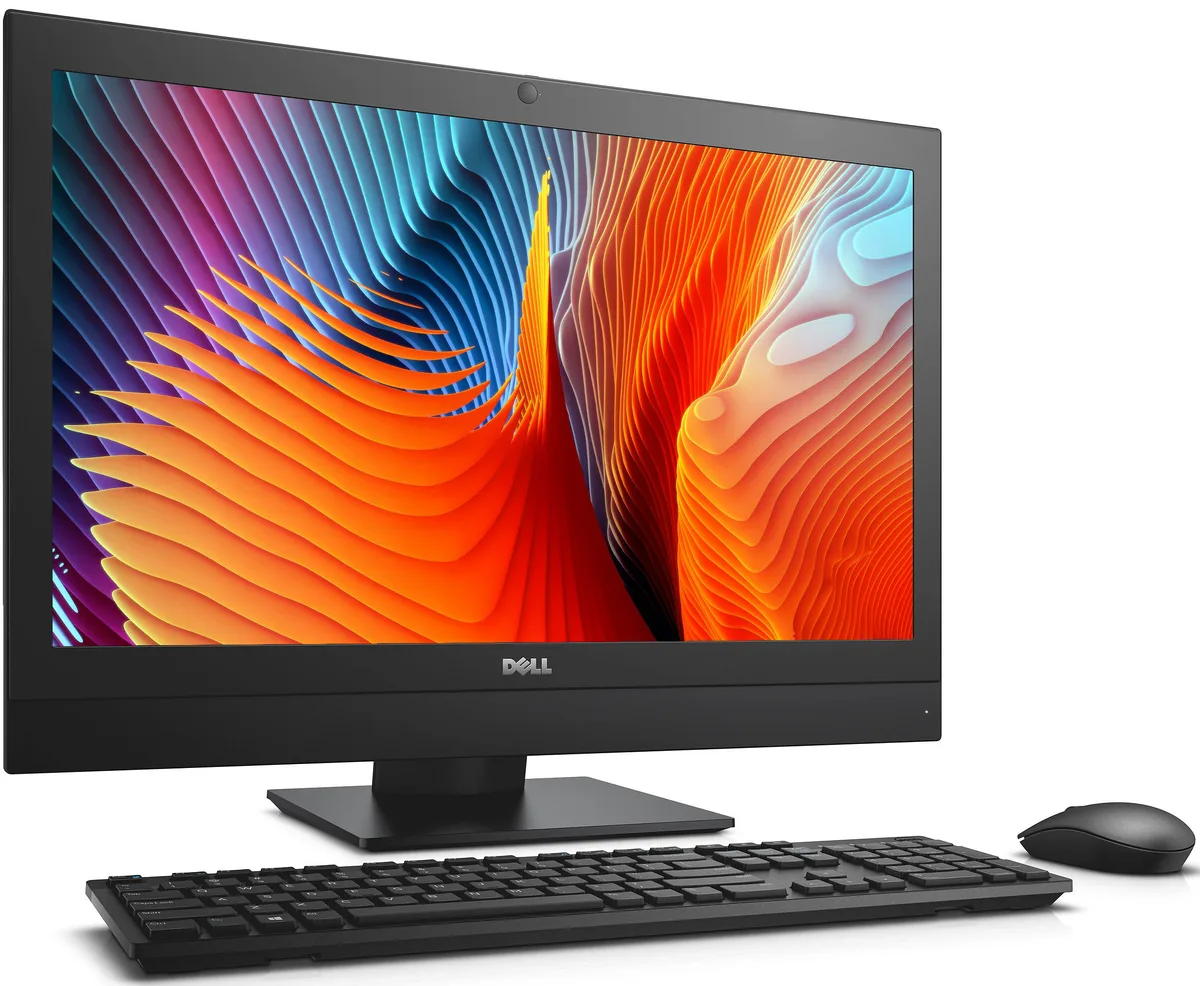
DELL OptiPlex 7440 All-in-One i5-6500 8 GB 500 GB 23.8
- All-in-One PC
- All-in-One
232,99 $US
0.00296108BTC
En stockNous acceptons la cryptomonnaie — les cryptos que vous détenez peuvent ainsi acheter du matériel réel.Payez en crypto, dépensez-la en matériel réel. Livraison assurée offerte partout dans le monde au-delà de 399 $. Cartons neutres, sans marque, expédiés depuis l’Allemagne.Livraison assurée offerte au-delà de 399 $. Votre taux est bloqué pendant 30 minutes dès l’ouverture de la caisse.Taux bloqué 30 minutes. Chaque article est scellé, son numéro de série est vérifié, et il est couvert par une garantie de 24 mois.Scellé, garanti 24 mois.


HP
A compact desktop with a 15th Gen Ultra 7-265 processor, 16GB DDR5, 256GB NVMe storage, WiFi 6 and Windows 11 Pro
The HP OmniDesk desktop PC uses a 15th Gen Intel Ultra 7-265 processor with 20 cores and 20 threads reaching up to 5.3 GHz, paired with 16GB DDR5 memory and a 256GB PCIe NVMe SSD. It runs Windows 11 Pro and includes a wireless keyboard and mouse. The 280W power supply supports the integrated Intel Graphics and the Dark Wood chassis. Connectivity covers WiFi 6, Bluetooth 5.2, one RJ-45 port, one DisplayPort, four USB 2.0 ports and two USB 3.2 Type-C ports.
Workers who rely on web apps, document editing, video calls and multi-monitor output will find the integrated graphics and fast storage responsive. The small form factor fits tight desks and the wireless peripherals reduce cable clutter. Buyers who need a discrete GPU for 3D rendering, heavy video encoding or high-refresh gaming should look at a workstation with a dedicated graphics card and a larger power supply.
Under sustained multi-core loads the 20-core processor can maintain elevated frequencies while the integrated graphics share the same thermal budget. The 280W supply limits peak combined draw, so prolonged all-core turbo may step down to stay within the power limit. Fan speed ramps gradually to manage heat in the compact chassis, keeping surface temperatures acceptable for a desk-side position. DDR5 bandwidth helps feed the cores during long compile or data-analysis sessions without memory bottlenecks.
| Brand | HP |
|---|---|
| Model | OmniDesk |
| Type | Business Desktops & Workstations |
| Form Factor | Desktop |
| Power Supply | 280W |
| Monitor | Monitor not included |
| Operating System | Windows 11 Pro |
| L3 Cache Per CPU | 30MB Cache |
| GPU/VGA Type | Intel Graphics |
| Graphics Interface | Integrated video |
| Memory Capacity | 16GB DDR5 |
| SSD | 256 GB |
| HDD | No |
| Optical Drive Type | No Optical Drive |
| Screen Size | No Screen |
| WLAN | 802.11ax Wireless LAN |
| Bluetooth | Bluetooth 5.2 |
| Card Reader | No |
| RJ45 | 1 port |
| Keyboard Type | Wireless Keyboard |
A standard DisplayPort cable connects the built-in DisplayPort to any monitor with a DisplayPort input.
Yes, the four USB 2.0 ports accept any USB 2.0 device and are backward compatible with USB 1.1 equipment.
Open Task Manager, select the Performance tab, choose CPU, and watch the clock speed rise toward 5.3 GHz under load.
Également dans ce rayon
Même rayon, même caisse — huit monnaies et un taux bloqué 30 minutes.
Ce que vous envoyez, et ce dans quoi vous lisez les prix.
Envoyé depuis votre portefeuille à la caisse
Affichage seul — le catalogue est libellé en dollars
Aucune monnaie ne correspond.
Choisissez la langue dans laquelle le site vous parle.
Première visite ?
Vous avez déjà un compte ?
Il n’y a pas de réinitialisation automatique : cette boutique n’envoie aucun e-mail, il n’existe donc aucun lien à usage unique à demander. Laissez l’adresse sur le compte, elle sera traitée à la main.
Demande enregistrée
Rien n’arrivera dans votre boîte de réception — cette boutique n’envoie aucun e-mail. Quelqu’un s’en occupe à la main.
Vous l’avez retrouvé ?


