HP
HP OmniBook 7 16" 2K OLED 120Hz Core 9 270H 32GB 1TB laptop
- AI Ready
- Windows 11 Pro
1 033,99 $US
0.0131905BTC
En stockNous acceptons la cryptomonnaie — les cryptos que vous détenez peuvent ainsi acheter du matériel réel.Payez en crypto, dépensez-la en matériel réel. Livraison assurée offerte partout dans le monde au-delà de 399 $. Cartons neutres, sans marque, expédiés depuis l’Allemagne.Livraison assurée offerte au-delà de 399 $. Votre taux est bloqué pendant 30 minutes dès l’ouverture de la caisse.Taux bloqué 30 minutes. Chaque article est scellé, son numéro de série est vérifié, et il est couvert par une garantie de 24 mois.Scellé, garanti 24 mois.


HP
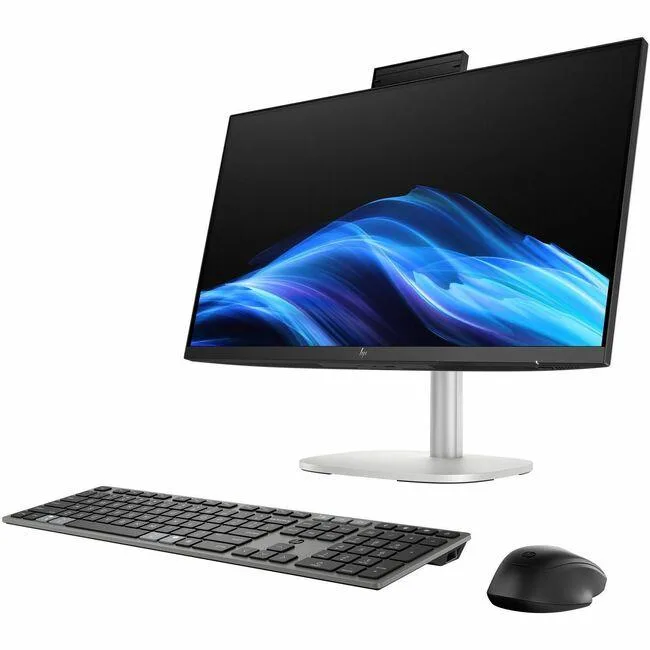
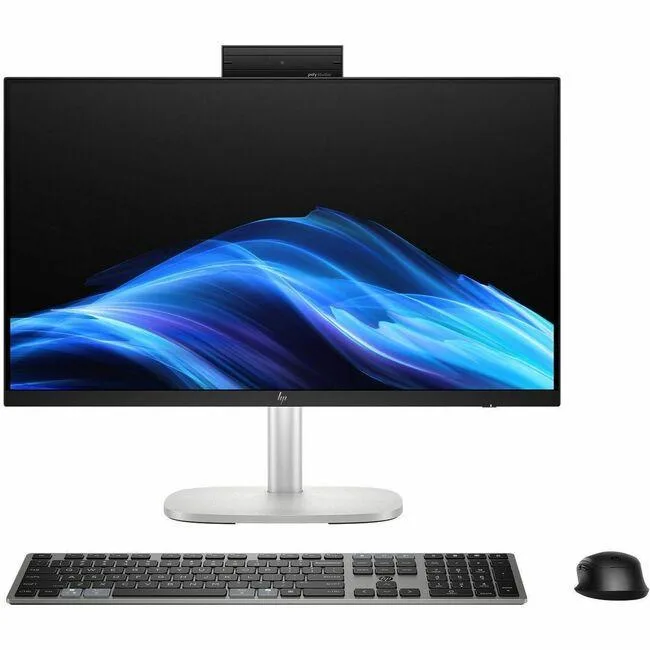
A 27-inch touch all-in-one desktop with an Intel Core Ultra 7 355 processor, 16 GB DDR5 memory, 512 GB storage, Wi-Fi 6 and Windows 11 Pro
OperatingSystem Windows 11 Pro
The HP OmniStudio All-in-One combines a 27-inch FHD touchscreen with an Intel Core Ultra 7 355 processor, 16 GB DDR5 memory and a 512 GB SSD. Windows 11 Pro is pre-installed alongside a wireless keyboard and mouse. The system targets home and office users who want a compact, cable-reduced workstation with AI-ready performance. Integrated Intel Graphics handle everyday visual tasks without a discrete card.
A 90 W AC adapter powers the entire unit, so typical draw stays well within that envelope during office workloads and media playback. The all-in-one chassis uses internal airflow rather than exposed fans, keeping acoustic output low in quiet rooms. Touch-panel operation adds no audible noise, and the Low Blue Light mode reduces eye strain during long sessions.
Buyers moving from an older non-touch all-in-one or a traditional tower plus separate monitor gain a unified 27-inch 1920 x 1080 IPS panel with 350 nits brightness and 100 % sRGB coverage. The DDR5 platform supports up to 64 GB and the M.2 slot accepts up to 2 TB NVMe storage for future expansion. Users who need discrete graphics performance, multiple high-refresh displays or a smaller footprint should consider other form factors.
| Brand | HP |
|---|---|
| Series | Omni |
| Model | C17VMAV_1 |
| Type | All-in-One PC |
| Form Factor | All-in-One |
| Color | White |
| AI Features | AI Ready |
| Power Supply | 90W |
| Operating System | Windows 11 Pro |
| CPU Type | Intel Core Ultra 7 (Series 3) |
| CPU Name | Intel Core Ultra 7 355 |
| GPU/VGA Type | Integrated Graphics |
| Memory Capacity | 16GB DDR5 |
| SSD | 512GB |
| WiFi Generation | Wi-Fi 6 |
| Bluetooth | Bluetooth 5.4 |
| Keyboard Type | Wireless Keyboard |
| Mouse Type | Wireless Mouse |
Autres versions de ce modèle
Même famille, mémoire, ventirad ou fréquence différents — comparez avant de vous décider.
Connect the 90 W 4.5 mm AC adapter, press the power button, then pair the HP 275C wireless keyboard and mouse via their USB receiver; the step many skip is inserting two AAA batteries into each peripheral before pairing.
The board supports up to 64 GB DDR5 RAM and up to 2 TB PCIe NVMe M.2 SSD; the 16 GB DDR5 and 512 GB SSD installed today can both be replaced when you need more capacity.
The 90 W AC adapter caps total system draw, so sustained all-core loads at 4.7 GHz Turbo will hit the power brick limit before the Intel Core Ultra 7 355 reaches its thermal ceiling.
Également dans ce rayon
Même rayon, même caisse — huit monnaies et un taux bloqué 30 minutes.
Ce que vous envoyez, et ce dans quoi vous lisez les prix.
Envoyé depuis votre portefeuille à la caisse
Affichage seul — le catalogue est libellé en dollars
Aucune monnaie ne correspond.
Choisissez la langue dans laquelle le site vous parle.
Première visite ?
Vous avez déjà un compte ?
Il n’y a pas de réinitialisation automatique : cette boutique n’envoie aucun e-mail, il n’existe donc aucun lien à usage unique à demander. Laissez l’adresse sur le compte, elle sera traitée à la main.
Demande enregistrée
Rien n’arrivera dans votre boîte de réception — cette boutique n’envoie aucun e-mail. Quelqu’un s’en occupe à la main.
Vous l’avez retrouvé ?