HP
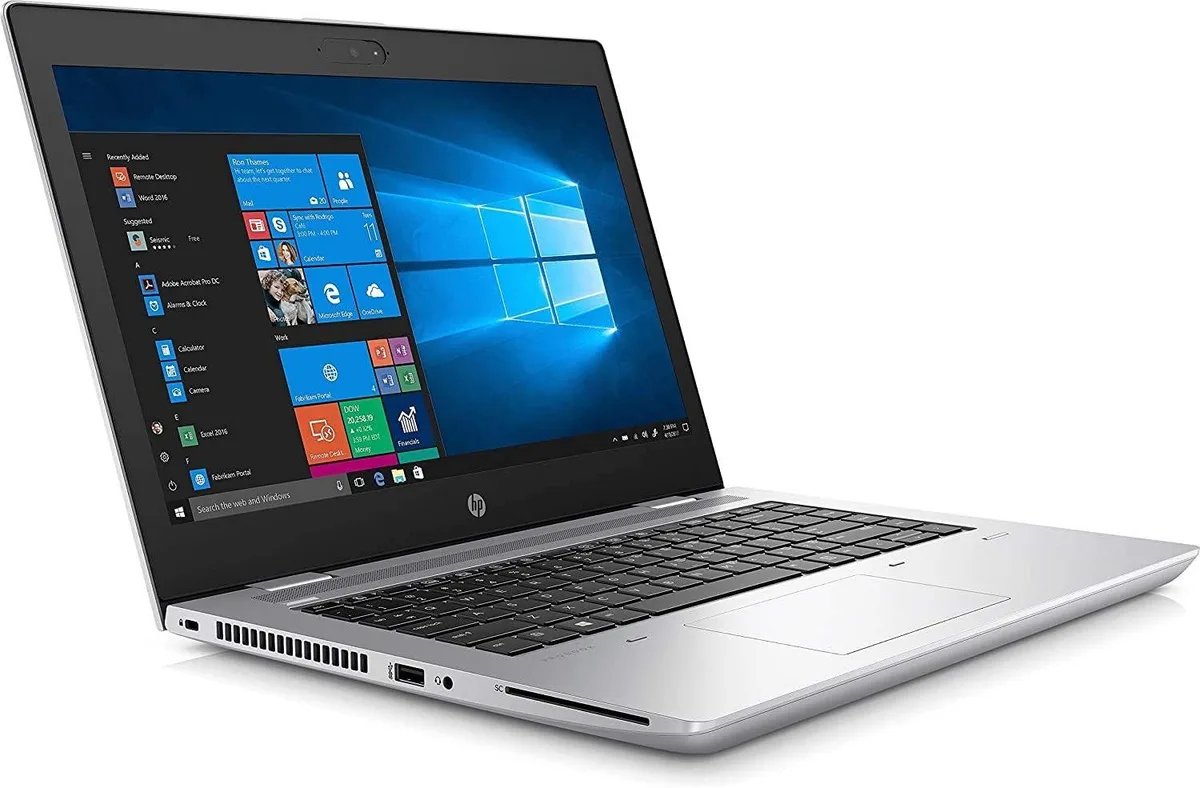
HP ProBook 640 G5 14" FHD i5-8365U 8GB 512GB SSD Windows 11 Pro laptop
- Silver
- Windows 11 Pro
197,99 $US
0.00249634BTC
En stockNous acceptons la cryptomonnaie — les cryptos que vous détenez peuvent ainsi acheter du matériel réel.Payez en crypto, dépensez-la en matériel réel. Livraison assurée offerte partout dans le monde au-delà de 399 $. Cartons neutres, sans marque, expédiés depuis l’Allemagne.Livraison assurée offerte au-delà de 399 $. Votre taux est bloqué pendant 30 minutes dès l’ouverture de la caisse.Taux bloqué 30 minutes. Chaque article est scellé, son numéro de série est vérifié, et il est couvert par une garantie de 24 mois.Scellé, garanti 24 mois.


HP
A 14-inch FHD IPS business laptop with a quad-core i5-8365U, 16 GB DDR4, 512 GB M.2 plus 1 TB SSD, Wi-Fi 5, Bluetooth 4.1, HDMI, USB-C with Power Delivery and DisplayPort, and Windows 11 Pro
Options 16GB/1TB W11P
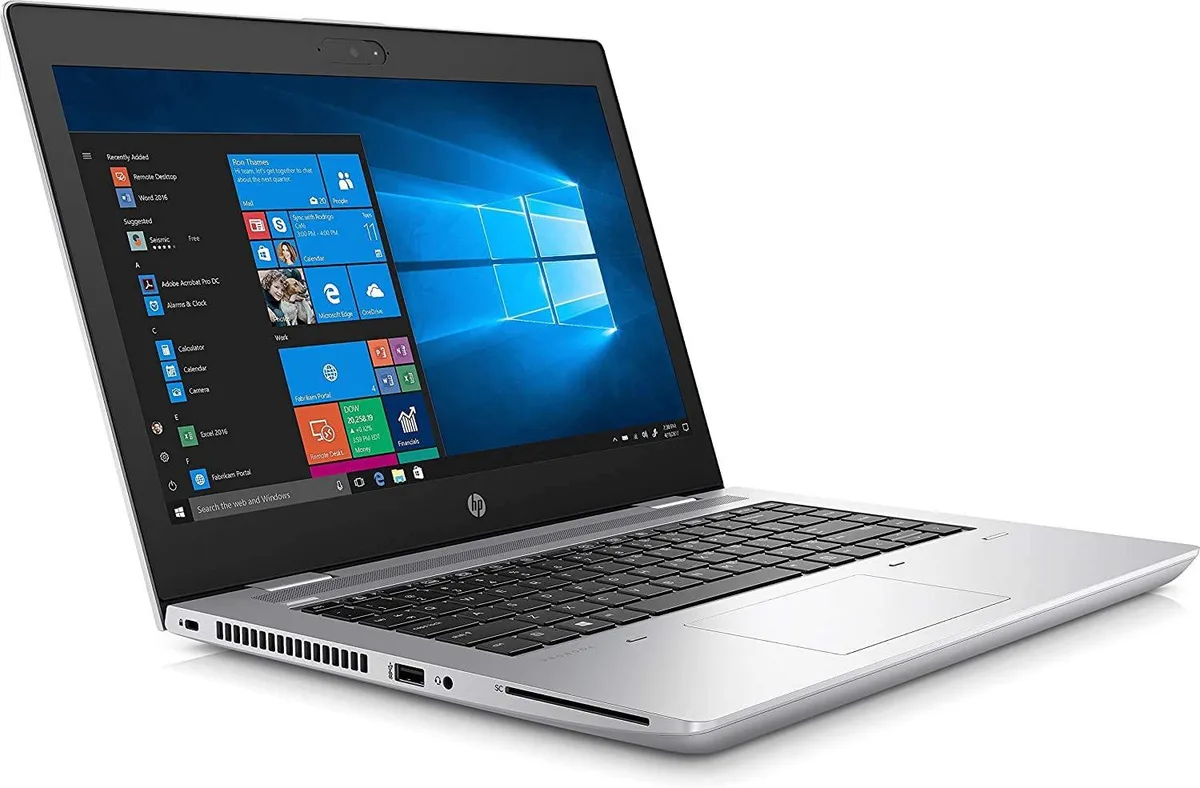
The HP ProBook 640 G5 is a 14-inch Full HD business ultrabook powered by an 8th Gen Intel Core i5-8365U processor with 16 GB of DDR4 memory. It ships with Windows 11 Pro and combines a 512 GB M.2 drive with a 1 TB SSD for ample solid-state storage. Integrated Intel UHD Graphics 620 handles the visual output on the IPS panel.
This configuration suits professionals who value Intel vPro remote management, HP Sure Start BIOS protection and a lightweight silver aluminium chassis for daily office work. Buyers who need a dedicated graphics card for rendering or gaming, a touchscreen display, or a larger 15.6-inch screen should consider other form factors. The non-touch IPS panel and integrated graphics limit creative workflows.
The defining specification is the dual-drive arrangement: a 512 GB M.2 drive paired with a 1 TB SSD, both solid-state, giving extensive capacity without mechanical drives. This layout supports fast boot times and large local file stores for offline work. Verify that your workflow fits the integrated graphics and 14-inch 1920 x 1080 resolution before purchase.
| Brand | HP |
|---|---|
| Series | ProBook |
| Model | 640 G5 |
| Part Number | 7YD64UC |
| Color | Silver |
| Operating System | Windows 11 Pro |
| CPU Type | Intel Core i5 8th Gen |
| Processor Name | Intel Core i5-8365U |
| Number of Cores | 6-core Processor |
| CPU L2 Cache | 6MB |
| Screen Size | 14.0" |
| Touchscreen | Non-Touch Screen |
| Display Type | FHD |
| Resolution | 1920 x 1080 |
| Panel | IPS |
| Display Features | LED backlight |
| GPU/VPU | Intel UHD Graphics 620 |
| Graphic Type | Integrated Card |
| SSD | 1TB |
| HDD | No |
| Storage Spec | 512 M.2 SSD + 1TB SSD |
| Memory | 16GB |
| Memory Speed | DDR4 |
| Memory Spec | 8 GB x 2 |
| Memory Slot (Total) | 2 |
| Memory Slot (Available) | 0 |
| Max Memory Supported | 32 GB |
| Optical Drive Type | No |
| LAN | 10/100/1000Mbps |
| WiFi Generation | Wi-Fi 5 |
| Bluetooth | Yes |
| USB | 1x USB 3.1 Type-C Gen 1 connector (Power Delivery, DisplayPort), 3 x USB 3.1 Gen 1 |
| Video Port | 1 x HDMI |
| HDMI | 1 x HDMI |
| Ethernet | 1 x RJ-45 (1Gbps) |
| Audio Ports | 1 x Microphone Jack, 1 x Headphone Jack |
| Audio | Integrated Sound card |
| Touchpad | Yes |
| Keyboard | Standard |
| Webcam | Yes |
| Style | Ultrabook |
| Type | Mainstream |
| Usage | Consumer |
| AC Adapter/Charger | 65-watt AC Adapter |
| Weight | 3 - 3.9 lbs. |
Autres versions de ce modèle
Même famille, mémoire, ventirad ou fréquence différents — comparez avant de vous décider.
The display is built into the silver aluminium unibody, so no separate bracket or bezel is required for the 14.0" FHD IPS panel.
Insert the 512 M.2 GB module into the primary M.2 slot first, then add the 1TB SSD to the secondary slot; the UEFI will enumerate both automatically.
Plan an upgrade to 32 GB DDR4 when workloads regularly exceed the 16 GB installed, such as heavy virtualisation or large dataset processing.
Également dans ce rayon
Même rayon, même caisse — huit monnaies et un taux bloqué 30 minutes.
Ce que vous envoyez, et ce dans quoi vous lisez les prix.
Envoyé depuis votre portefeuille à la caisse
Affichage seul — le catalogue est libellé en dollars
Aucune monnaie ne correspond.
Choisissez la langue dans laquelle le site vous parle.
Première visite ?
Vous avez déjà un compte ?
Il n’y a pas de réinitialisation automatique : cette boutique n’envoie aucun e-mail, il n’existe donc aucun lien à usage unique à demander. Laissez l’adresse sur le compte, elle sera traitée à la main.
Demande enregistrée
Rien n’arrivera dans votre boîte de réception — cette boutique n’envoie aucun e-mail. Quelqu’un s’en occupe à la main.
Vous l’avez retrouvé ?