HP
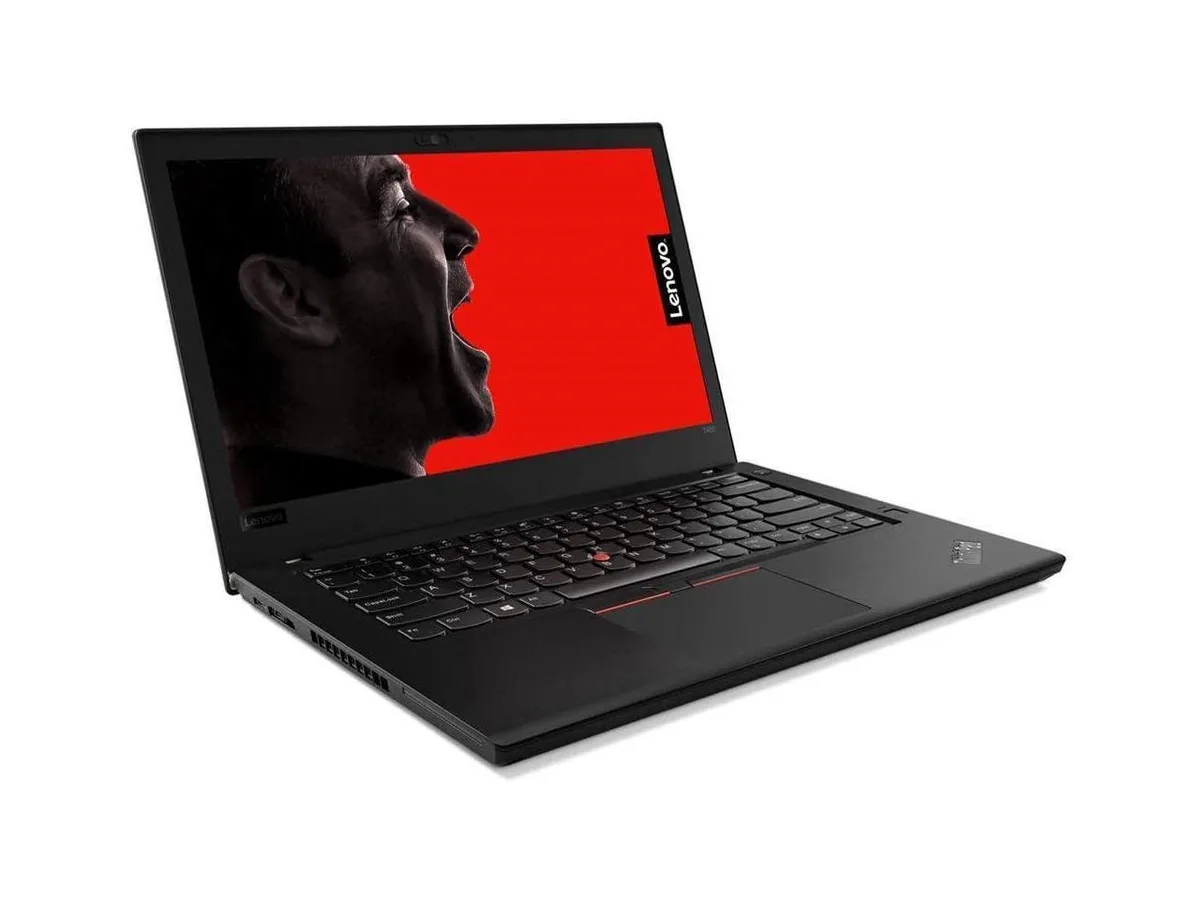
HP ProBook 630 G8 13.2" FHD Touchscreen i5-1145G7 16GB 512GB
- Black
- AI Ready
369 $US
0.00478736BTC
En stockNous acceptons la cryptomonnaie — les cryptos que vous détenez peuvent ainsi acheter du matériel réel.Payez en crypto, dépensez-la en matériel réel. Livraison assurée offerte partout dans le monde au-delà de 399 $. Cartons neutres, sans marque, expédiés depuis l’Allemagne.Livraison assurée offerte au-delà de 399 $. Votre taux est bloqué pendant 30 minutes dès l’ouverture de la caisse.Taux bloqué 30 minutes. Chaque article est scellé, son numéro de série est vérifié, et il est couvert par une garantie de 24 mois.Scellé, garanti 24 mois.


Intel
A 15.6-inch IPS Full HD laptop with a quad-core 2.4 GHz processor, 16 GB LPDDR4x memory and a 2 TB NVMe SSD, plus Thunderbolt, HDMI, Bluetooth 5.1 and Wi-Fi 6 connectivity
The Intel NUC M15 is a 15.6 inch laptop built for everyday productivity, content creation and casual gaming. It runs Windows 10 Pro on an 11th Gen Intel Core i5-1135G7 quad-core processor with 16GB of memory. A 2TB NVMe SSD provides fast storage for files and applications. The FHD IPS display delivers 1920 x 1080 resolution.
The Core i5-1135G7 operates at a 2.4 GHz base frequency and can reach a 4.2 GHz turbo frequency under load. Integrated Intel Iris Xe graphics handle visual tasks using system memory. Thermal management is handled within the slim anodized aluminum chassis. Extended heavy workloads may cause the processor to settle at lower clocks to manage heat.
The laptop arrives fully assembled with the operating system pre-installed, so no hardware installation is required. Users should complete the standard Windows 10 Pro setup process on first boot. Driver updates for Thunderbolt, Wi-Fi 6 and Bluetooth 5.1 may be needed for full functionality. The non-touch display and fixed memory configuration limit later hardware changes.
| Brand | Intel |
|---|---|
| Series | NUC |
| Model | M15 |
| Color | Dark Gray |
| Operating System | Windows 10 Pro |
| CPU Type | Intel Core i5 11th Gen |
| Processor Name | Intel Core i5-1135G7 |
| Turbo Frequency | 4.2GHz |
| Number of Cores | Quad-core Processor |
| Screen Size | 15.6" |
| Touchscreen | Non-Touch Screen |
| Wide Screen Support | Yes |
| Display Type | FHD |
| Resolution | 1920 x 1080 |
| Display Features | In-plane Switching (IPS) Technology |
| GPU/VPU | Intel Iris Xe Graphics |
| Graphic Type | Integrated Card |
| SSD | 2TB |
| HDD | No |
| Storage Spec | 2TB NVMe SSD |
| Memory | 16GB |
| Memory Speed | DDR4 2800 |
| Memory Spec | 16 GB x 1 |
| Memory Slot (Total) | 0 |
| Memory Slot (Available) | 0 |
| Max Memory Supported | 16 GB |
| WLAN | Wi-Fi 6 |
| Bluetooth | Bluetooth 5.0 |
| USB | 2x USB 3.2 Gen 1, 2x Thunderbolt 4 |
| Video Port | 1x HDMI, 2x Thunderbolt 4 |
| HDMI | 1 x HDMI |
| Audio Ports | 1 x Headphone/Microphone Combo Jack |
| Audio | Integrated Sound card |
| Speaker | Integrated Stereo Speakers |
| Touchpad | Yes |
| Keyboard | Backlit Keyboard |
| Backlit Keyboard | Backlit |
| Webcam | Yes |
| Type | Mainstream |
| AC Adapter/Charger | 65-watt AC Adapter |
| Battery | 3-cell Lithium Ion |
| Battery Life | > 5 hours |
| Dimensions (W x D x H) | 9.1" x 14" x 0.6" |
| Weight | 3 - 3.9 lbs. |
The 11th Gen quad-core processor operates at a 2.4 GHz base frequency with a 4.2 GHz turbo. Integrated Iris Xe graphics share the thermal solution. Fan behaviour will vary with sustained workload and ambient temperature.
The two Thunderbolt 4 ports support USB 3.2 Gen 2, DisplayPort Alt Mode and PCIe. You need Thunderbolt 4 or USB-C cables rated for 40 Gbps to use the full bandwidth, plus any docks, monitors or drives you plan to connect.
Yes. The two USB 3.2 Gen 2 Type-A ports are backward compatible with USB 3.0 and USB 2.0 devices, so your existing drive will function at its native speed.
Également dans ce rayon
Même rayon, même caisse — huit monnaies et un taux bloqué 30 minutes.
Ce que vous envoyez, et ce dans quoi vous lisez les prix.
Envoyé depuis votre portefeuille à la caisse
Affichage seul — le catalogue est libellé en dollars
Aucune monnaie ne correspond.
Choisissez la langue dans laquelle le site vous parle.
Première visite ?
Vous avez déjà un compte ?
Il n’y a pas de réinitialisation automatique : cette boutique n’envoie aucun e-mail, il n’existe donc aucun lien à usage unique à demander. Laissez l’adresse sur le compte, elle sera traitée à la main.
Demande enregistrée
Rien n’arrivera dans votre boîte de réception — cette boutique n’envoie aucun e-mail. Quelqu’un s’en occupe à la main.
Vous l’avez retrouvé ?