


Kingston Technology Corp.
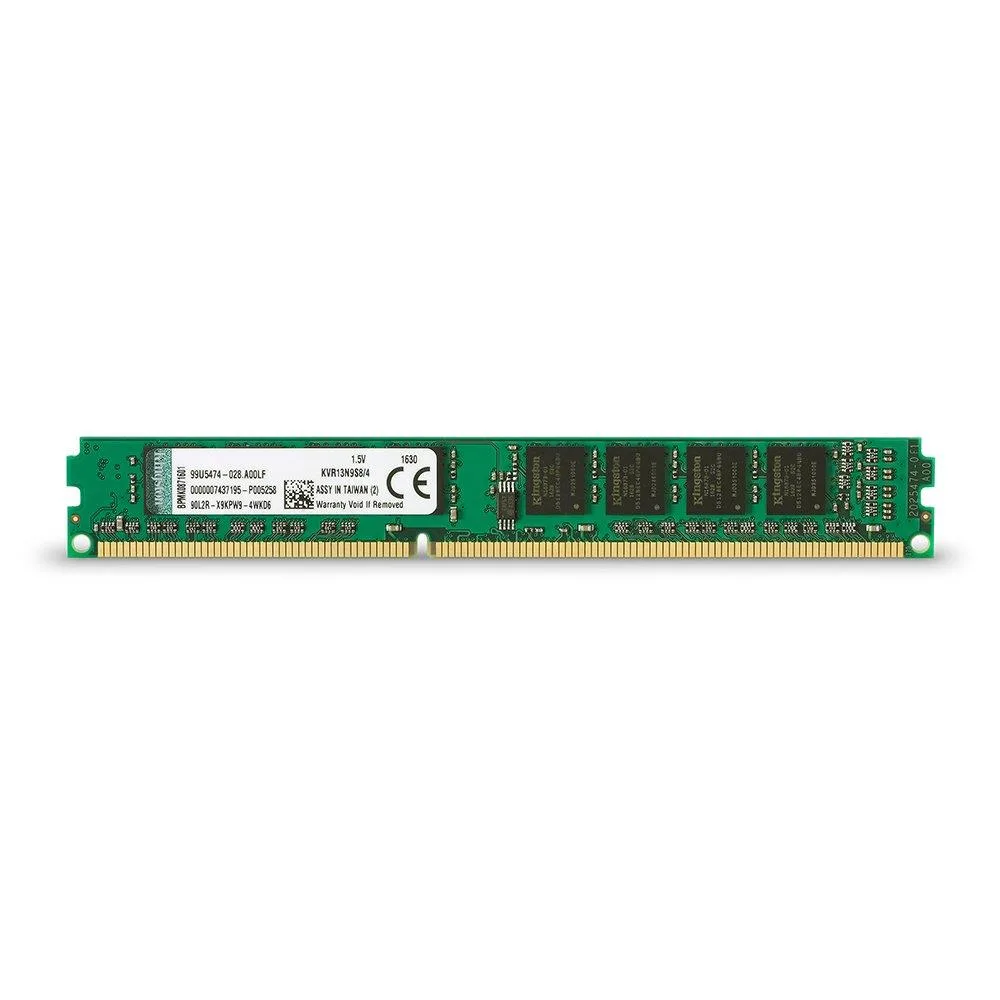
Kingston Technology Corp. 4GB 1333 MHz 240-Pin DDR3 desktop RAM
A 4 GB DDR3 desktop memory module running at 1333 MHz with a 240-pin unbuffered design
- 4GB capacity adds responsive multitasking headroom
- 1333 MHz DDR3 speed delivers reliable data throughput
- 240-pin DIMM fits standard desktop motherboard slots
- 5 V operation keeps power draw low
- 100-percent tested modules ensure dependable stability
Capacity and audience
This Kingston Value RAM module provides 4GB of DDR3 memory for desktop systems. It is intended for users who need a straightforward capacity increase for everyday computing tasks. The single DIMM suits white-box builds and system integrators who buy by specification rather than brand features. Buyers who want more storage or higher speeds should consider other options.
Build quality and connectors
The module uses a standard 240-pin unbuffered DIMM form factor with gold contacts. It is built to industry-standard specifications and is 100-percent tested during production. The non-ECC design with CL9 latency fits typical consumer motherboards. No additional mounting hardware or special connectors are required.
Thermals noise and power
The memory operates at 1.5V, keeping power draw modest for a DDR3 module. With no active cooling on the DIMM, it runs silently and relies on case airflow for heat dissipation. Normal desktop workloads will not stress the thermal limits of this standard-density module.
Points forts
- 4GB capacity adds responsive multitasking headroom
- 1333 MHz DDR3 speed delivers reliable data throughput
- 240-pin DIMM fits standard desktop motherboard slots
- 5 V operation keeps power draw low
- 100-percent tested modules ensure dependable stability
Caractéristiques
Aucune caractéristique publiée pour cet article pour l’instant.
Questions sur cet article
What bandwidth does the 1333 MHz DDR3 interface deliver in practice?
The module runs at 1333 MHz with CL9 latency on the standard DDR3 interface, providing the bandwidth defined by that speed grade for desktop systems.
What physical slot and notch position does the 240-pin DIMM require?
It fits a standard 240-pin DDR3 DIMM socket; the single notch aligns with the motherboard key so the module can only seat one way.
How is the module installed and which step is often missed?
Power off the PC, open the case, align the notch with the slot key, press firmly until both side clips click shut, then verify the capacity in BIOS.
Également dans ce rayon
Les clients ont aussi comparé
Même rayon, même caisse — huit monnaies et un taux bloqué 30 minutes.


PrimoChill
PrimoChill Praxis Wetbench Open-Air Test Bench 461.8mm
- Open-Air
274,89 $US
0.00357046BTC
En stock
Silverstone Technology
SilverStone Technology Strider 1200W 80 Plus Platinum Modular Power Supply
- ATX Mid Tower
- 1200W
324,03 $US
0.00420873BTC
En stock