
DELL
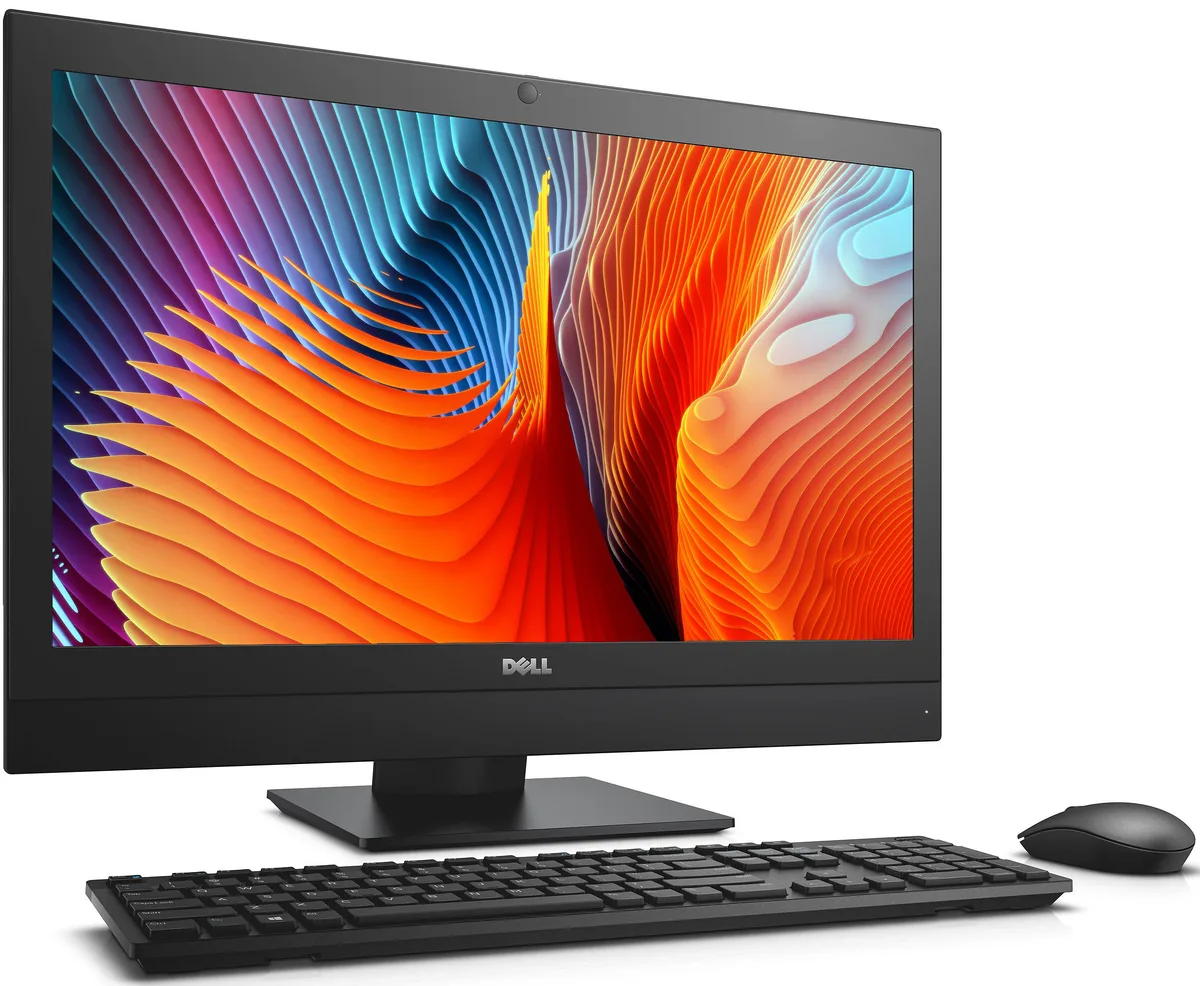
DELL OptiPlex 7440 All-in-One i5-6500 8 GB 500 GB 23.8
- All-in-One PC
- All-in-One
232,99 $US
0.00295962BTC
En stockNous acceptons la cryptomonnaie — les cryptos que vous détenez peuvent ainsi acheter du matériel réel.Payez en crypto, dépensez-la en matériel réel. Livraison assurée offerte partout dans le monde au-delà de 399 $. Cartons neutres, sans marque, expédiés depuis l’Allemagne.Livraison assurée offerte au-delà de 399 $. Votre taux est bloqué pendant 30 minutes dès l’ouverture de la caisse.Taux bloqué 30 minutes. Chaque article est scellé, son numéro de série est vérifié, et il est couvert par une garantie de 24 mois.Scellé, garanti 24 mois.


Lenovo
A 23.8-inch touch all-in-one desktop with a 120 Hz FHD IPS display, Intel Core Ultra 7 265T vPro processor, 32 GB DDR5 memory, 1 TB SSD and Windows 11 Pro
The Lenovo ThinkCentre M70a Gen 6 is a 23.8-inch all-in-one desktop built around an Intel Core Ultra 7 265T vPro processor with integrated graphics. It ships with 32 GB of DDR5 memory, a 1 TB SSD, and Windows 11 Pro. The IPS panel covers 99% sRGB at 250 nits and supports 120 Hz touch input. A 5 MP IR camera, Wi-Fi 6, Bluetooth 5.2, and USB keyboard and mouse complete the package.
The 90 W power supply delivers 89% efficiency to the Core Ultra 7 265T, which runs P-cores up to 5.20 GHz and E-cores up to 4.60 GHz. Integrated Intel graphics share system memory, so prolonged 3D or compute workloads are limited by the thermal envelope of the sealed chassis. Memory can be expanded to 64 GB DDR5 and storage to 2 TB NVMe, but the fixed cooling and power budget cap sustained performance below what discrete-graphic towers provide.
The built-in panel runs at 1920 x 1080 and 120 Hz via the internal connection. External outputs include DisplayPort 1.4 and HDMI 2.1, the latter supporting 4K at 60 Hz, while the HDMI 1.4 input accepts up to 2560 x 1440 at 120 Hz for using the screen as a monitor. USB-C on the side runs at 10 Gbps; rear USB-A ports offer 5 Gbps and always-on charging. Wi-Fi 6 and Bluetooth 5.2 handle wireless links.
| Brand | Lenovo |
|---|---|
| Series | ThinkCentre |
| Type | All-in-One PC |
| Form Factor | All-in-One |
| Color | Black |
| AI Features | AI Ready |
| Power Supply | 90W |
| Operating System | Windows 11 Pro |
| CPU Type | Intel Core Ultra 7 (Series 2) |
| CPU Name | Intel Core Ultra 7 265 |
| GPU/VGA Type | Integrated Graphics |
| Memory Capacity | 32GB DDR5 |
| SSD | 1TB |
| WiFi Generation | Wi-Fi 6 |
| Bluetooth | Bluetooth 5.2 |
| Keyboard Type | USB Keyboard |
| Mouse Type | USB Mouse |
The 90 W supply runs at 89 % efficiency, and the Core Ultra 7 265T vPro tops out at 5.20 GHz P-cores and 4.60 GHz E-cores, keeping heat and fan noise low for continuous use.
Only a mains outlet — Windows 11 Pro, a 23.8" 1920 x 1080 120 Hz touch display, 32 GB DDR5, 1 TB SSD, USB keyboard and mouse, Wi-Fi 6 and Bluetooth 5.2 are all built in.
Yes — the rear HDMI 2.1 out drives 4K at 60 Hz and DisplayPort 1.4 out handles additional displays, so a legacy 1080p screen connects without adapters.
Également dans ce rayon
Même rayon, même caisse — huit monnaies et un taux bloqué 30 minutes.
Ce que vous envoyez, et ce dans quoi vous lisez les prix.
Envoyé depuis votre portefeuille à la caisse
Affichage seul — le catalogue est libellé en dollars
Aucune monnaie ne correspond.
Choisissez la langue dans laquelle le site vous parle.
Première visite ?
Vous avez déjà un compte ?
Il n’y a pas de réinitialisation automatique : cette boutique n’envoie aucun e-mail, il n’existe donc aucun lien à usage unique à demander. Laissez l’adresse sur le compte, elle sera traitée à la main.
Demande enregistrée
Rien n’arrivera dans votre boîte de réception — cette boutique n’envoie aucun e-mail. Quelqu’un s’en occupe à la main.
Vous l’avez retrouvé ?


