


Lenovo
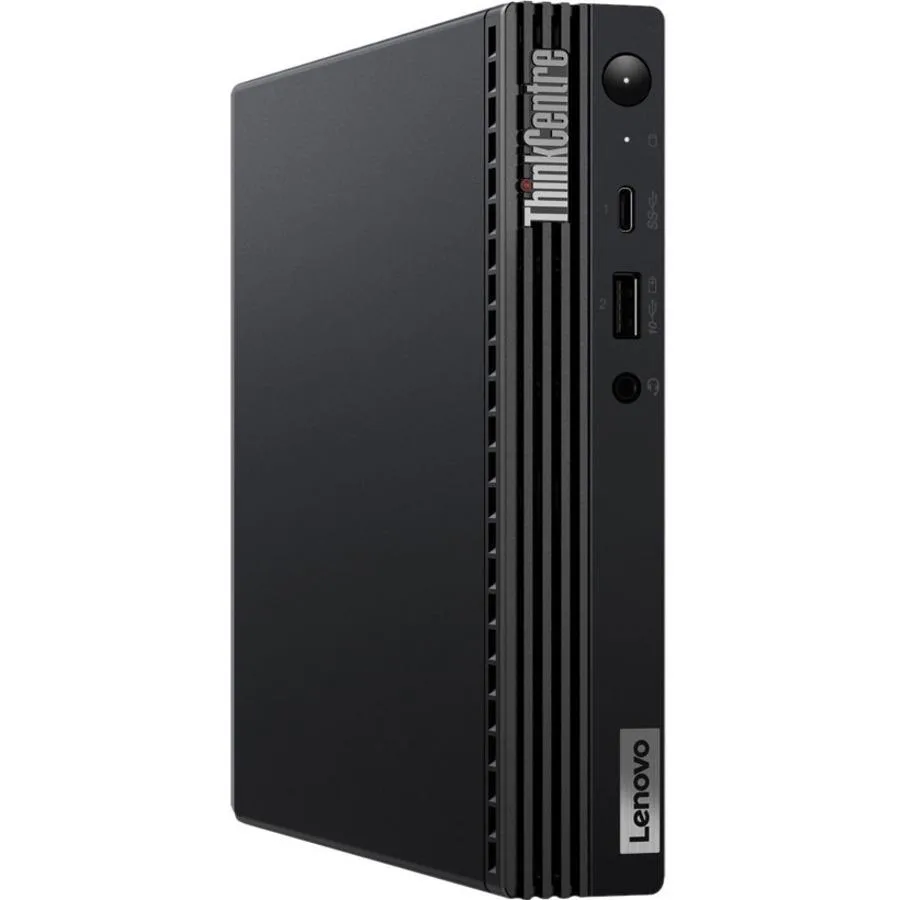
Lenovo ThinkCentre M70q Gen 3 11T30085US desktop PC i7-12700T 16GB 512GB NVMe
Tiny desktop PC with a 12-core Intel Core i7-12700T processor, 16 GB DDR4 memory and a 512 GB NVMe SSD
- TypeStudent / Home Office
- MonitorMonitor not included
- SSD512GB
- Screen SizeNo Screen
- 12-core i7-12700T drives demanding workloads
- 16 GB DDR4 keeps multitasking responsive
- 512 GB NVMe 4.0 x4 SSD loads apps fast
- Tiny form factor fits tight spaces
- Intel Q670 chipset supports business features
Lenovo ThinkCentre M70q Gen 3
The Lenovo ThinkCentre M70q Gen 3 is a tiny desktop computer built for student and home-office productivity. It runs on an Intel Core i7-12700T dodeca-core processor with 12 cores. The system includes 16 GB of DDR4 memory and a 512 GB NVMe 4.0 x4 SSD. Windows 11 64-bit comes pre-installed on the Intel Q670 chipset platform.
Thermals noise and power
The compact tiny chassis houses the 12-core processor and fast NVMe storage without a monitor. Standard office workloads run on the integrated Intel UH graphics within the small form factor. The 64-bit operating system manages memory and storage efficiently for daily tasks. Power draw stays consistent with the low-profile design intent.
Sustained load behaviour
Under continuous multi-core activity the i7-12700T maintains throughput across its 12 cores within the tiny enclosure. The NVMe 4.0 x4 SSD sustains read and write speeds during extended file transfers. DDR4 memory bandwidth supports prolonged compilation or data-analysis sessions. Thermal limits of the small chassis define the maximum sustainable performance ceiling.
Points forts
- 12-core i7-12700T drives demanding workloads
- 16 GB DDR4 keeps multitasking responsive
- 512 GB NVMe 4.0 x4 SSD loads apps fast
- Tiny form factor fits tight spaces
- Intel Q670 chipset supports business features
Caractéristiques
| Brand | Lenovo |
|---|---|
| Type | Student / Home Office |
| Monitor | Monitor not included |
| SSD | 512GB |
| Screen Size | No Screen |
| Poids d’expédition | 3.56 kg |
| Dimensions du colis | 508 × 279 × 267 mm |
Questions sur cet article
How do I install the DDR4 memory modules in the M70q Gen 3?
Open the chassis, align the notch on each DDR4 stick with the slot key, press down firmly until the side clips click, then verify 16 GB appears in BIOS.
What maintenance will the 512 GB NVMe SSD need over time?
The drive has no moving parts; keep firmware updated via Lenovo Vantage and monitor SMART health attributes for early wear indication.
Which limit appears first during sustained heavy workloads on the i7-12700T?
The small chassis thermal solution reaches its cooling capacity first, so the processor lowers frequencies to maintain safe temperatures.
Également dans ce rayon
Les clients ont aussi comparé
Même rayon, même caisse — huit monnaies et un taux bloqué 30 minutes.



HPE
HPE P22020B21 2U Cable Management Arm for DL38X Gen10 Plus Rail Kit
52,99 $US67,99 $US−22%
0.00067807BTC
En stock
Lenovo
Lenovo ThinkSystem ST250 V3 7DCEA01YNA Tower Server Xeon E-2434 16 GB RAM
1 267,99 $US
0.0162255BTC
En stock