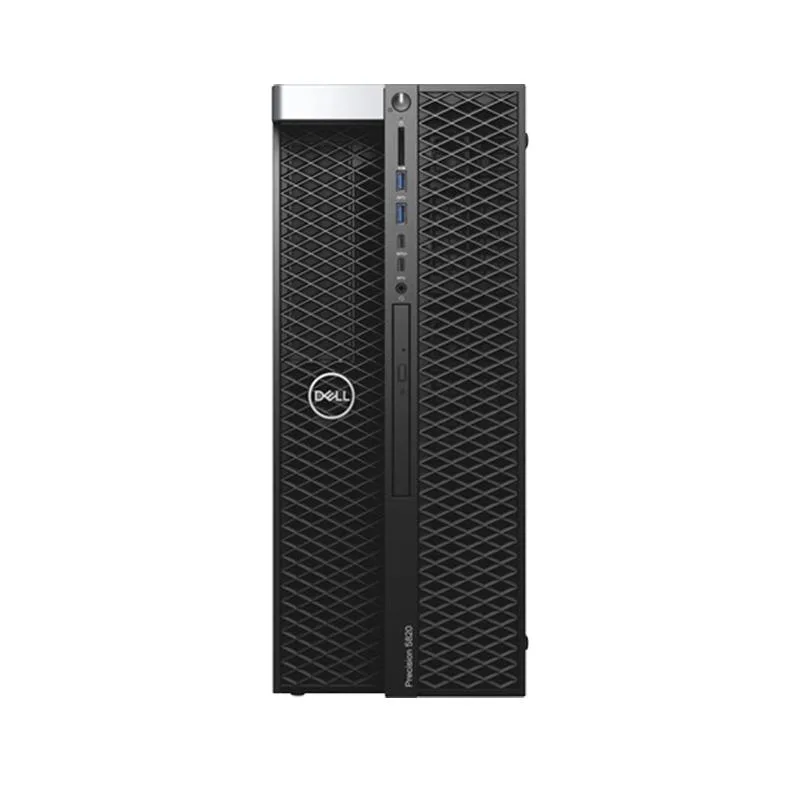
DELL
DELL Precision T5820 Tower Xeon W-2255 10C 64GB 500GB NVMe Quadro P5000 Win 11 Pro
- Business Desktops &…
- Mid Tower
1 327,99 $US
0.01676205BTC
En stockNous acceptons la cryptomonnaie — les cryptos que vous détenez peuvent ainsi acheter du matériel réel.Payez en crypto, dépensez-la en matériel réel. Livraison assurée offerte partout dans le monde au-delà de 399 $. Cartons neutres, sans marque, expédiés depuis l’Allemagne.Livraison assurée offerte au-delà de 399 $. Votre taux est bloqué pendant 30 minutes dès l’ouverture de la caisse.Taux bloqué 30 minutes. Chaque article est scellé, son numéro de série est vérifié, et il est couvert par une garantie de 24 mois.Scellé, garanti 24 mois.


Lenovo
A mini desktop with an 8-core Ryzen processor, 16GB DDR4, 512GB NVMe storage, Wi-Fi 6 and dual-monitor support
The Lenovo ThinkCentre M75q Mini is a business desktop in a compact form factor. It runs on an AMD Ryzen 7 5700GE 8-core processor with a base clock of 3.20GHz and a boost up to 4.60GHz. The system includes 16GB DDR4 memory and a 512GB NVMe SSD. Integrated AMD Radeon graphics drive the display outputs.
This mini desktop fits users who need a small-footprint Windows 11 Pro machine for productivity, video calls and dual-monitor workflows. Wi-Fi 6, Bluetooth 5.0 and Gigabit Ethernet provide flexible connectivity. Buyers who need a discrete graphics card or internal expansion slots should consider a larger chassis instead.
The single specification that determines suitability is the 512GB NVMe solid-state drive. It sets the total space available for the operating system, applications and active project files. Users with larger local data sets will need external storage or a different configuration.
| Brand | Lenovo |
|---|---|
| Series | ThinkCentre M75q |
| Model | 11JNS0NJ00 |
| Type | Business Desktops & Workstations |
| Form Factor | Mini |
| Usage | Business |
| Processor | AMD Ryzen 7 5700GE 8-Core Processor 3.20GHz Up to 4.60GHz |
| Cache Per Processor | 16MB |
| Memory | 16GB DDR4 |
| Storage | 512GB Solid State Drive |
| Graphics | AMD Radeon Graphics |
| Ethernet | Gigabit Ethernet |
| Power Supply | 65W |
| Monitor | Monitor not included |
| Keyboard | Black USB Keyboard |
| Mouse | Black USB Mouse |
| L3 Cache Per CPU | 16MB |
| CPU Main Features | 64 bit 8-Core Processor |
| Graphics Card | AMD Radeon Graphics |
| Memory Speed | DDR4 |
| Memory Spec | 16GB DDR4 |
| Memory Slot (Total) | 2 |
| Maximum Memory Supported | DDR4 |
| Storage Spec | 512GB Solid State Drive |
| Optical Drive Type | No |
| Screen Size | No Screen |
| Touchscreen | No |
| LAN Speed | 10/100/1000Mbps |
| WLAN | Wifi-6 |
| Bluetooth | Bluetooth 5.0 |
| Front USB | 1 x USB Type-C 3.2, 1 x USB 3.2 |
| Front Audio Ports | 1 |
| Card Reader | No |
| Video Ports | 1 x HDMI 1 x DisplayPort |
| Rear USB | 2 x USB 2.0, 2 x USB 3.2 |
| RJ45 | 1 port |
| Rear Audio Ports | No |
| Keyboard Type | Black USB Keyboard |
| Mouse Type | Black USB Mouse |
| Dimensions (H x W x D) | 7.05 x 1.36 x 7.2 |
| Weight | 4 |
| Package Type | Retail |
| Package Contents | Mini PC, Power Adapter, Keyboard, Mouse |
The 65 W power supply caps sustained draw, so the 8-core Ryzen 7 5700GE will throttle to stay within that envelope under continuous load.
The 65 W supply limits heat output; the compact chassis uses a small fan that stays audible but not intrusive during extended business use.
You must provide your own HDMI and DisplayPort cables; the box includes only the desktop, a USB keyboard and a USB mouse.
Également dans ce rayon
Même rayon, même caisse — huit monnaies et un taux bloqué 30 minutes.
Ce que vous envoyez, et ce dans quoi vous lisez les prix.
Envoyé depuis votre portefeuille à la caisse
Affichage seul — le catalogue est libellé en dollars
Aucune monnaie ne correspond.
Choisissez la langue dans laquelle le site vous parle.
Première visite ?
Vous avez déjà un compte ?
Il n’y a pas de réinitialisation automatique : cette boutique n’envoie aucun e-mail, il n’existe donc aucun lien à usage unique à demander. Laissez l’adresse sur le compte, elle sera traitée à la main.
Demande enregistrée
Rien n’arrivera dans votre boîte de réception — cette boutique n’envoie aucun e-mail. Quelqu’un s’en occupe à la main.
Vous l’avez retrouvé ?