

Lenovo
Lenovo V15 G4 laptop 15.6" FHD i5-13420H 16GB 1TB PCIe Grey
- Grey
- Windows 11 Home
609,99 $US
0.00775201BTC
En stockNous acceptons la cryptomonnaie — les cryptos que vous détenez peuvent ainsi acheter du matériel réel.Payez en crypto, dépensez-la en matériel réel. Livraison assurée offerte partout dans le monde au-delà de 399 $. Cartons neutres, sans marque, expédiés depuis l’Allemagne.Livraison assurée offerte au-delà de 399 $. Votre taux est bloqué pendant 30 minutes dès l’ouverture de la caisse.Taux bloqué 30 minutes. Chaque article est scellé, son numéro de série est vérifié, et il est couvert par une garantie de 24 mois.Scellé, garanti 24 mois.


Lenovo
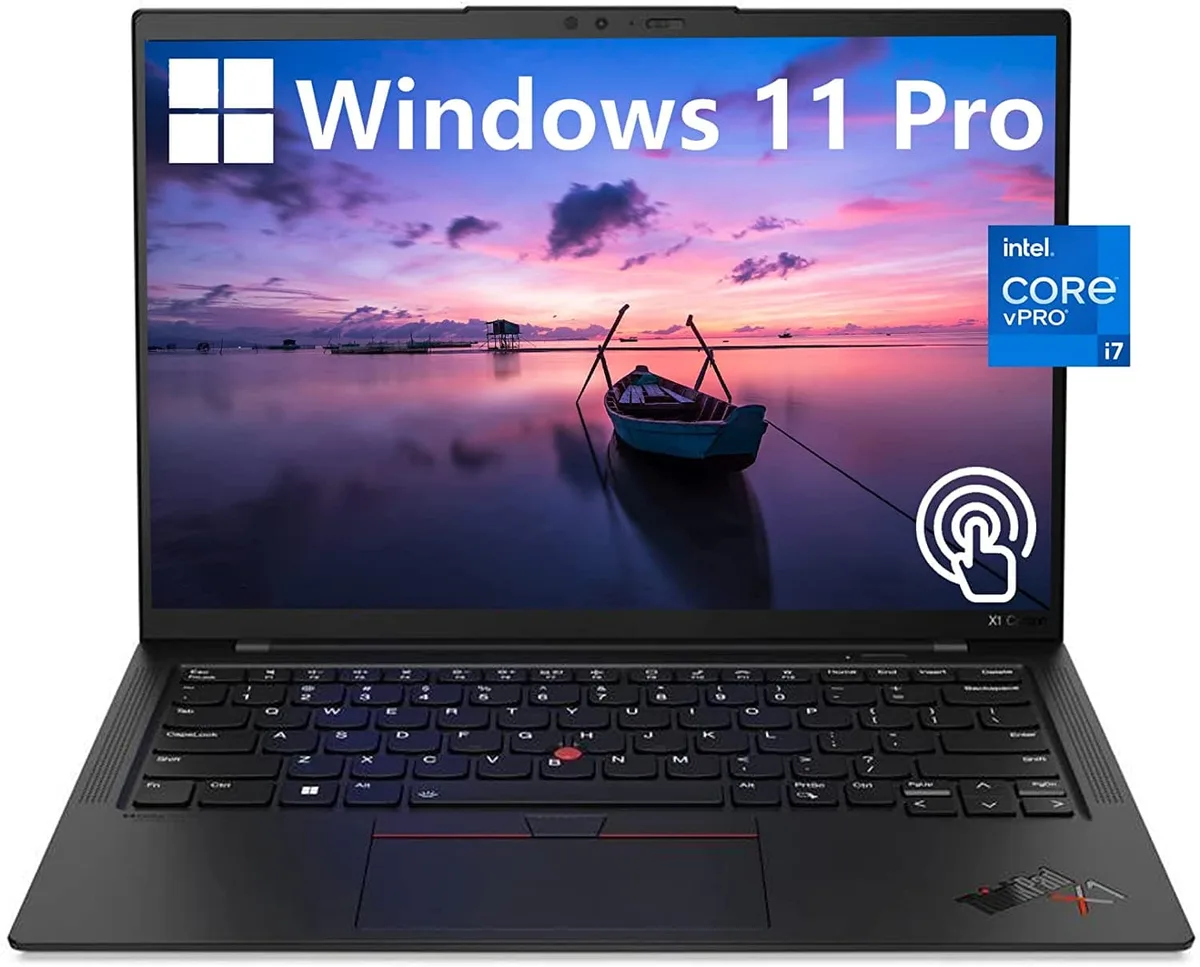
A 14.0-inch WUXGA touchscreen laptop with an Intel Core i7-1270P vPro processor, 32GB DDR4 memory, 512GB PCIe NVMe SSD and Intel Iris Xe graphics
The Lenovo ThinkPad X1 Carbon Gen 10 is a 14.0" work laptop built for professionals who need responsive performance in a light chassis. It ships with Windows 11 Pro, 32GB DDR4 memory and a 512GB PCIe NVMe M.2 SSD. The 12th Generation Intel Core i7-1270P vPro processor runs at a base frequency of 1.80GHz. A 14.0" WUXGA 1920x1200 IPS touchscreen covers 100% sRGB at 400 nits with anti-glare coating and low blue light certification.
Two USB-C Thunderbolt 4 ports handle power, display and high-speed peripherals through a single cable. Two USB-A 3.2 Gen 1 ports keep legacy accessories working without adapters. An HDMI output connects external monitors or projectors directly. The 32GB DDR4 and 512GB NVMe SSD are soldered and non-upgradable, so buyers who want more memory or storage should choose a different configuration at purchase.
Intel Iris Xe graphics share system memory and are tuned for office applications, video conferencing and light content creation rather than heavy 3D rendering. The 60Hz panel and 16:10 aspect ratio give more vertical space for documents and code. Under continuous load the thermal design balances performance with quiet operation, though extended compile or encode sessions will throttle clock speeds below the 1.80GHz base. Battery life benefits from the low-power display and WiFi 6 efficiency.
| Color | Black |
|---|---|
| Operating System | Windows 11 Pro |
| CPU Type | Intel Core i7 12th Gen |
| Processor Name | 1.80GHz |
| Screen Size | 14.0" |
| Touchscreen | Touch Screen |
| GPU/VPU | Intel Iris Xe Graphics |
| SSD | 512GB |
| HDD | No |
| Memory | 32GB |
| Type | Work / Business |
Autres versions de ce modèle
Même famille, mémoire, ventirad ou fréquence différents — comparez avant de vous décider.
The 12th Gen Intel Core i7-1270P vPro processor manages power dynamically; under sustained load the laptop will throttle clock speeds to stay within its thermal envelope.
The ThinkPad X1 Carbon Gen 10 uses a low-power Intel Iris Xe graphics panel rated at 400 nits, helping keep heat and fan noise lower during extended use.
You need a Thunderbolt 4 or USB-C cable that supports DisplayPort Alt Mode, or a Thunderbolt dock, to drive monitors from the two USB-C Thunderbolt 4 ports.
Également dans ce rayon
Même rayon, même caisse — huit monnaies et un taux bloqué 30 minutes.
Ce que vous envoyez, et ce dans quoi vous lisez les prix.
Envoyé depuis votre portefeuille à la caisse
Affichage seul — le catalogue est libellé en dollars
Aucune monnaie ne correspond.
Choisissez la langue dans laquelle le site vous parle.
Première visite ?
Vous avez déjà un compte ?
Il n’y a pas de réinitialisation automatique : cette boutique n’envoie aucun e-mail, il n’existe donc aucun lien à usage unique à demander. Laissez l’adresse sur le compte, elle sera traitée à la main.
Demande enregistrée
Rien n’arrivera dans votre boîte de réception — cette boutique n’envoie aucun e-mail. Quelqu’un s’en occupe à la main.
Vous l’avez retrouvé ?


