LG Electronics
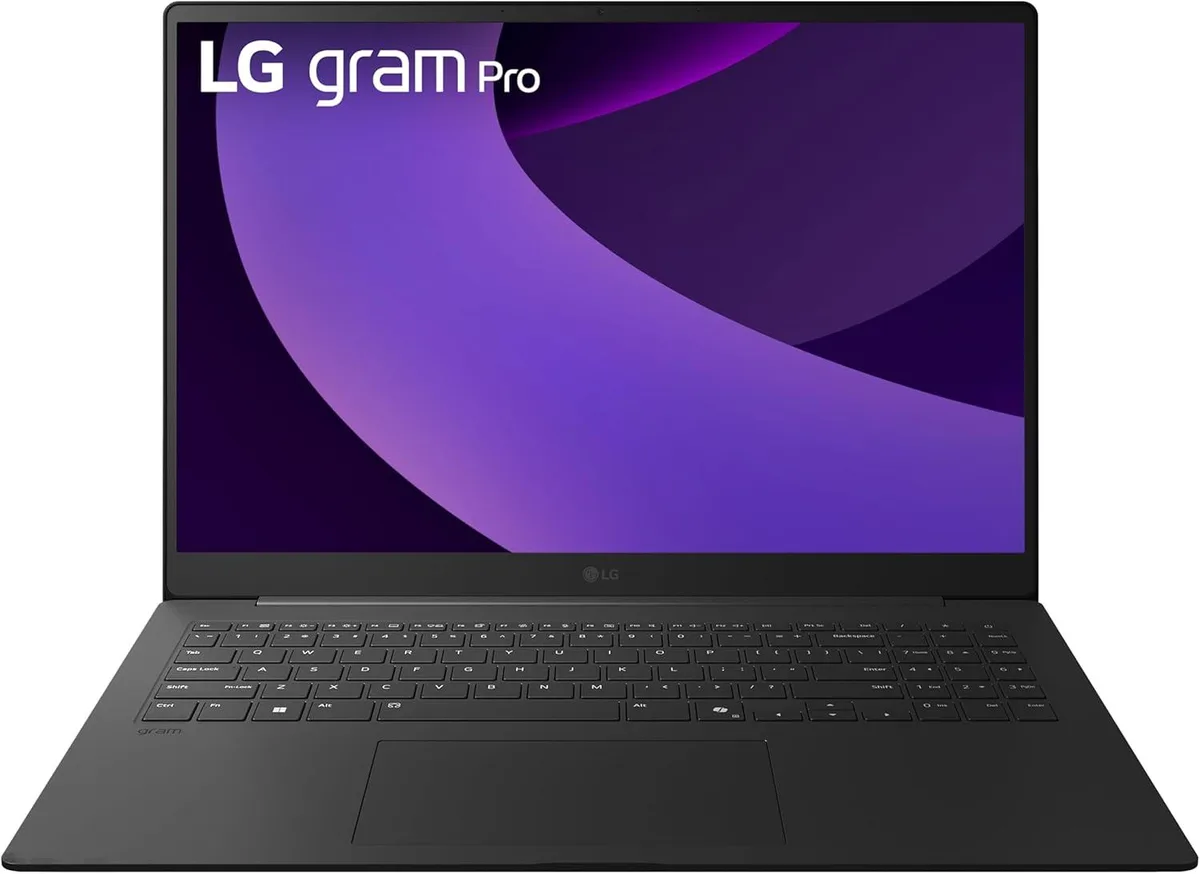
LG gram Pro 17-inch Laptop Intel Core Ultra 9 285H RTX 5050 32GB 2TB Black
- Black
- Windows 11 Home
2 489,99 $US
0.03135652BTC
En stockNous acceptons la cryptomonnaie — les cryptos que vous détenez peuvent ainsi acheter du matériel réel.Payez en crypto, dépensez-la en matériel réel. Livraison assurée offerte partout dans le monde au-delà de 399 $. Cartons neutres, sans marque, expédiés depuis l’Allemagne.Livraison assurée offerte au-delà de 399 $. Votre taux est bloqué pendant 30 minutes dès l’ouverture de la caisse.Taux bloqué 30 minutes. Chaque article est scellé, son numéro de série est vérifié, et il est couvert par une garantie de 24 mois.Scellé, garanti 24 mois.


Lenovo
A 12.5" HD touchscreen laptop with 16GB DDR3 memory and a 1TB SSD running Windows 8.1 Pro
The Lenovo ThinkPad X220 is a 12.5-inch portable business laptop built for professionals who need a compact device with a responsive touchscreen. It runs Windows 8.1 Professional 64-bit on an Intel Core i7-2640M processor that reaches 3.50 GHz turbo frequency. The system includes 16GB of DDR3 memory and a 1TB solid-state drive for fast boot and load times.
The black chassis uses a redesigned hinge with stronger magnetic-latching support and meets premium durability standards including an Active Protection System. Connectivity covers three USB ports, one VGA output, one DisplayPort output, a docking connector for shared work areas with compatible ThinkPad models, gigabit LAN and 802.11b/g/n wireless LAN. The industry-leading keyboard and dual-array microphones with noise suppression support comfortable typing and clear VoIP calls.
This configuration replaces older 12.5-inch ultraportables that lack touch input, solid-state storage or 16GB of memory. The jump is worth it when daily work demands pen-enabled HD touch interaction, quicker application launches from the 1TB SSD and enough RAM for heavy multitasking. Buyers who need a higher-resolution panel, dedicated graphics or modern wireless standards should consider other models.
| Brand | Lenovo |
|---|---|
| Series | X220 |
| Color | Black |
| Operating System | Windows 8.1 Pro |
| CPU Type | Intel Core i3 2nd Gen |
| Processor Name | Intel Core i7-2640M |
| Turbo Frequency | 3.50 GHz |
| Screen Size | 12.5" |
| Touchscreen | Touch Screen |
| Display Type | HD |
| Resolution | 1366x768 |
| Video Memory | Shared system memory |
| SSD | 1TB |
| HDD | No |
| Memory | 16GB |
| LAN | 10/100/1000Mbps |
| WLAN | 802.11b/g/n Wireless LAN |
| USB | 3 |
| Video Port | 1 x VGA, 1 x DisplayPort |
| Docking Connector | 1 |
| Audio Ports | 1 x Headphone/Microphone Combo Jack |
| Audio | Integrated Sound card |
| Speaker | Internal Speakers |
| Touchpad | ThinkPad UltraNav |
| Backlit Keyboard | No |
| Other Input Devices | Yes |
| Webcam | No |
| Dimensions (W x D x H) | 12" x 8.2" x 0.5" |
| Weight | 5 - 5.9 lbs. |
The three USB 3 ports run at 5 Gb/s and are backward compatible with USB 2.0 devices, so external SSDs and docks reach full speed while older peripherals still work.
The 12.5 inch HD touch panel is built into the X220 lid; no external mounting is required and the hinge uses magnetic latching for secure alignment.
Two DDR3 SO-DIMM slots sit under the bottom cover; insert each module at an angle until the clips snap — forcing it straight down bends the pins.
Également dans ce rayon
Même rayon, même caisse — huit monnaies et un taux bloqué 30 minutes.
Ce que vous envoyez, et ce dans quoi vous lisez les prix.
Envoyé depuis votre portefeuille à la caisse
Affichage seul — le catalogue est libellé en dollars
Aucune monnaie ne correspond.
Choisissez la langue dans laquelle le site vous parle.
Première visite ?
Vous avez déjà un compte ?
Il n’y a pas de réinitialisation automatique : cette boutique n’envoie aucun e-mail, il n’existe donc aucun lien à usage unique à demander. Laissez l’adresse sur le compte, elle sera traitée à la main.
Demande enregistrée
Rien n’arrivera dans votre boîte de réception — cette boutique n’envoie aucun e-mail. Quelqu’un s’en occupe à la main.
Vous l’avez retrouvé ?