


Logitech
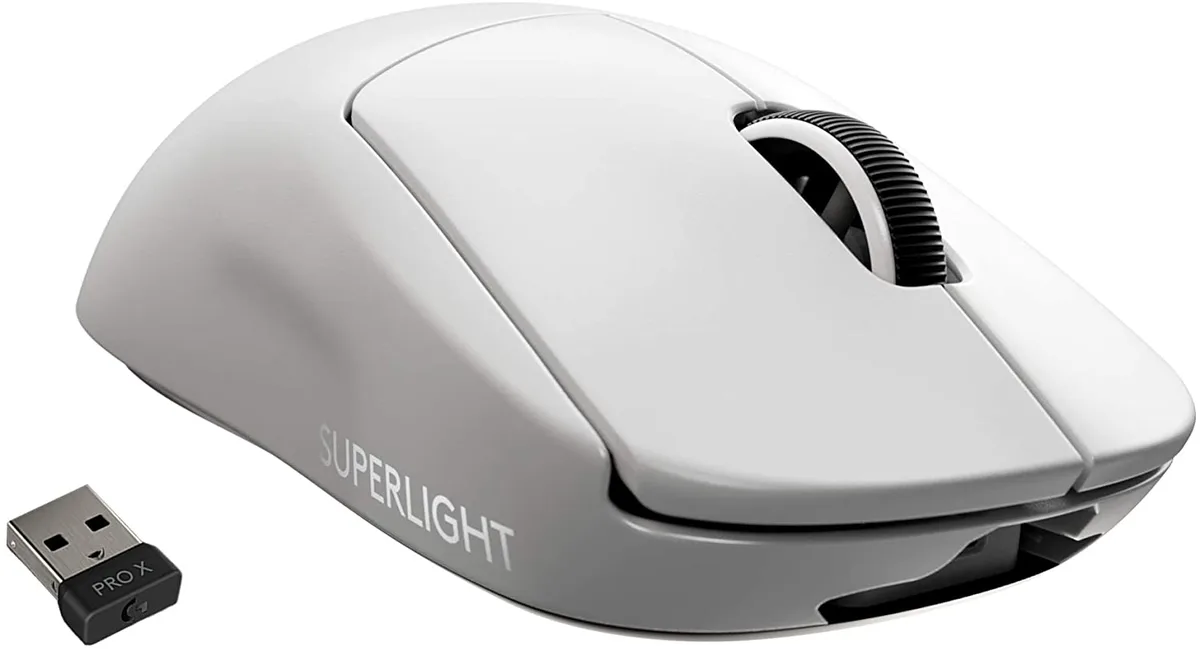
Logitech G PRO X Superlight Wireless Gaming Mouse White 63 g 16000 DPI 10 Buttons
Ultra-light 63 g wireless gaming mouse with 16000 DPI sensor and 10 programmable buttons for competitive play
- TypeLightspeed Wireless
- Mouse Grip StylePalm / Claw
- Tracking MethodSurfaceTrack
- Resolution (DPI)16000 dpi
- Hand OrientationRight Hand
- Buttons10
- Weighs under 63 g for effortless speed
- HERO 25K sensor reaches 25 600 DPI precision
- LIGHTSPEED wireless gives pro-grade responsiveness
- 10 programmable buttons adapt to any playstyle
- Zero-additive PTFE feet ensure a friction-free glide
Ultra-Lightweight Esports Mouse
The Logitech G PRO X Superlight is a wireless gaming mouse weighing under 63 grams. It uses a HERO sensor and LIGHTSPEED connectivity for competitive play. The right-handed shape suits palm and claw grips. It is built for players who prioritise speed and minimal mass above all else.
25% Lighter Than Standard PRO Wireless
This model reduces weight by nearly 25 percent compared to the standard PRO Wireless mouse. The hyper-minimal redesign removes excess material without adding holes. The upgrade is worth it when every gram affects flick speed and endurance in long sessions. Heavier mice will feel sluggish by comparison.
16000 DPI Sensor With 10 Programmable Buttons
The sensor reaches 16000 DPI and can be tuned up to 25600 DPI via software for high-sensitivity setups. Ten programmable buttons cover essential macros and key binds for MOBA or FPS titles. Battery life supports extended tournaments without recharging. It lacks left-handed ergonomics and wired-mode flexibility.
Points forts
- Weighs under 63 g for effortless speed
- HERO 25K sensor reaches 25 600 DPI precision
- LIGHTSPEED wireless gives pro-grade responsiveness
- 10 programmable buttons adapt to any playstyle
- Zero-additive PTFE feet ensure a friction-free glide
Caractéristiques
| Type | Lightspeed Wireless |
|---|---|
| Mouse Grip Style | Palm / Claw |
| Tracking Method | SurfaceTrack |
| Resolution (DPI) | 16000 dpi |
| Hand Orientation | Right Hand |
| Buttons | 10 |
| Color | White |
Questions sur cet article
How much desk space does the 63 g mouse need for its PTFE feet to glide properly?
The large zero-additive PTFE feet work on any flat surface; a standard mouse pad gives enough room for the 63 g frame to move freely.
What is the correct way to pair the Lightspeed wireless receiver and the step users often skip?
Plug the receiver into a USB port, turn the mouse on, then press the connect button on the underside until the LED blinks — skipping the button press leaves it unpaired.
When should the PTFE feet be replaced to keep the glide consistent?
Replace the feet when you feel increased friction or see visible wear on the zero-additive PTFE pads; lifespan varies by pad surface and daily hours of use.
Également dans ce rayon
Les clients ont aussi comparé
Même rayon, même caisse — huit monnaies et un taux bloqué 30 minutes.



BFKK
BFKK Wireless Gaming Mouse PAW 3950Max 42000 DPI 8KHz 38g Black & Sticker
- Black
106,99 $US
0.00136265BTC
En stock
BFKK
BFKK Wireless Gaming Mouse Red 7 Silent Buttons 5 Adjustable DPI
- Red
34,99 $US
0.00044564BTC
En stock