


LUOM
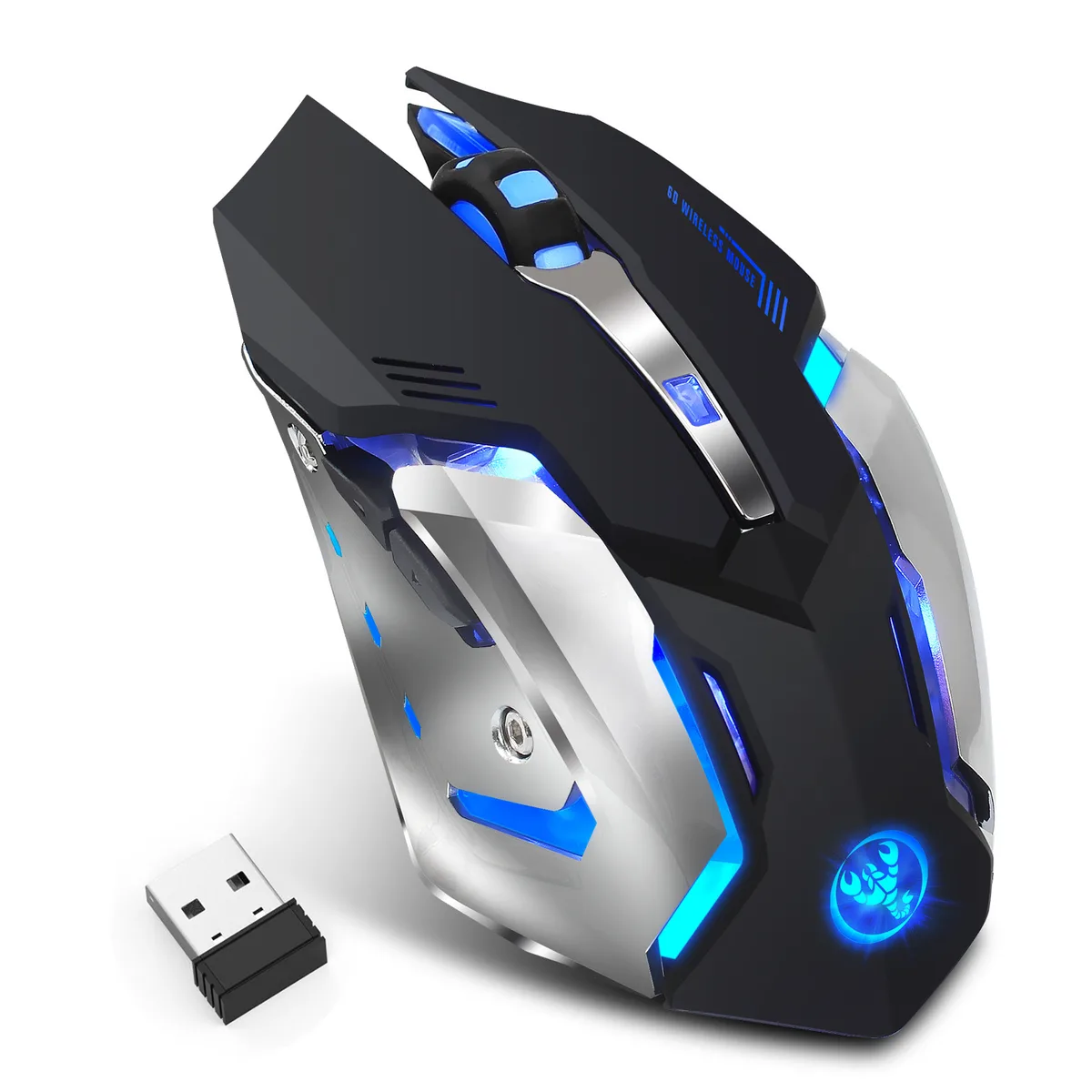
LUOM M10 Rechargeable Wireless Gaming Mouse 2.4G USB Receiver 2400 DPI 5 Buttons LED Black
A rechargeable wireless gaming mouse with 2.4 GHz connectivity, five adjustable DPI levels up to 2400, five buttons and LED lighting
- NameM10 Wireless gaming mouse
- TypeRF Wireless
- InterfaceUSB
- Mouse Grip StylePalm / Claw
- Tracking MethodOptical
- Resolution (DPI)2400 dpi
- 4 GHz wireless link stays stable up to 10 m
- 2400 DPI optical sensor tracks precisely on many surfaces
- Five adjustable DPI levels from 800 to 2400 suit any task
- Left and right clicks cut noise by 50 % for quiet spaces
- Auto-sleep after 8 minutes extends battery life between charges
LUOM M10 Wireless Gaming Mouse
The LUOM M10 is a right-handed wireless gaming mouse that connects through a 2.4 GHz USB receiver. It offers an optical sensor with five selectable DPI levels ranging from 800 to 2400. The five-button layout suits palm and claw grip styles for gaming or office tasks. Compatible with Windows, Mac OS 9.X and later, plus Chromebook devices.
Quiet Clicks and Energy-Saving Sleep
Left and right buttons are engineered to cut click noise by roughly half compared with typical gaming mice, making it suitable for libraries or shared spaces. An auto-sleep function activates after 8 minutes of inactivity to conserve battery life. A red flashing scroll wheel warns when the rechargeable cell needs charging via the included 50 cm cable.
Stable 2.4 GHz Link Up to 10 Metres
The 2.4 GHz radio delivers a reliable connection up to 10 metres or 30 feet without noticeable latency or drop-outs. Adjustable DPI steps of 800, 1200, 1600, 2000 and 2400 let you match pointer speed to different surfaces during extended sessions. The optical tracking engine maintains consistent response across the full working range.
Points forts
- 4 GHz wireless link stays stable up to 10 m
- 2400 DPI optical sensor tracks precisely on many surfaces
- Five adjustable DPI levels from 800 to 2400 suit any task
- Left and right clicks cut noise by 50 % for quiet spaces
- Auto-sleep after 8 minutes extends battery life between charges
Caractéristiques
| Brand | Zelotes |
|---|---|
| Name | M10 Wireless gaming mouse |
| Model | M10 |
| Type | RF Wireless |
| Interface | USB |
| Mouse Grip Style | Palm / Claw |
| Tracking Method | Optical |
| Resolution (DPI) | 2400 dpi |
| Hand Orientation | Right Hand |
| Buttons | 5 |
| Scrolling Capability | 1 x Wheel |
| Color | Black |
| Operating System Supported | Windows 2000/ XP/ Server 2003/ Vista; Mac OS 9.X + |
| System Requirement | USB port |
Questions sur cet article
How do I install the 2.4 GHz USB receiver and what step do people often miss?
Plug the USB receiver into a free USB port on your PC, laptop or Chromebook, then switch the mouse on using the power switch on its underside; the step many miss is turning that switch on after inserting the receiver.
What maintenance will the LUOM M10 need later?
Recharge the built-in battery via the 50 cm USB cable when the scroll wheel flashes red, and clean the optical sensor and mouse feet occasionally to keep tracking accurate.
What limit appears first during long gaming sessions?
The battery will run down first; the mouse enters sleep mode after 8 minutes of inactivity to conserve power, so you must recharge it before the next extended session.
Également dans ce rayon
Les clients ont aussi comparé
Même rayon, même caisse — huit monnaies et un taux bloqué 30 minutes.



BFKK
BFKK Wireless Gaming Mouse PAW 3950Max 42000 DPI 8KHz 38g Black & Sticker
- Black
106,99 $US
0.00136795BTC
En stock
BFKK
BFKK Wireless Gaming Mouse Red 7 Silent Buttons 5 Adjustable DPI
- Red
34,99 $US
0.00044737BTC
En stock
BFKK
BFKK Wireless Gaming Mouse Blue 7 Silent Buttons 1000-4000 DPI
- Blue
30,99 $US
0.00039623BTC
En stock