
Micron Technology, Inc.
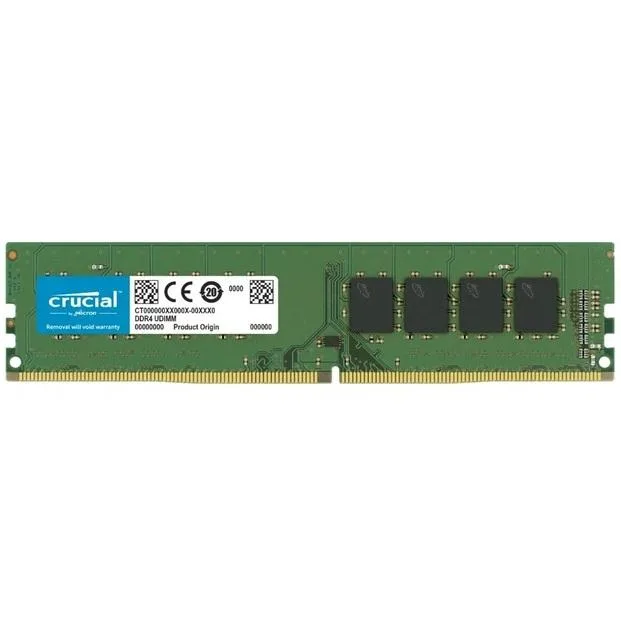
Micron Technology, Inc. CT8G4DFRA266 8GB DDR4 2666 desktop RAM
An 8 GB DDR4 module running at 2666 MHz with CL19 timing and 1.2 V operation on a 288-pin unbuffered DIMM
- Capacity8GB
- SpeedDDR4 2666 (PC4 21300)
- CAS LatencyCL19
- ColorGreen
- LED ColorNone
- 8 GB capacity adds headroom for multitasking
- 2666 MHz DDR4 speed delivers responsive data throughput
- CL19 latency keeps timing tight for everyday workloads
- 2 V operation reduces power draw and heat
- 288-pin unbuffered non-ECC design fits standard desktop slots
8GB DDR4 2666 UDIMM
This Crucial desktop module provides 8GB of DDR4 memory at 2666MHz with CL19 timings. It operates at 1.2V using a standard 288-pin unbuffered non-ECC design. The green PCB has no LED lighting.
Everyday desktop upgrades and office builds
The single 8GB capacity suits general productivity, web browsing and light multitasking on platforms that accept DDR4 2666. Builders needing higher capacities per slot, lower CAS latencies, ECC error correction or registered DIMMs should consider other modules.
2666MHz DDR4 speed rating
The module runs at DDR4 2666 (PC4-21300) with 19-19-19 timings at 1.2V. This speed grade determines compatibility with the memory controller and whether the system can reach the rated frequency without manual adjustment.
Points forts
- 8 GB capacity adds headroom for multitasking
- 2666 MHz DDR4 speed delivers responsive data throughput
- CL19 latency keeps timing tight for everyday workloads
- 2 V operation reduces power draw and heat
- 288-pin unbuffered non-ECC design fits standard desktop slots
Caractéristiques
| Capacity | 8GB |
|---|---|
| Speed | DDR4 2666 (PC4 21300) |
| CAS Latency | CL19 |
| Color | Green |
| LED Color | None |
Questions sur cet article
My motherboard has four DDR4 slots — will this 288-pin unbuffered module fit in any of them?
Yes, the stick uses the standard 288-pin DDR4 form factor and is unbuffered non-ECC, so it seats in any consumer DDR4 slot.
If I add this CL19 2666 MHz stick to my existing DDR4 kit, what speed and latency will the system use?
The memory controller will run all modules at the lowest common speed and the loosest timings — here 2666 MHz and CL19 19-19-19.
After installing, how can I confirm the module is running at 2666 MHz with CL19 timings?
Open Task Manager or CPU-Z and check the reported speed and CAS latency; they should show 2666 MHz and CL19.
Également dans ce rayon
Les clients ont aussi comparé
Même rayon, même caisse — huit monnaies et un taux bloqué 30 minutes.


PrimoChill
PrimoChill Praxis Wetbench Open-Air Test Bench 461.8mm
- Open-Air
274,89 $US
0.00355155BTC
En stock
Silverstone Technology
SilverStone Technology Strider 1200W 80 Plus Platinum Modular Power Supply
- ATX Mid Tower
- 1200W
324,03 $US
0.00418643BTC
En stock