


MSI
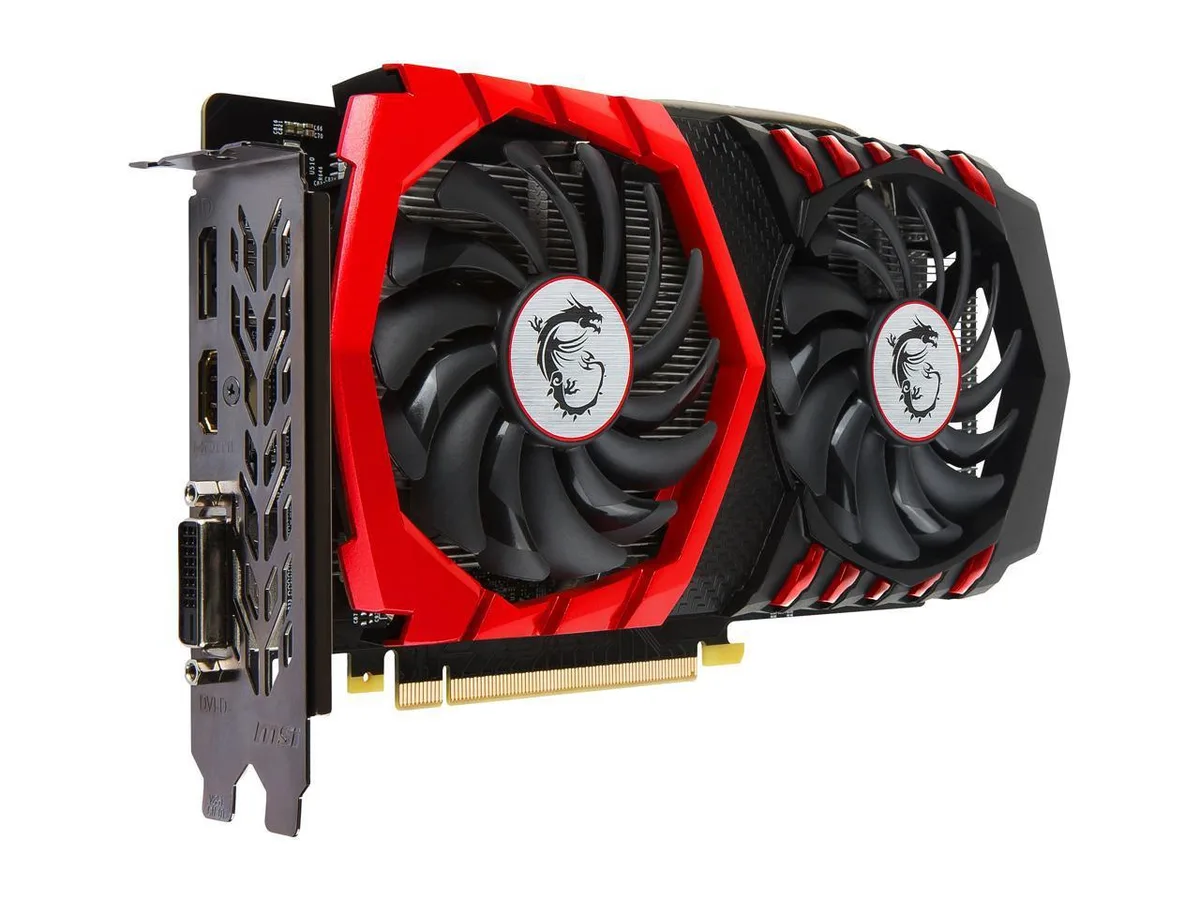
MSI GeForce GTX 1050 Ti GAMING X 4G 4GB GDDR5 graphics card
Entry-level graphics card with 4 GB GDDR5 memory, 128-bit bus, and base clocks up to 1379 MHz
- Memory TypeDDR5
- 4 GB GDDR5 memory handles textures in modern games
- Core clock up to 1379 MHz in OC mode for responsive frame rates
- Boost clock reaches 1493 MHz under load for extra headroom
- Three display outputs include HDMI 2.0 and DisplayPort 1.4
- PCI Express 3.0 x16 slot with single 6-pin power connector
4GB GDDR5 GTX 1050 Ti for entry gaming
This MSI card uses the NVIDIA GeForce GTX 1050 Ti chipset with 4GB of 128-Bit GDDR5 memory. It targets 1080p gaming at modest settings and general desktop workloads. The board draws power from a single 6-Pin PCI-E connector and fits a standard PCI Express 3.0 x16 slot. No external power beyond that connector is required.
Simple two-slot installation with one power cable
Mount the card in any PCI Express 3.0 x16 slot and attach the 6-Pin PCI-E power cable from the PSU. The dual-slot cooler occupies two rear brackets; verify case clearance before fitting. Driver installation follows standard NVIDIA procedure. Common issues are forgetting the power cable or seating the card incompletely, which prevents POST.
PCI Express 3.0 x16 and display outputs set
The interface runs at PCI Express 3.0 x16 bandwidth, which is sufficient for this GPU tier. Display outputs are one DL-DVI-D, one HDMI 2.0 and one DisplayPort 1.4, supporting up to three monitors. Maximum digital resolution is governed by those ports and the GPU's DirectX 12 and OpenGL 4.5 capability. Legacy VGA requires an active adapter not included.
Points forts
- 4 GB GDDR5 memory handles textures in modern games
- Core clock up to 1379 MHz in OC mode for responsive frame rates
- Boost clock reaches 1493 MHz under load for extra headroom
- Three display outputs include HDMI 2.0 and DisplayPort 1.4
- PCI Express 3.0 x16 slot with single 6-pin power connector
Caractéristiques
| Brand | MSI |
|---|---|
| Series | MSI Gaming GeForce GTX 1050 Ti 4GB |
| Memory Type | DDR5 |
Questions sur cet article
How can I confirm the card is running at the 1493 MHz OC boost clock after installation?
Open MSI Afterburner or GPU-Z while a 3D load is running and verify the reported boost clock reaches 1493 MHz; the hardware monitor will also show the memory running at GDDR5 speeds.
Which cables and adapters are included in the box versus what I must source myself?
The package contains the graphics card, a quick-start guide and a driver disc; you must supply a 6-pin PCIe power cable from your PSU and any display cables for HDMI 2.0, DisplayPort 1.4 or DVI-D.
Should I pick the OC, Gaming or Silent BIOS profile for my build?
Choose OC for the highest 1493 MHz boost and 1379 MHz core, Gaming for a balanced 1468 MHz boost and 1354 MHz core, or Silent for the quietest operation at 1392 MHz boost and 1290 MHz core.
Également dans ce rayon
Les clients ont aussi comparé
Même rayon, même caisse — huit monnaies et un taux bloqué 30 minutes.


PrimoChill
PrimoChill Praxis Wetbench Open-Air Test Bench 461.8mm
- Open-Air
274,89 $US
0.00357046BTC
En stock
Silverstone Technology
SilverStone Technology Strider 1200W 80 Plus Platinum Modular Power Supply
- ATX Mid Tower
- 1200W
324,03 $US
0.00420873BTC
En stock