


MSI
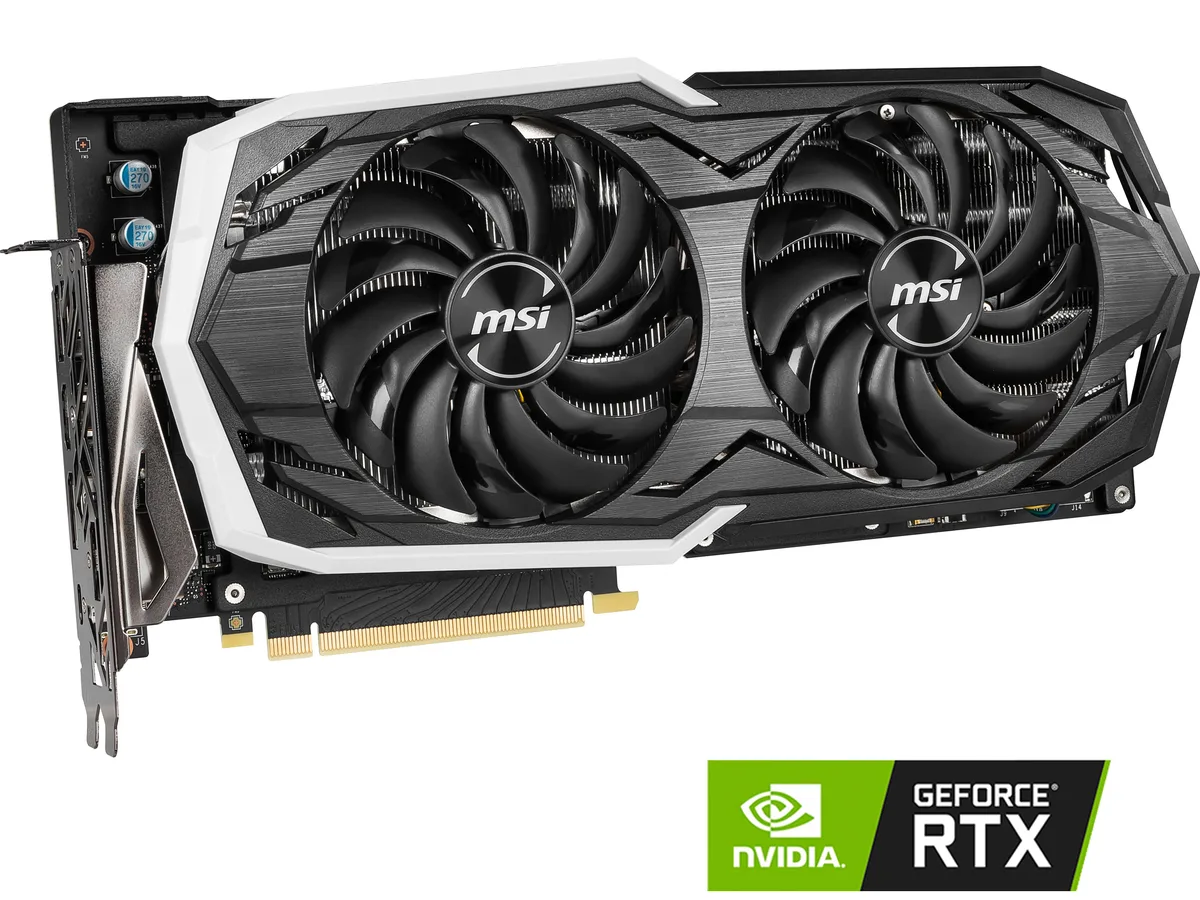
MSI GeForce RTX 2070 ARMOR 8G graphics card
Refurbished GeForce RTX 2070 with 2304 CUDA cores, 8GB GDDR6 on a 256-bit bus, boost clock 1620 MHz, HDMI 2.0b, three DisplayPort 1.4 and USB Type‑C outputs for up to 7680×4320 resolution
- InterfacePCI Express 3.0 x16
- Chipset ManufacturerNVIDIA
- GPU SeriesNVIDIA GeForce RTX 20 Series
- GPUGeForce RTX 2070
- Core Clock1410 MHz
- Boost Clock1620 MHz
- 8GB GDDR6 memory for high-resolution textures
- 2304 CUDA cores accelerate parallel workloads
- Boost clock reaches 1620 MHz for responsive performance
- Four display outputs drive multi-monitor setups
- PCI Express 3.0 x16 interface provides ample bandwidth
Product identity
The MSI GeForce RTX 2070 ARMOR 8G is a refurbished graphics card built on the NVIDIA Turing architecture. It connects through a PCI Express 3.0 x16 slot and delivers 2304 CUDA cores with a boost clock of 1620 MHz. The 8GB GDDR6 frame buffer runs on a 256-bit bus at 14 Gbps.
Who this suits
Gamers and creators moving to RTX-class performance for 1440p play or multi-monitor productivity will find the 8GB capacity and four-display support a good match. Systems limited to PCIe 3.0 or builds that need a single HDMI 2.0b plus three DisplayPort 1.4 outputs also align well. Buyers targeting 4K ultra settings or workloads demanding more VRAM should consider a higher-tier card.
Deciding specification
The 8GB GDDR6 memory on a 256-bit interface is the single figure that determines whether this card fits the workload. It sets the ceiling for texture resolution, frame-buffer depth and the number of 7680 x 4320 displays that can be driven simultaneously.
Points forts
- 8GB GDDR6 memory for high-resolution textures
- 2304 CUDA cores accelerate parallel workloads
- Boost clock reaches 1620 MHz for responsive performance
- Four display outputs drive multi-monitor setups
- PCI Express 3.0 x16 interface provides ample bandwidth
Caractéristiques
| Brand | MSI |
|---|---|
| Model | RTX 2070 ARMOR 8G |
| Interface | PCI Express 3.0 x16 |
| Chipset Manufacturer | NVIDIA |
| GPU Series | NVIDIA GeForce RTX 20 Series |
| GPU | GeForce RTX 2070 |
| Core Clock | 1410 MHz |
| Boost Clock | 1620 MHz |
| CUDA Cores | 2304 |
| Effective Memory Clock | 14 Gbps |
| Memory Size | 8GB |
| Memory Interface | 256-Bit |
| Memory Type | GDDR6 |
| DirectX | DirectX 12 |
| OpenGL | OpenGL 4.5 |
| Multi-Monitor Support | 4 |
| HDMI | 1 x HDMI 2.0b |
| DisplayPort | 3 x DisplayPort 1.4 |
| Other Ports | 1 x USB Type-C |
| Max Resolution | 7680 x 4320 |
| Virtual Reality Ready | Yes |
| Cooler | Double Fans |
| Thermal Design Power | 175W |
| System Requirements | Recommended PSU: 550W |
| Recommended PSU Wattage | 550W |
| Power Connector | 1 x 8-pin, 1 x 6-pin |
| HDCP Ready | 2.2 |
| Features | Armor Thermal Design TORX Fan 2.0 with Double Ball Bearings - Dispersion fan blade: Steep curved blade accelerating the airflow - Traditional fan blade: Provides steady airflow to massive heat sink below Mastery of Aerodynamics: The heatsink is optimized for efficient heat dissipation, keeping your temperatures low and performance high Zero Frozr technology: Stopping the fan in low-load situations, keeping a noise-free environment RGB Mystic Light Customize colors and LED effects with exclusive MSI software and synchronize the look & feel with other components |
| Max GPU Length | 295 mm |
| Card Dimensions (L x H) | 11.61" x 5.51" |
| Poids d’expédition | 1.73 kg |
| Dimensions du colis | 381 × 267 × 84 mm |
Questions sur cet article
Will the dual-slot MSI RTX 2070 ARMOR 8G fit in a standard ATX case with a PCI Express 3.0 x16 slot?
The card uses a dual-slot design and connects through a PCI Express 3.0 x16 interface. Measure the case length clearance and ensure the power supply has the required 8-pin connector for this model.
What is the correct driver installation order for the GeForce RTX 2070 ARMOR 8G to avoid a black screen on first boot?
Install the latest NVIDIA driver before inserting the card, then power down, seat the GPU firmly in the primary PCI Express 3.0 x16 slot, attach the 8-pin power cable, and boot.
How often should the thermal paste on the 2304 CUDA core GPU be replaced to maintain the 1620 MHz boost clock under load?
Thermal paste on the GeForce RTX 2070 GPU typically lasts several years. Replace it only if temperatures rise noticeably above normal operating range during sustained 2304 CUDA core workloads.
Également dans ce rayon
Les clients ont aussi comparé
Même rayon, même caisse — huit monnaies et un taux bloqué 30 minutes.


PrimoChill
PrimoChill Praxis Wetbench Open-Air Test Bench 461.8mm
- Open-Air
274,89 $US
0.00357753BTC
En stock
Silverstone Technology
SilverStone Technology Strider 1200W 80 Plus Platinum Modular Power Supply
- ATX Mid Tower
- 1200W
324,03 $US
0.00421705BTC
En stock