


MSI
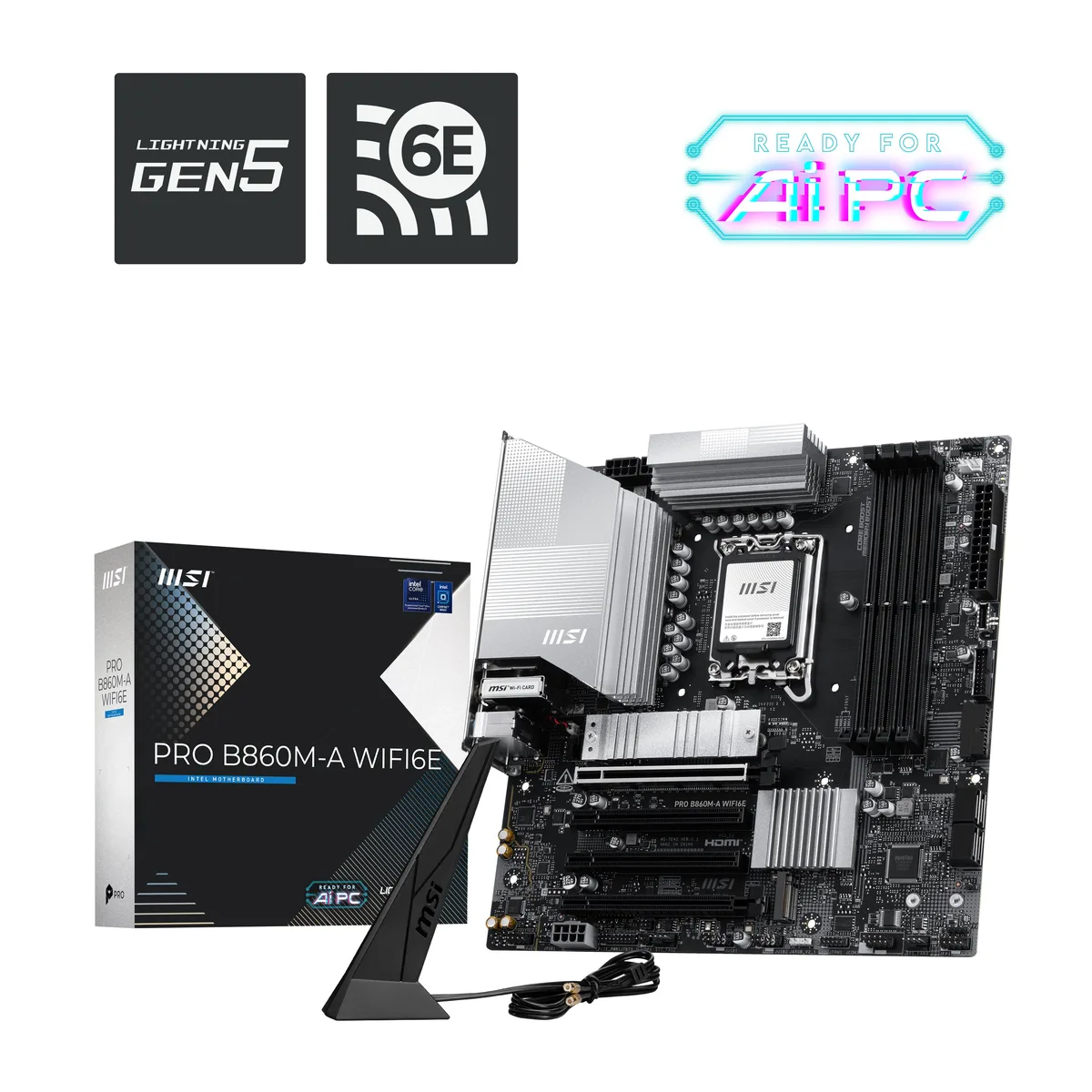
MSI PRO B860M-A WIFI6 Intel motherboard
mATX Intel B860 board for LGA 1851 CPUs with DDR5 up to 8800 MT/s, PCIe 5.0 x16, Gen5 M.2, Wi-Fi 6E and 5G LAN
- ChipsetIntel B860
- South BridgeIntel B860
- Number of Memory Slots4x288pin (DDR5)
- Memory StandardDDR5 8800
- Maximum Memory Supported256GB
- Channel SupportedDual Channel
- Supports Intel Core Ultra Series 2 processors on LGA 1851 socket
- DDR5 memory overclocks to 8800 MT/s with Memory Boost technology
- PCIe 5.0 x16 slot plus Gen5 M.2 for maximum bandwidth
- Wi-Fi 6E covers 2.4 5 6 GHz bands up to 2.4 Gbps
- Realtek 8126 controller delivers 5 Gbps wired LAN
Intel Core Ultra Series 2 platform
The MSI PRO B860M-A WIFI6 motherboard pairs the Intel B860 chipset with an LGA 1851 socket for Intel Core Ultra Processors (Series 2). Its mATX form factor fits compact business and creative workstations. A 12 Duet Rail Power System with P-PAK phases delivers stable current for sustained multi-core workloads.
DDR5 8800 MT/s upgrade path
Four 288-pin slots support up to 256 GB of dual-channel DDR5 at JEDEC speeds of 4800-6400 MT/s, while Memory Boost pushes overclocked modules to 8800+ MT/s. Intel XMP 3.0 profiles simplify the jump from standard JEDEC kits. The move pays off when memory bandwidth limits rendering, compilation or large-dataset analysis.
PCIe 5.0 x16 and Gen5 M.2 headroom
The primary x16 slot runs at PCIe 5.0 from the CPU, and the top M.2 socket connects at PCIe 5.0 x4 for the fastest available drives. Two further M.2 slots operate at PCIe 4.0. Realtek 8126 5G LAN and Wi-Fi 6E on 2.4, 5 and 6 GHz (160 MHz) bands keep network throughput ahead of local storage for most workflows.
Points forts
- Supports Intel Core Ultra Series 2 processors on LGA 1851 socket
- DDR5 memory overclocks to 8800 MT/s with Memory Boost technology
- PCIe 5.0 x16 slot plus Gen5 M.2 for maximum bandwidth
- Wi-Fi 6E covers 2.4 5 6 GHz bands up to 2.4 Gbps
- Realtek 8126 controller delivers 5 Gbps wired LAN
Caractéristiques
| Brand | MSI |
|---|---|
| Series | PRO |
| Chipset | Intel B860 |
| South Bridge | Intel B860 |
| Number of Memory Slots | 4x288pin (DDR5) |
| Memory Standard | DDR5 8800 |
| Maximum Memory Supported | 256GB |
| Channel Supported | Dual Channel |
| Memory Performance Profile | Intel XMP 3.0 |
| ECC Supported | Non-ECC |
| Buffer Supported | Un-buffered |
| Other Slots | 1 x Thunderbolt5 card connector |
| SATA RAID | 0/1/5/10 |
| LAN Chipset | Realtek 8126 |
| Max LAN Speed | 5Gbps |
| Wireless LAN | WiFi IEEE 802.11 a / b / g / n / ac / ax |
| Bluetooth | Yes |
| COM | 1 |
| RJ45 | 1 x RJ45 |
| USB 3.1 | 5 x USB 3.1 |
| USB 3.0 | 4 x USB 3.0 |
| USB 1.1/2.0 | 4 x USB 2.0 |
| USB Type-C | 1 x USB Type-C port, with USB 10Gbps support |
| Onboard USB | 4 x USB 2.0 + 4 x USB 3.2 Gen 1 Type-A + 1 x USB 3.2 Gen 2 Type-C |
| Windows 11 | Supported |
| LED Lighting | None RGB |
| Power Pin | 24 Pin |
| Poids d’expédition | 1.36 kg |
| Dimensions du colis | 286 × 273 × 72 mm |
Questions sur cet article
Will the mATX form factor and LGA 1851 socket fit my existing case and cooler?
The board uses the mATX form factor and an LGA 1851 socket, so it fits any case that accepts mATX and any cooler rated for LGA 1851 mounting holes.
How do I install DDR5 memory and enable the 8800 MT/s XMP 3.0 profile without boot issues?
Populate the four 288-pin DDR5 slots, enter the BIOS, enable the Intel XMP 3.0 profile for the rated 8800 MT/s speed, save, and reboot; the board trains at 4800 MT/s first, then applies the profile.
When should I replace the M.2 Shield Frozr thermal pad on the primary PCIe 5.0 slot?
Replace the pad if it becomes compressed, torn, or after several years of heavy write workloads; a fresh 7W/mK pad restores optimal heat transfer from a Gen5 drive to the heatsink.
Également dans ce rayon
Les clients ont aussi comparé
Même rayon, même caisse — huit monnaies et un taux bloqué 30 minutes.


PrimoChill
PrimoChill Praxis Wetbench Open-Air Test Bench 461.8mm
- Open-Air
274,89 $US
0.00357218BTC
En stock
Silverstone Technology
SilverStone Technology Strider 1200W 80 Plus Platinum Modular Power Supply
- ATX Mid Tower
- 1200W
324,03 $US
0.00421075BTC
En stock