Cswur
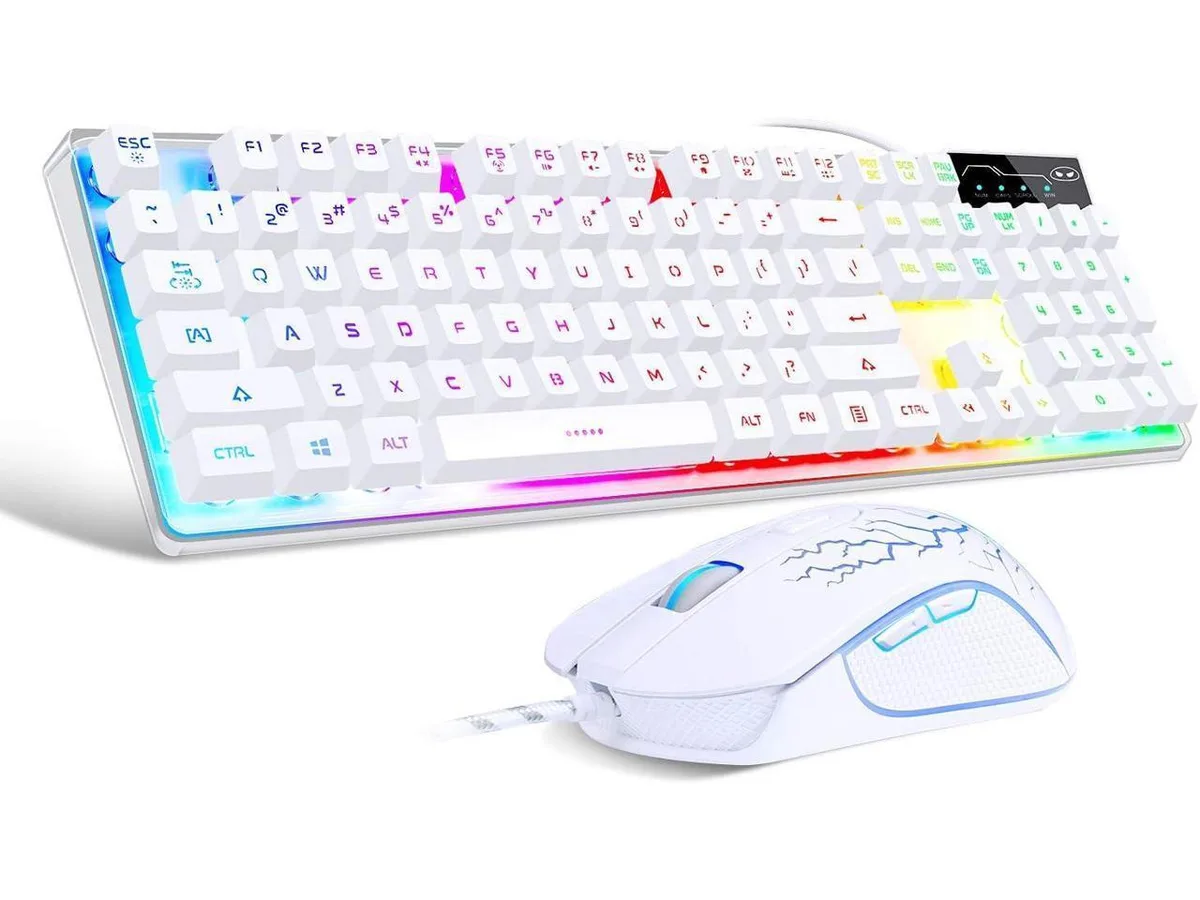
Cswur 104-Key Mechanical Gaming Keyboard Outemu Brown Switches Aluminum Frame Rainbow Backlight
- Full-size
86,99 $US
0.00110671BTC
En stockNous acceptons la cryptomonnaie — les cryptos que vous détenez peuvent ainsi acheter du matériel réel.Payez en crypto, dépensez-la en matériel réel. Livraison assurée offerte partout dans le monde au-delà de 399 $. Cartons neutres, sans marque, expédiés depuis l’Allemagne.Livraison assurée offerte au-delà de 399 $. Votre taux est bloqué pendant 30 minutes dès l’ouverture de la caisse.Taux bloqué 30 minutes. Chaque article est scellé, son numéro de série est vérifié, et il est couvert par une garantie de 24 mois.Scellé, garanti 24 mois.


NuPhy
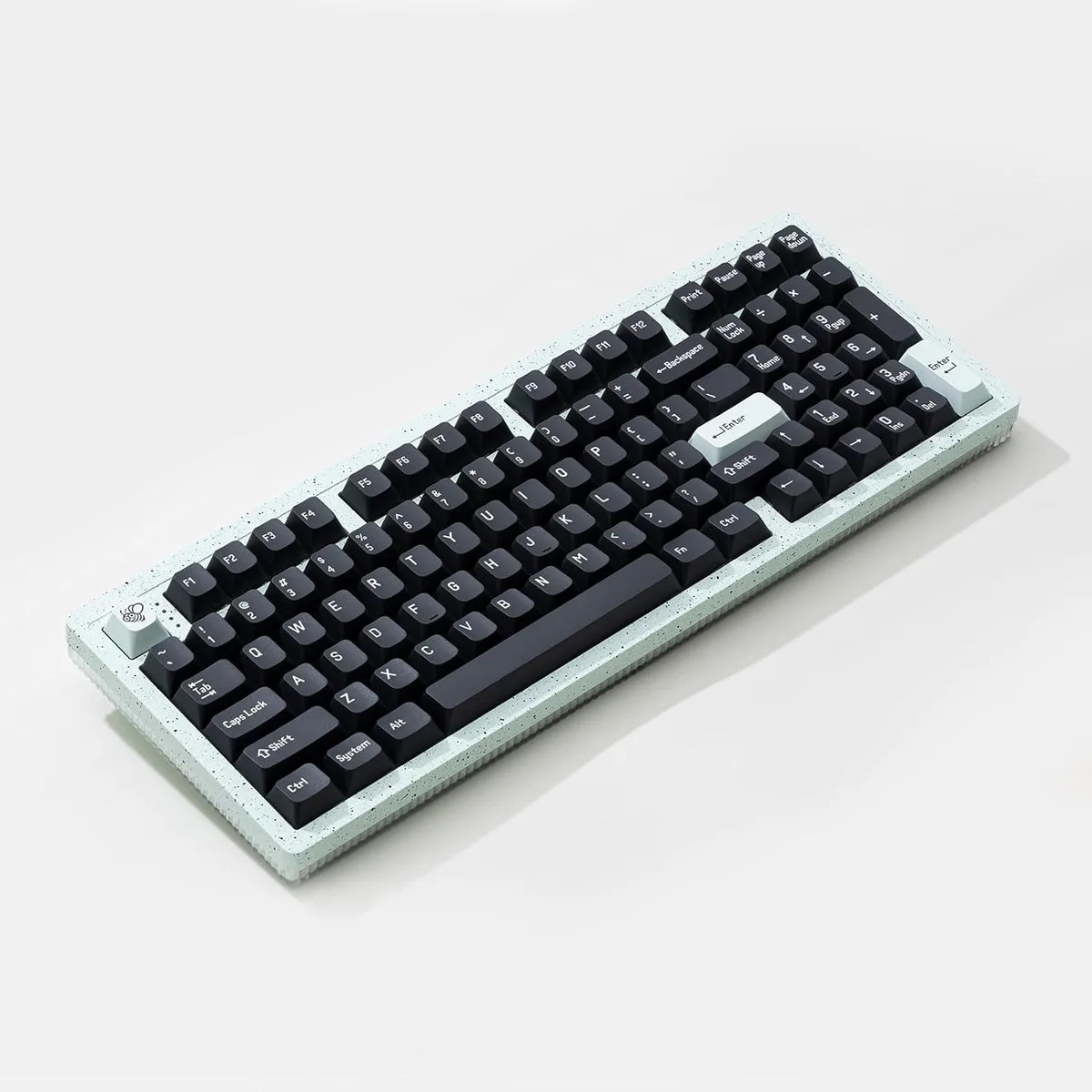
A compact 75% wireless mechanical keyboard with 80 hot-swappable keys, Brown Nano switches, gasket mount, PBT keycaps, 40+ RGB modes and tri-mode connectivity via Bluetooth 5.1, 2.4 GHz and USB‑C
The NuPhy Kick75 is a 75 percent wireless mechanical gaming keyboard with 80 keys and a volume knob. It uses Brown Nano switches and a gasket mount with sound-absorbing foam for a softer keystroke. Tri-mode connectivity covers USB-C wired, 2.4 GHz wireless and Bluetooth 5.1 for use with Windows, macOS, Linux, Android and iOS. PBT keycaps and south-facing RGB lighting with over 40 modes complete the package.
The hot-swappable PCB accepts three or five pin MX-style switches so you can change feel without soldering. Wired and 2.4 GHz modes both run at 1000 Hz polling for low latency, while Bluetooth 5.0 runs at 125 Hz. The NuPhyIO web assistant enables key remapping, knob customisation, macro recording and lighting control for designers, programmers and gamers. A jump is worth it when you need per-key programmability and switch flexibility in a portable form.
The compact footprint of 333.0 mm by 143.3 mm saves desk space and travels easily. Builders who need a full numpad or dedicated macro column should look elsewhere. Buyers who require per-key shine-through legends will not get it because the PBT keycaps do not transmit light. Anyone wanting a different switch weight can swap them thanks to the hot-swap sockets.
| Brand | NuPhy |
|---|---|
| Name | Kick75 |
| Model | Kick75 |
| Part Number | nuphy |
| Keyboard Interface | USB-C/2.4GHz/Bluetooth |
| Design Style | Mechanical Keyboard |
| Layout | 75% |
| Mechanical Keyboard | Support windows/mac OS/Linux... system |
| Key Switch Type | Mechanical |
| Dimensions | 33.0 in x 14.0 in x 2.9 in |
| Type | USB-C/2.4GHz/Bluetooth |
| Hand Orientation | Ambidextrous |
| Power Source | USB power |
The keyboard measures 333.0 mm long by 143.3 mm wide, so allow at least that much clear desk space plus room for mouse movement.
Hold the designated Bluetooth key until the indicator flashes, then select the device in your OS Bluetooth menu; the step often missed is keeping the keyboard in pairing mode long enough for the OS to detect it.
Switches are rated for tens of millions of actuations; replace them when a key feels scratchy or fails to register. Use a switch puller to remove the old 3-pin or 5-pin MX-style switch and press a new one into the hot-swap socket.
Également dans ce rayon
Même rayon, même caisse — huit monnaies et un taux bloqué 30 minutes.
Ce que vous envoyez, et ce dans quoi vous lisez les prix.
Envoyé depuis votre portefeuille à la caisse
Affichage seul — le catalogue est libellé en dollars
Aucune monnaie ne correspond.
Choisissez la langue dans laquelle le site vous parle.
Première visite ?
Vous avez déjà un compte ?
Il n’y a pas de réinitialisation automatique : cette boutique n’envoie aucun e-mail, il n’existe donc aucun lien à usage unique à demander. Laissez l’adresse sur le compte, elle sera traitée à la main.
Demande enregistrée
Rien n’arrivera dans votre boîte de réception — cette boutique n’envoie aucun e-mail. Quelqu’un s’en occupe à la main.
Vous l’avez retrouvé ?