

NVIDIA
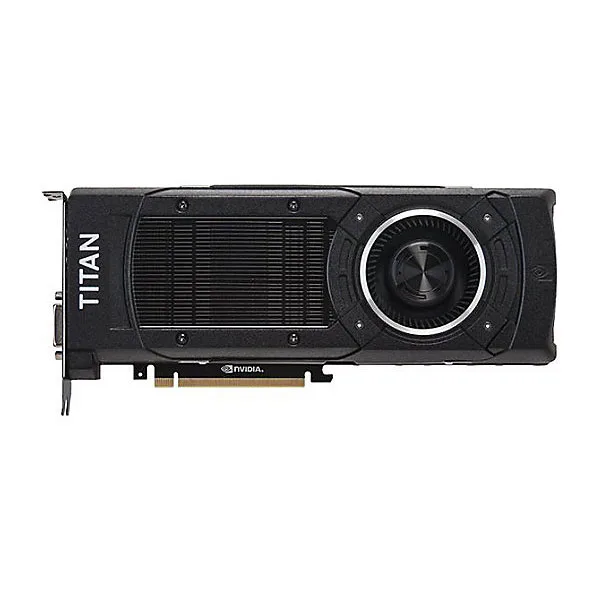
NVIDIA GeForce GTX TITAN X 12GB GDDR5 graphics card
High-performance GPU with 12 GB GDDR5 memory, 3072 CUDA cores and 336.5 GBps bandwidth for 4096 x 2160 resolution
- Memory TypeGDDR5
- 12 GB GDDR5 memory for large textures and datasets
- 3072 CUDA cores accelerate compute and rendering workloads
- 5 GBps bandwidth feeds the GPU at high speed
- 4096 x 2160 maximum resolution drives 4K displays
- 3x DisplayPort, 1x HDMI, 1x DVI-I connect multiple monitors
GTX TITAN X 12 GB GDDR5
The NVIDIA GeForce GTX TITAN X is a graphics card built on the Maxwell architecture with 12 GB of GDDR5 memory. It delivers 3072 CUDA cores and 336.5 GBps memory bandwidth for compute and gaming workloads. The card occupies a PCIe x16 slot and supports a maximum external resolution of 4096 x 2160.
3x DisplayPort 1x HDMI 1x DVI-I
This card suits users who need a 12 GB frame buffer for high-resolution textures or CUDA development on the Maxwell architecture. It provides three DisplayPort outputs, one HDMI port and one dual-link DVI-I connector for multi-monitor setups. Buyers requiring newer architectural features not present in Maxwell should evaluate other options.
12 GB GDDR5 frame buffer
The 12 GB GDDR5 memory capacity is the specification that determines suitability for large texture datasets and 4K gaming at 4096 x 2160. With 336.5 GBps bandwidth and 3072 CUDA cores, the memory subsystem defines the card's ability to handle extreme resolutions. Confirm your workload fits within this 12 GB limit before purchasing.
Points forts
- 12 GB GDDR5 memory for large textures and datasets
- 3072 CUDA cores accelerate compute and rendering workloads
- 5 GBps bandwidth feeds the GPU at high speed
- 4096 x 2160 maximum resolution drives 4K displays
- 3x DisplayPort, 1x HDMI, 1x DVI-I connect multiple monitors
Caractéristiques
| Memory Type | GDDR5 |
|---|
Questions sur cet article
What PCIe slot width does the GTX TITAN X require for installation?
The card fits a standard PCIe x16 slot on the motherboard. Ensure the slot is clear of obstructions and the rear bracket aligns with the case opening.
Which power connectors must be attached during installation, and what is the common mistake?
Connect both 8-pin PCIe power cables from the PSU. The frequent error is seating only one connector, which prevents the card from posting.
When should the thermal paste on the GTX TITAN X be replaced?
Replace the thermal paste if GPU temperatures rise noticeably under load after several years. The process requires removing the heatsink and cleaning the old compound.
Également dans ce rayon
Les clients ont aussi comparé
Même rayon, même caisse — huit monnaies et un taux bloqué 30 minutes.


PrimoChill
PrimoChill Praxis Wetbench Open-Air Test Bench 461.8mm
- Open-Air
274,89 $US
0.00355155BTC
En stock
Silverstone Technology
SilverStone Technology Strider 1200W 80 Plus Platinum Modular Power Supply
- ATX Mid Tower
- 1200W
324,03 $US
0.00418643BTC
En stock