

Raywego
Raywego 24" Curved Gaming Monitor 200Hz FHD 1ms VA 3000R Black
- 24"
- 200Hz
$89.99
0.00116377BTC
En stockNous acceptons la cryptomonnaie — les cryptos que vous détenez peuvent ainsi acheter du matériel réel.Payez en crypto, dépensez-la en matériel réel. Livraison assurée offerte partout dans le monde au-delà de 399 $. Cartons neutres, sans marque, expédiés depuis l’Allemagne.Livraison assurée offerte au-delà de 399 $. Votre taux est bloqué pendant 30 minutes dès l’ouverture de la caisse.Taux bloqué 30 minutes. Chaque article est scellé, son numéro de série est vérifié, et il est couvert par une garantie de 24 mois.Scellé, garanti 24 mois.


Raywego
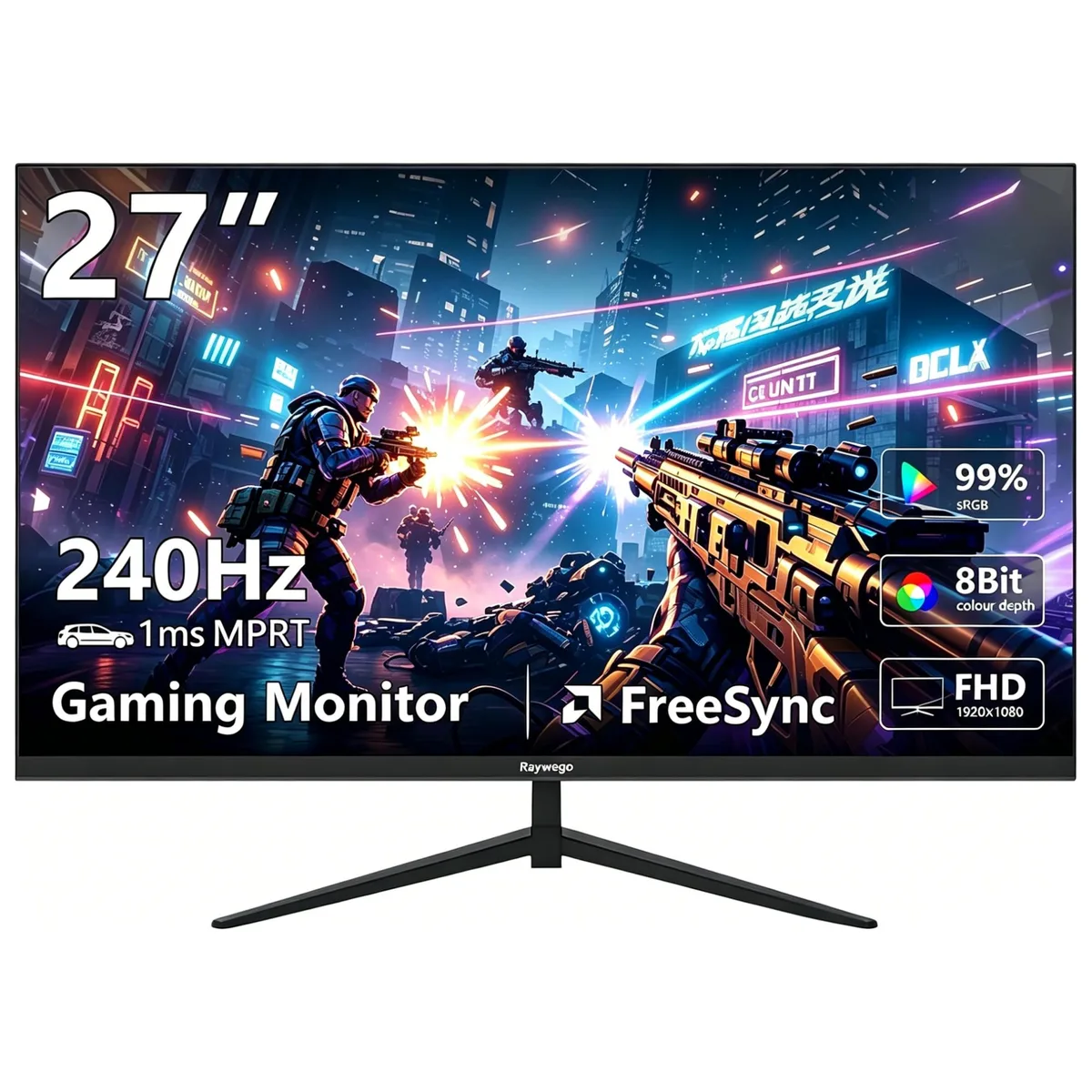
A 27-inch flat VA gaming monitor with 240Hz refresh rate, 1ms response time, 99% sRGB coverage, HDR10 support, 400 cd/m² brightness, FreeSync and G-Sync compatibility, plus VESA 100mm mounting
Raywego 27 inch 240Hz
The Raywego 27 inch flat VA panel delivers a 1920 x 1080 resolution at a 240Hz refresh rate with 1ms MPRT response time. It covers 99 percent sRGB colour gamut and supports HDR10 for vivid visuals. Competitive gamers seeking high frame rates in fast-paced titles will benefit from the smooth motion clarity and adaptive sync compatibility.
The monitor includes two HDMI 2.0 ports and two DisplayPort 1.4 inputs plus an AC power connection for flexible device hookup. A 100mm x 100mm VESA pattern allows standard arm or wall mounting on a flat panel. Users must select DisplayPort 1.4 to reach the full 240Hz refresh rate as HDMI 2.0 may limit the maximum frame rate at this resolution.
DisplayPort 1.4 provides the necessary bandwidth for 240Hz at 1920 x 1080 while HDMI 2.0 may not sustain the top refresh rate. The VA panel offers 178 degree viewing angles with a typical 1000:1 contrast ratio and 400 cd/m2 brightness. Buyers needing higher pixel density for detailed productivity work or wider colour volumes beyond sRGB should consider alternative specifications.
| Screen Size | 27" |
|---|---|
| Refresh Rate | 240Hz |
| Resolution | 1920 x 1080 |
| Response Time | 1 ms |
| Display Colors | 16.7 Million |
| Panel | VA |
| Aspect Ratio | 16:9 |
| Curved Surface Screen | Flat Panel |
| Widescreen | Yes |
| Brightness | 400 cd/m2 |
| Contrast Ratio | 1000:1 |
| Glare Screen | Anti-glare |
| Maximum Resolution | 1920 x 1080 |
| Viewing Angle | 89° (H) / 89° (V) |
| Horizontal Refresh Rate | 240 Hz |
| Display Type | FHD |
| Adaptive Sync Technology | FreeSync & G-Sync Compatible |
| Color Gamut | sRGB 99% |
| HDR Standard | HDR10 |
| Brand | Raywego |
| Model | Z27 |
| Series | Z27B15 |
| Cabinet Color | Black |
| Bezel Design | 3 Sided Frameless |
| Cosmetic Condition | Grade A |
| HDMI | 2 x HDMI 2.0 |
| Connectors | HDMI, DisplayPort |
| DisplayPort | 2 x DisplayPort 1.4 |
| Stand Adjustments | Tilt |
| Power Supply | 100-240 VAC |
| Power Consumption | 21 W |
| Humidity Range | 20~80% (non-condensation) |
Autres versions de ce modèle
Même famille, mémoire, ventirad ou fréquence différents — comparez avant de vous décider.
Open Windows display settings or the GPU control panel and verify the refresh rate is set to 240 Hz; the on-screen menu also shows the current 240 Hz signal when a compatible cable is used.
The package contains the 27 inch monitor, a stand with base, an AC power cable, one HDMI 2.0 cable and one DisplayPort 1.4 cable.
Use the DisplayPort 1.4 connection to reach the full 240 Hz refresh rate; HDMI 2.0 is limited to lower refresh rates at this resolution.
Également dans ce rayon
Même rayon, même caisse — huit monnaies et un taux bloqué 30 minutes.
Ce que vous envoyez, et ce dans quoi vous lisez les prix.
Envoyé depuis votre portefeuille à la caisse
Affichage seul — le catalogue est libellé en dollars
Aucune monnaie ne correspond.
Choisissez la langue dans laquelle le site vous parle.
Première visite ?
Vous avez déjà un compte ?
Il n’y a pas de réinitialisation automatique : cette boutique n’envoie aucun e-mail, il n’existe donc aucun lien à usage unique à demander. Laissez l’adresse sur le compte, elle sera traitée à la main.
Demande enregistrée
Rien n’arrivera dans votre boîte de réception — cette boutique n’envoie aucun e-mail. Quelqu’un s’en occupe à la main.
Vous l’avez retrouvé ?


