iKBC
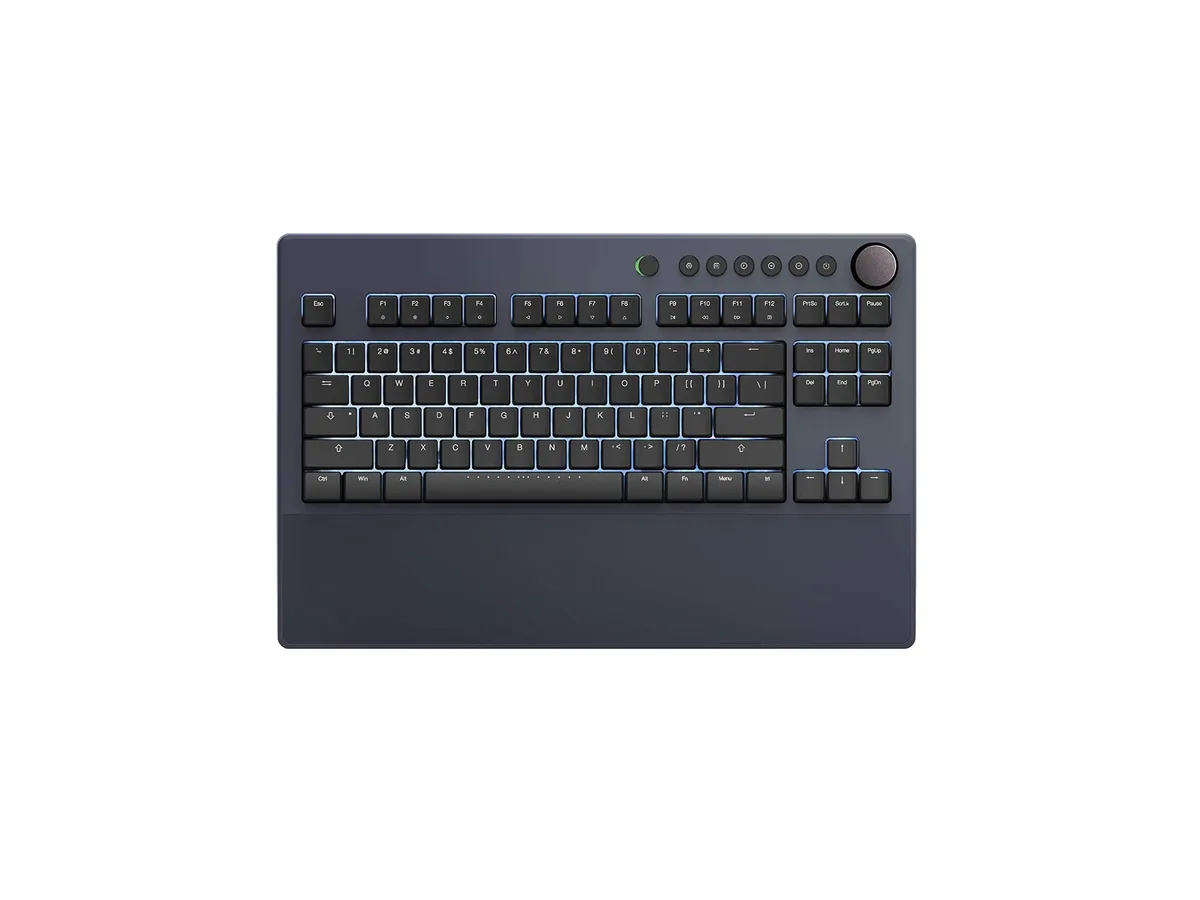
iKBC Table E401 Tenkeyless Gaming Keyboard Cherry MX Red Dark Gray 87 Keycaps
127,99 $US
0.00162601BTC
En stockNous acceptons la cryptomonnaie — les cryptos que vous détenez peuvent ainsi acheter du matériel réel.Payez en crypto, dépensez-la en matériel réel. Livraison assurée offerte partout dans le monde au-delà de 399 $. Cartons neutres, sans marque, expédiés depuis l’Allemagne.Livraison assurée offerte au-delà de 399 $. Votre taux est bloqué pendant 30 minutes dès l’ouverture de la caisse.Taux bloqué 30 minutes. Chaque article est scellé, son numéro de série est vérifié, et il est couvert par une garantie de 24 mois.Scellé, garanti 24 mois.


A low-profile gaming keyboard with clicky mecha-membrane switches, UV-coated keycaps, RGB backlighting, dedicated media keys and a magnetic soft-touch wrist rest
The Razer Ornata V3 is a low-profile gaming keyboard built for players and typists who want a slimmer typing angle without losing tactile feedback. Its mecha-membrane switches combine a clicky mechanical feel with the softer bottom-out of a membrane board. Nineteen function keys and nine programmable mouse buttons give plenty of macro space for MMO or productivity shortcuts. The ambidextrous mouse is included in the same box.
Each key uses a hybrid clicky switch that delivers audible feedback while keeping finger strain low during long sessions. UV-coated keycaps resist legend fade and surface wear better than standard ABS plastic. A magnetic soft-touch wrist rest snaps into place and can be removed instantly for cleaning or transport. Dedicated backlit media keys sit at the top edge for quick volume and playback control without leaving the game.
Users moving from a traditional flat membrane keyboard gain a shorter actuation distance and a pronounced click that confirms every press. The jump is worth it if you type for hours and want wrist support that attaches without clips or screws. Buyers who need per-key actuation tuning or hot-swappable switches should look elsewhere, as the switches are fixed and the firmware offers only RGB and macro customisation.
| Brand | RAZER |
|---|---|
| Series | Ornata V3 |
| Name | Ornata V3 |
| Model | Ornata V3 |
| Part Number | RZ03-04460200-R3U1 |
| Material | ABS Plastic |
| Palm Rest | V3 |
| Function Keys | 19 |
| Mechanical Keyboard | Keyboard / Clicky |
| Key Switch | Clicky |
| Key Switch Type | Clicky |
| Keyboard Color | Black |
| Backlit | RGB |
| Dimensions | 17.46 in x 5.68 in x 1.23 in |
| Mouse Included | V3 |
| Mouse DPI | Gaming |
| Hand Orientation | Ambidextrous |
| Tracking Method | UV-Coated Keycaps |
| Buttons | 9 |
| Scrolling Capability | Backlit Media Keys |
| Mouse Color | Black |
| Power Source | Corded Electric |
| Operating Time | Corded Electric, false |
| Distance | 17.46 L x 5.68 W x 1.23 H inches |
| Operating System Supported | PC |
| Features | rgb, ABS Plastic, Ambidextrous |
The keyboard measures 17.46 in wide, 5.68 in deep and 1.23 in high, so it needs that much flat surface plus room for the detachable wrist rest.
It snaps onto the front edge magnetically; the mistake is forcing it off centre instead of letting the magnets pull it into alignment.
Use Razer Synapse software to assign each key to pause, play, skip, brightness or volume, then save the profile to the keyboard.
Également dans ce rayon
Même rayon, même caisse — huit monnaies et un taux bloqué 30 minutes.
Ce que vous envoyez, et ce dans quoi vous lisez les prix.
Envoyé depuis votre portefeuille à la caisse
Affichage seul — le catalogue est libellé en dollars
Aucune monnaie ne correspond.
Choisissez la langue dans laquelle le site vous parle.
Première visite ?
Vous avez déjà un compte ?
Il n’y a pas de réinitialisation automatique : cette boutique n’envoie aucun e-mail, il n’existe donc aucun lien à usage unique à demander. Laissez l’adresse sur le compte, elle sera traitée à la main.
Demande enregistrée
Rien n’arrivera dans votre boîte de réception — cette boutique n’envoie aucun e-mail. Quelqu’un s’en occupe à la main.
Vous l’avez retrouvé ?