iKBC
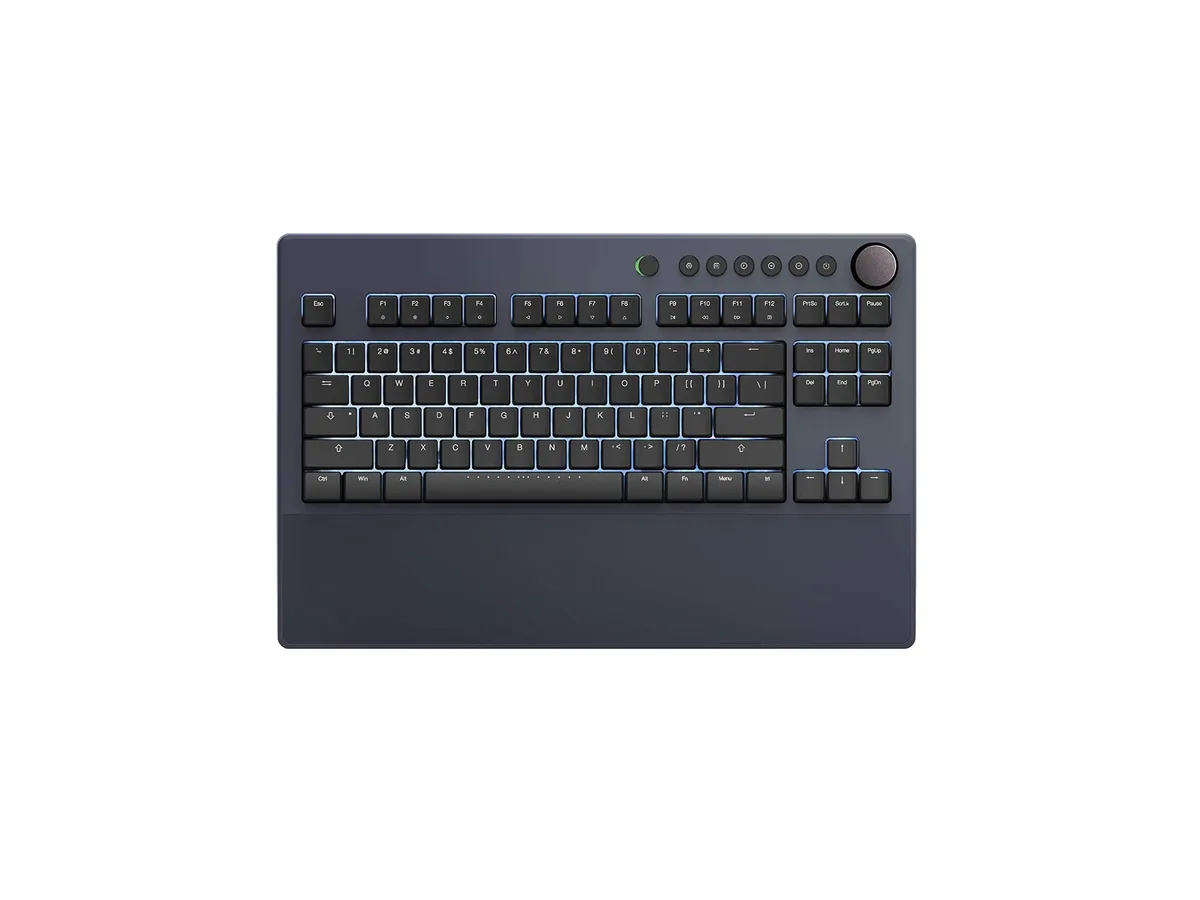
iKBC Table E401 Tenkeyless Gaming Keyboard Cherry MX Red Dark Gray 87 Keycaps
127,99 $US
0.00162601BTC
En stockNous acceptons la cryptomonnaie — les cryptos que vous détenez peuvent ainsi acheter du matériel réel.Payez en crypto, dépensez-la en matériel réel. Livraison assurée offerte partout dans le monde au-delà de 399 $. Cartons neutres, sans marque, expédiés depuis l’Allemagne.Livraison assurée offerte au-delà de 399 $. Votre taux est bloqué pendant 30 minutes dès l’ouverture de la caisse.Taux bloqué 30 minutes. Chaque article est scellé, son numéro de série est vérifié, et il est couvert par une garantie de 24 mois.Scellé, garanti 24 mois.


Compact 65% wireless mechanical keyboard with tri-mode connectivity, gasket-mounted structure, pre-lubed linear switches, hot-swappable PCB and RGB backlighting
The RedThunder K65 is a compact 65% mechanical keyboard built with a metal chassis and a gasket-mount structure. It uses pre-lubed linear coconut switches that are hot-swappable for 3-pin or 5-pin replacements. The board connects via wired USB-C, 2.4 GHz wireless, or Bluetooth and includes vibrant RGB backlighting. A CNC knob and programmable keys add functional control for gaming or daily typing.
The five-layer gasket design dampens resonance and delivers a softer, creamy typing feel suited to gamers and typists who prefer a cushioned bottom-out. Hot-swappable sockets let enthusiasts swap switches without soldering, while the 65% layout saves desk space for mouse movement. Buyers who need a dedicated numpad or a fixed, non-hot-swappable board should look elsewhere.
A toggle on the top switches between wired USB-C, 2.4 GHz wireless, and Bluetooth for multi-device use across Windows and macOS. This single specification decides whether the keyboard fits a setup that demands both cable-free freedom and a stable wired link for competitive play.
| Brand | RedThunder |
|---|---|
| Series | K65 |
| Name | K65 |
| Model | K65 |
| Material | Metal |
| Keyboard Interface | Bluetooth |
| Function Keys | 6 |
| Mechanical Keyboard | K65 Keyboard / Linear |
| Key Switch | Linear |
| Key Switch Type | Linear |
| Keyboard Color | Black / Gold |
| Backlit | RGB |
| Dimensions | 2.4 in x 3.96 in x 1.3 in |
| Type | USB C Charger |
| Mouse Interface | Bluetooth |
| Mouse DPI | Compact Mechanical Multimedia Programmable RGB Backlit Keyboard |
| Hand Orientation | Ambidextrous |
| Tracking Method | Hot-Swappable |
| Buttons | 6 |
| Scrolling Capability | Programmable Keys |
| Mouse Color | Black |
| Power Source | Battery Powered, USB-C |
| Operating Time | Battery Powered, true |
| Distance | 14 L x 6 W x 1.9 H inches |
| Operating System Supported | Gaming Console |
| System Requirement | Bluetooth |
| Features | rgb, Metal, Ambidextrous, USB-C |
The keyboard supports Bluetooth pairing with Windows and macOS devices, and can store up to three paired devices for quick switching using FN+Q, FN+W, or FN+E.
The compact 65% layout measures 3.96 inches wide, 2.4 inches deep, and 1.3 inches high, saving desk space while retaining essential keys.
Hold FN+Q, FN+W, or FN+E for several seconds until the indicator flashes to enter pairing mode for BT1, BT2, or BT3, then select the keyboard on the target device.
Également dans ce rayon
Même rayon, même caisse — huit monnaies et un taux bloqué 30 minutes.
Ce que vous envoyez, et ce dans quoi vous lisez les prix.
Envoyé depuis votre portefeuille à la caisse
Affichage seul — le catalogue est libellé en dollars
Aucune monnaie ne correspond.
Choisissez la langue dans laquelle le site vous parle.
Première visite ?
Vous avez déjà un compte ?
Il n’y a pas de réinitialisation automatique : cette boutique n’envoie aucun e-mail, il n’existe donc aucun lien à usage unique à demander. Laissez l’adresse sur le compte, elle sera traitée à la main.
Demande enregistrée
Rien n’arrivera dans votre boîte de réception — cette boutique n’envoie aucun e-mail. Quelqu’un s’en occupe à la main.
Vous l’avez retrouvé ?