BFKK
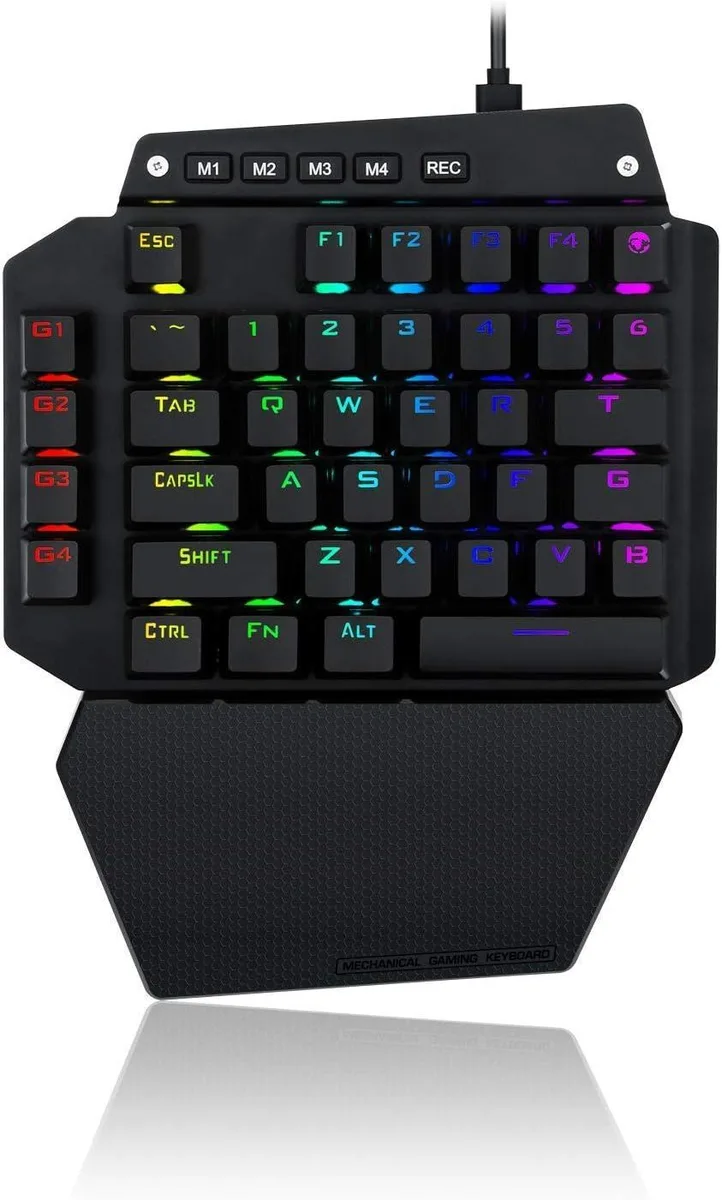
BFKK One-Handed Mechanical Gaming Keyboard, Blue Switch, 6 Macro Keys, Detachable Wrist Rest, USB-C
58,99 $US
0.00075215BTC
En stockNous acceptons la cryptomonnaie — les cryptos que vous détenez peuvent ainsi acheter du matériel réel.Payez en crypto, dépensez-la en matériel réel. Livraison assurée offerte partout dans le monde au-delà de 399 $. Cartons neutres, sans marque, expédiés depuis l’Allemagne.Livraison assurée offerte au-delà de 399 $. Votre taux est bloqué pendant 30 minutes dès l’ouverture de la caisse.Taux bloqué 30 minutes. Chaque article est scellé, son numéro de série est vérifié, et il est couvert par une garantie de 24 mois.Scellé, garanti 24 mois.


ROCCAT
Mechanical gaming keyboard with tactile Titan switches, per-key AIMO RGB lighting, advanced anti-ghosting, a volume dial, dedicated media keys, Easy-Shift Plus secondary functions.
The ROCCAT Vulcan 121 is a wired mechanical gaming keyboard featuring tactile Titan switches designed by ROCCAT engineers for crisp feedback and instant responsiveness. It offers a standard 104-key layout with per-key RGB AIMO illumination in 16.8 million colours and a detachable magnetic palm rest for adjustable comfort during extended sessions.
Moving from a membrane keyboard to the Vulcan 121 provides a distinct tactile bump that many typists and gamers prefer for precise actuation without bottoming out. The jump is worth it when you want dedicated mixer-style media controls — a volume dial and backlit buttons — plus advanced anti-ghosting on the most-used keys so every stroke registers in frantic gameplay.
This board suits players who value a tactile mechanical switch, per-key RGB lighting that syncs across compatible ROCCAT gear, and a removable wrist rest for flexible ergonomics. Buyers who need a wireless connection, a compact form factor without a number pad, or linear switch characteristics should look at something else.
| Keyboard Interface | MICRO USB |
|---|---|
| Design Style | Gaming |
| Palm Rest | Detachable |
| Normal Keys | 104 |
| Mechanical Keyboard | Yes |
| Key Switch | Tactile |
| Keyboard Color | Black |
| Backlit | RGB |
| Type | Wired |
| Mouse Included | No |
The keyboard connects via a Micro USB cable, so you need a free USB-A or USB-C port with an appropriate adapter on your computer.
The palm rest attaches magnetically; the step users skip is aligning the metal contacts on the rest with the corresponding pads on the keyboard base before letting the magnets snap it into place.
Unplug the keyboard, blow compressed air around each switch stem, then lightly brush the exposed stems with a dry anti-static brush; avoid liquid cleaners because the switches are not rated for moisture ingress.
Également dans ce rayon
Même rayon, même caisse — huit monnaies et un taux bloqué 30 minutes.
Ce que vous envoyez, et ce dans quoi vous lisez les prix.
Envoyé depuis votre portefeuille à la caisse
Affichage seul — le catalogue est libellé en dollars
Aucune monnaie ne correspond.
Choisissez la langue dans laquelle le site vous parle.
Première visite ?
Vous avez déjà un compte ?
Il n’y a pas de réinitialisation automatique : cette boutique n’envoie aucun e-mail, il n’existe donc aucun lien à usage unique à demander. Laissez l’adresse sur le compte, elle sera traitée à la main.
Demande enregistrée
Rien n’arrivera dans votre boîte de réception — cette boutique n’envoie aucun e-mail. Quelqu’un s’en occupe à la main.
Vous l’avez retrouvé ?