
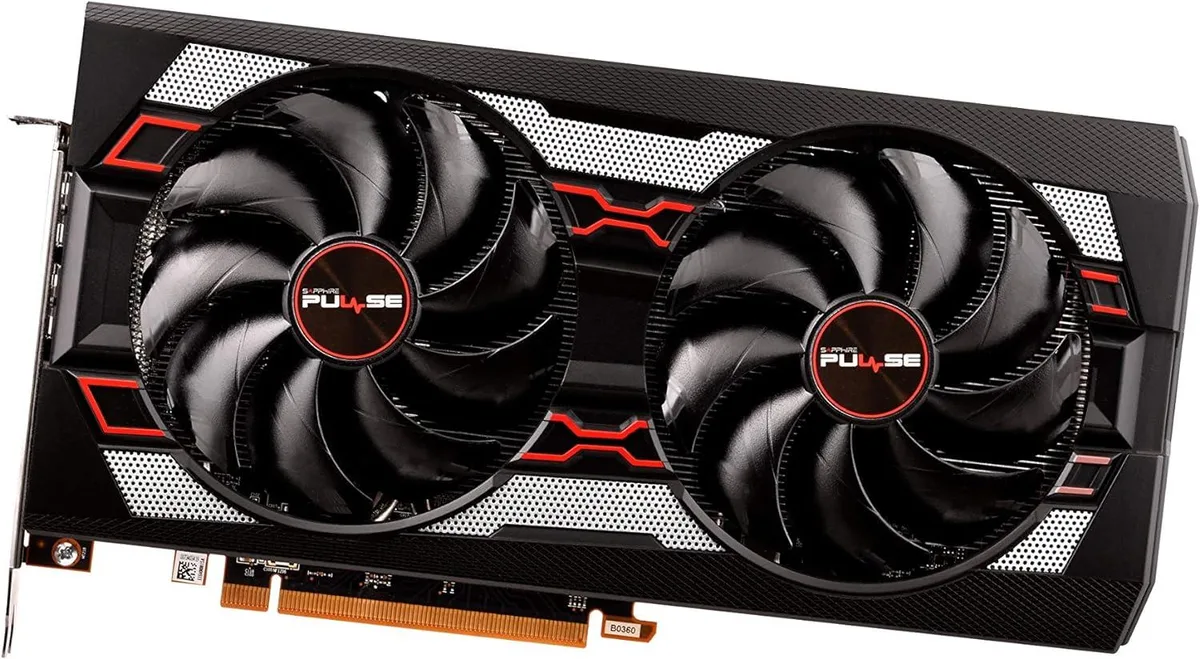


Sapphire Tech
Sapphire Tech Radeon RX 5700 XT 8GB GDDR6 graphics card
Delivers 8 GB GDDR6 graphics performance with PCIe 3.0 x16 connectivity and multi-monitor support
- Chipset ManufacturerAMD
- GPURadeon RX 5700 XT
- Memory Size8GB
- Memory TypeGDDR6
- Low Profile Bracket IncludedNo
- 8 GB GDDR6 memory delivers high frame rates
- PCIe 3.0 x16 interface provides full bandwidth
- Multi monitor support expands workspace flexibility
- Radeon RX 5700 XT GPU powers demanding games
- VR ready capability enables immersive experiences
Sapphire Radeon RX 5700 XT 8GB GDDR6
This graphics card uses the AMD Radeon RX 5700 XT GPU with 8GB of GDDR6 memory. It connects via a PCIe 3.0 x16 interface and supports multi-monitor configurations. The card is sold as a video card only with no accessories included.
PCIe 3.0 x16 full-height card
The card occupies a standard PCIe 3.0 x16 slot and requires a full-height bracket. No low-profile bracket is supplied, so it fits typical ATX chassis layouts. Build quality follows Sapphire's reference design for this GPU model.
Upgrade from older 8GB cards
Moving to this model makes sense when a system needs the RX 5700 XT chipset for compatible workloads. The jump is worth it if the current GPU lacks GDDR6 memory or multi-monitor support. Buyers who need a low-profile form factor or bundled accessories should look elsewhere.
Points forts
- 8 GB GDDR6 memory delivers high frame rates
- PCIe 3.0 x16 interface provides full bandwidth
- Multi monitor support expands workspace flexibility
- Radeon RX 5700 XT GPU powers demanding games
- VR ready capability enables immersive experiences
Caractéristiques
| Brand | SAPPHIRE |
|---|---|
| Model | RX 5700 XT |
| Chipset Manufacturer | AMD |
| GPU | Radeon RX 5700 XT |
| Memory Size | 8GB |
| Memory Type | GDDR6 |
| Low Profile Bracket Included | No |
Questions sur cet article
Does the PCIe 3.0 x16 interface limit the RX 5700 XT to 3.0 speeds in practice?
The card runs at PCIe 3.0 x16 bandwidth, which matches the interface spec and does not throttle the GPU in typical workloads.
What physical slot and bracket space does the Sapphire RX 5700 XT require for mounting?
It needs a full‑height PCIe x16 slot and two rear expansion brackets; no low‑profile bracket is included.
How is the card installed, and which step do builders often miss?
Seat the card firmly in the primary x16 slot, secure the bracket screws, then connect the required PCIe power cables from the PSU — many forget the power cables.
Également dans ce rayon
Les clients ont aussi comparé
Même rayon, même caisse — huit monnaies et un taux bloqué 30 minutes.


PrimoChill
PrimoChill Praxis Wetbench Open-Air Test Bench 461.8mm
- Open-Air
274,89 $US
0.00355155BTC
En stock
Silverstone Technology
SilverStone Technology Strider 1200W 80 Plus Platinum Modular Power Supply
- ATX Mid Tower
- 1200W
324,03 $US
0.00418643BTC
En stock