

Razer USA Ltd
Razer USA Ltd Huntsman Mini 60 Gaming Keyboard Quartz Pink
35,99 $US
0.00045681BTC
En stockNous acceptons la cryptomonnaie — les cryptos que vous détenez peuvent ainsi acheter du matériel réel.Payez en crypto, dépensez-la en matériel réel. Livraison assurée offerte partout dans le monde au-delà de 399 $. Cartons neutres, sans marque, expédiés depuis l’Allemagne.Livraison assurée offerte au-delà de 399 $. Votre taux est bloqué pendant 30 minutes dès l’ouverture de la caisse.Taux bloqué 30 minutes. Chaque article est scellé, son numéro de série est vérifié, et il est couvert par une garantie de 24 mois.Scellé, garanti 24 mois.


TUKO
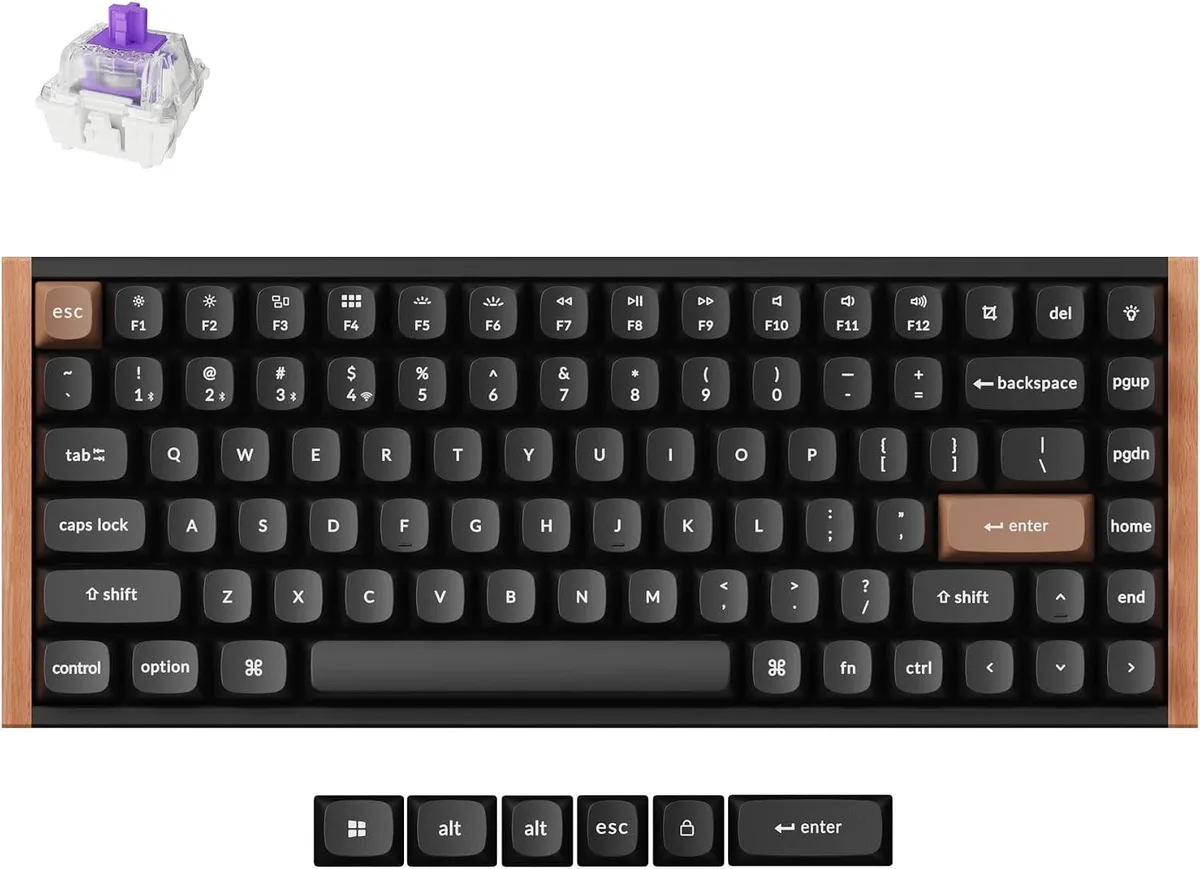
A 75% wireless mechanical keyboard with 0.1 mm actuation and 2.4 GHz connectivity in a wood frame
The TUKO 75% Gaming Keyboard packs a full function row and arrow cluster into a space-saving wood frame. Magnetic Hall Effect switches with a 0.1 mm actuation point deliver adjustable response for competitive play and precise typing. QMK firmware and the Launcher web app enable deep remapping, macros and per-key actuation curves across six functional layers. Tri-mode 2.4 GHz, Bluetooth and wired connectivity suits desktop and mobile setups alike.
The keyboard draws minimal power over USB-C and runs for extended sessions on its internal battery during wireless use. Magnetic switches produce a smooth, consistent sound profile without metallic ping, and the wood frame adds a natural dampening effect. No active cooling is required, so the unit stays silent during idle and light workloads. Latency remains low on the 2.4 GHz link for responsive input.
The rosewood-accented case doubles as a rigid mounting plate that reduces flex during heavy keystrokes. Gateron double-rail magnetic switches are hot-swappable, letting users change feel without soldering. OTA firmware updates add new features and fix bugs over the air. The floating window utility displays active layer assignments in real time, while per-key RGB lighting is fully programmable through the same Launcher interface.
| Layout | 75% |
|---|
The keyboard arrives with switches pre-installed; if you swap them later, the hot-swappable sockets need no soldering — just pull the old switch straight up and press the new one straight down until it seats fully. The step people miss is re-calibrating the 0.1 mm actuation point in the Launcher web app after every switch change.
Gateron double-rail magnetic Hall effect switches have no physical leaf to wear out, so they do not require periodic replacement; keep the PCB free of dust and debris to maintain the 0.1 mm sensor accuracy.
Sustained 2.4 GHz wireless use will drain the internal battery before any thermal or switch limit is reached; plug in the USB-C cable to continue without interruption.
Également dans ce rayon
Même rayon, même caisse — huit monnaies et un taux bloqué 30 minutes.
Ce que vous envoyez, et ce dans quoi vous lisez les prix.
Envoyé depuis votre portefeuille à la caisse
Affichage seul — le catalogue est libellé en dollars
Aucune monnaie ne correspond.
Choisissez la langue dans laquelle le site vous parle.
Première visite ?
Vous avez déjà un compte ?
Il n’y a pas de réinitialisation automatique : cette boutique n’envoie aucun e-mail, il n’existe donc aucun lien à usage unique à demander. Laissez l’adresse sur le compte, elle sera traitée à la main.
Demande enregistrée
Rien n’arrivera dans votre boîte de réception — cette boutique n’envoie aucun e-mail. Quelqu’un s’en occupe à la main.
Vous l’avez retrouvé ?


