BFKK
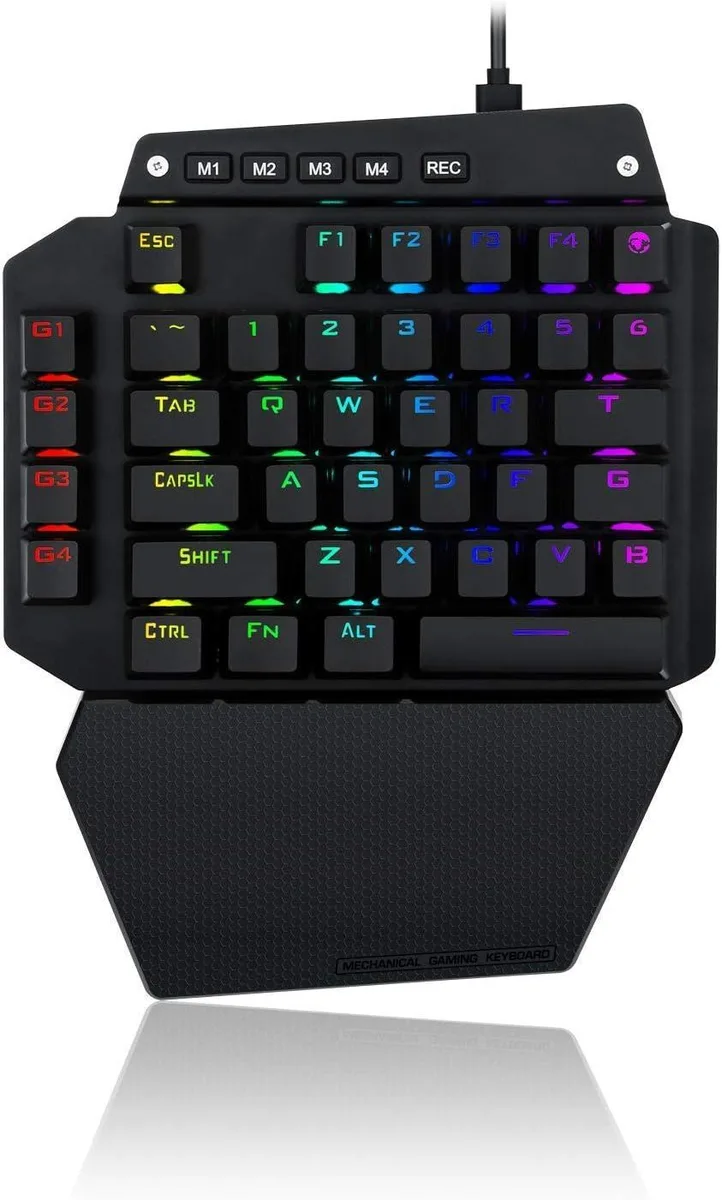
BFKK One-Handed Mechanical Gaming Keyboard, Blue Switch, 6 Macro Keys, Detachable Wrist Rest, USB-C
58,99 $US
0.00075215BTC
En stockNous acceptons la cryptomonnaie — les cryptos que vous détenez peuvent ainsi acheter du matériel réel.Payez en crypto, dépensez-la en matériel réel. Livraison assurée offerte partout dans le monde au-delà de 399 $. Cartons neutres, sans marque, expédiés depuis l’Allemagne.Livraison assurée offerte au-delà de 399 $. Votre taux est bloqué pendant 30 minutes dès l’ouverture de la caisse.Taux bloqué 30 minutes. Chaque article est scellé, son numéro de série est vérifié, et il est couvert par une garantie de 24 mois.Scellé, garanti 24 mois.


usbroway
A 75% wireless mechanical keyboard with hot-swappable switches, tri-mode connectivity and PBT keycaps
The usbroway AULA F87 is a 75% form-factor mechanical keyboard built for gaming and daily typing. It offers tri-mode connectivity covering Bluetooth, 2.4 GHz wireless and wired USB-C so you can link it to a PC, laptop, tablet or phone. PBT keycaps and pre-lubed Greywood switches give a creamy, thocky feel straight from the box.
The board supports 3-pin and 5-pin hot-swappable sockets plus a programmable driver for macros and key remapping, making it ideal for enthusiasts who like to customise their typing experience. Bluetooth pairing handles up to three devices at once. It is not suited for buyers who need a full-size layout with dedicated number pad or a wired-only design without battery management.
This single spec combination decides fit: the compact 75% layout saves desk space while keeping arrow and function keys, the three connection modes cover wired and wireless workflows, and the hot-swap PCB lets you change switches without soldering. If any of those three elements is missing from your requirements, another keyboard will serve you better.
| Layout | 75% |
|---|
Press FN with the designated combo key or use the side mode buttons to cycle connections; the step people miss is holding the combo long enough for the indicator to confirm the active mode.
The pre-lubed LEOBOG Graywood V3 switches are hot-swappable for both 3-pin and 5-pin types, so you pull the switch with a puller and press a new one into the PCB without soldering.
The single-key slotted PCB with extended one-piece silicone pads is designed to maintain consistent rebound and stability, so no performance limit is reached before the session ends.
Également dans ce rayon
Même rayon, même caisse — huit monnaies et un taux bloqué 30 minutes.
Ce que vous envoyez, et ce dans quoi vous lisez les prix.
Envoyé depuis votre portefeuille à la caisse
Affichage seul — le catalogue est libellé en dollars
Aucune monnaie ne correspond.
Choisissez la langue dans laquelle le site vous parle.
Première visite ?
Vous avez déjà un compte ?
Il n’y a pas de réinitialisation automatique : cette boutique n’envoie aucun e-mail, il n’existe donc aucun lien à usage unique à demander. Laissez l’adresse sur le compte, elle sera traitée à la main.
Demande enregistrée
Rien n’arrivera dans votre boîte de réception — cette boutique n’envoie aucun e-mail. Quelqu’un s’en occupe à la main.
Vous l’avez retrouvé ?