


ZOTAC
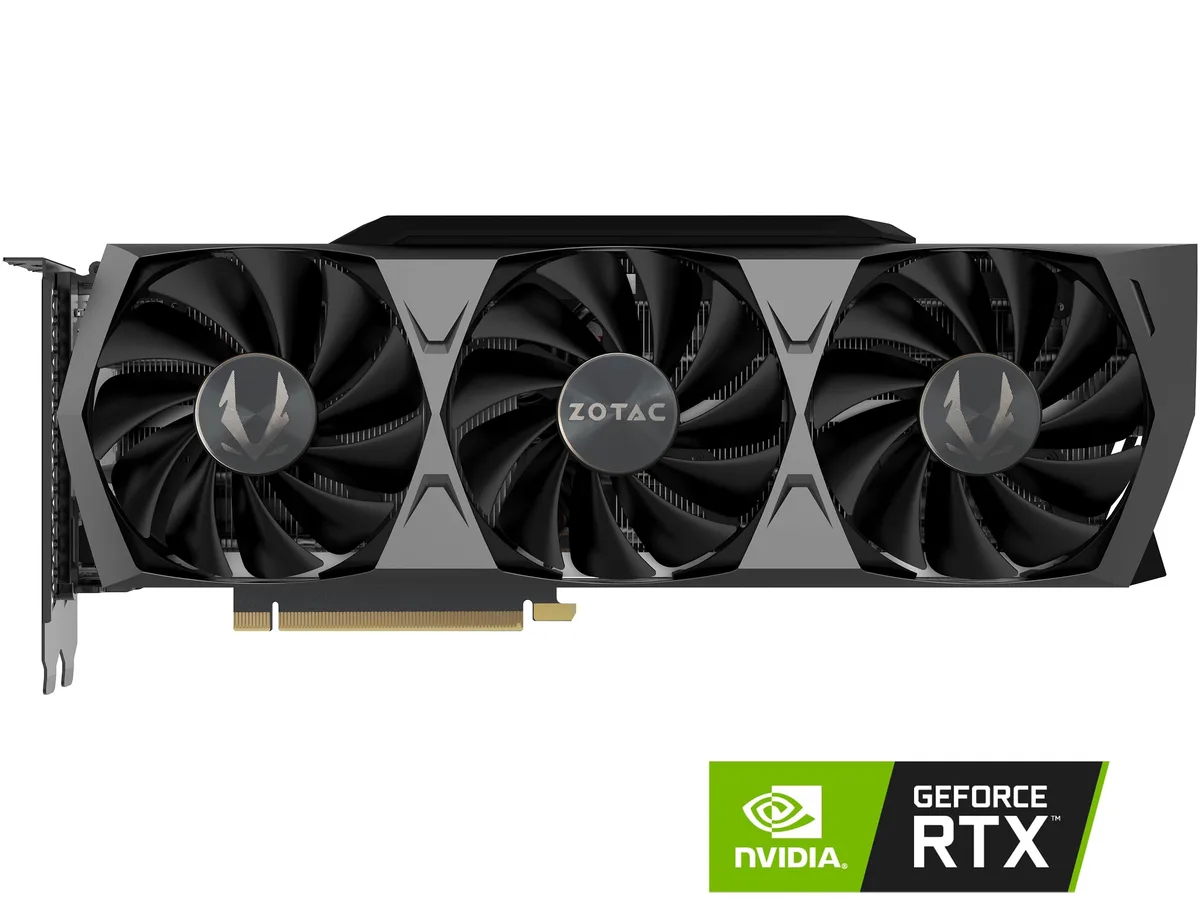
ZOTAC GeForce RTX 3090 Trinity OC 24GB GDDR6X graphics card ZT-A30900J-10P
A 24GB GDDR6X GPU with 10496 CUDA cores, 384-bit bus, 1710 MHz boost clock and IceStorm 2.0 cooling
- InterfacePCI Express 4.0
- Chipset ManufacturerNVIDIA
- GPU SeriesNVIDIA GeForce RTX 30 Series
- GPUGeForce RTX 3090
- Boost Clock1710 MHz
- CUDA Cores10496
- 24GB GDDR6X memory enables 8K gaming and heavy creative workloads
- 10496 CUDA cores accelerate rendering and compute tasks
- IceStorm 2.0 cooling with FREEZE fan stop keeps temperatures low and noise down
- 1710 MHz boost clock delivers high frame rates in demanding titles
- SPECTRA 2.0 RGB lighting plus metal frontplate and lighted backplate add visual flair
ZOTAC GeForce RTX 3090 Trinity OC 24GB
The ZOTAC GeForce RTX 3090 Trinity OC is a graphics card built on the NVIDIA Ampere architecture with 10496 CUDA cores and a 1710 MHz boost clock. It carries 24GB of GDDR6X memory across a 384-bit interface running at 19.5 Gbps. The card connects via PCI Express 4.0 and fits systems with a 750W power supply and dual 8-pin connectors. It targets creators and enthusiasts who need maximum frame-buffer capacity.
24GB GDDR6X upgrade path
Moving to this 24GB model from a 10GB or 12GB card removes the memory ceiling that forces texture streaming compromises at 4K and 8K. The 384-bit bus and 19.5 Gbps data rate deliver bandwidth that smaller buses cannot match. The jump is worth it when workloads exceed 10GB of VRAM, such as large-scene rendering, high-resolution video timelines, or multi-monitor gaming at 7680 x 4320. The 350W TDP demands a robust power supply and case airflow.
24GB capacity and headroom
The 24GB frame buffer comfortably holds 8K textures, deep learning datasets, and complex 3D scenes without swapping to system memory. Four display outputs — one HDMI 2.1 and three DisplayPort 1.4a — drive multi-monitor arrays at 7680 x 4320. Headroom runs out when compute throughput becomes the bottleneck before memory fills, such as in shader-heavy titles at extreme frame rates or single-GPU training jobs that exceed the 10496 CUDA core count. IceStorm 2.0 cooling and SPECTRA 2.0 RGB lighting complete the package.
Points forts
- 24GB GDDR6X memory enables 8K gaming and heavy creative workloads
- 10496 CUDA cores accelerate rendering and compute tasks
- IceStorm 2.0 cooling with FREEZE fan stop keeps temperatures low and noise down
- 1710 MHz boost clock delivers high frame rates in demanding titles
- SPECTRA 2.0 RGB lighting plus metal frontplate and lighted backplate add visual flair
Caractéristiques
| Brand | ZOTAC |
|---|---|
| Series | Trinity OC |
| Model | ZT-A30900J-10P |
| Interface | PCI Express 4.0 |
| Chipset Manufacturer | NVIDIA |
| GPU Series | NVIDIA GeForce RTX 30 Series |
| GPU | GeForce RTX 3090 |
| Boost Clock | 1710 MHz |
| CUDA Cores | 10496 |
| Effective Memory Clock | 19.5 Gbps |
| Memory Size | 24GB |
| Memory Interface | 384-Bit |
| Memory Type | GDDR6X |
| DirectX | DirectX 12 Ultimate |
| OpenGL | OpenGL 4.6 |
| Multi-Monitor Support | 4 |
| HDMI | 1 x HDMI 2.1 |
| DisplayPort | 3 x DisplayPort 1.4a |
| Color | Black |
| Max Resolution | 7680 x 4320 |
| SLI Support | NVLink Ready |
| Virtual Reality Ready | Yes |
| Cooler | IceStorm 2.0 |
| Operating Systems Supported | Windows 10 64-bit (build 2004 or later) 👉Check gaming pc with Windows 11 Pro |
| Thermal Design Power | 350W |
| Recommended PSU Wattage | 750W |
| Power Connector | 2 x 8-Pin |
| HDCP Ready | 2.3 |
| Features | 2nd Gen Ray Tracing Cores 3rd Gen Tensor Cores SPECTRA 2.0 RGB Lighting IceStorm 2.0 Advanced Cooling Active Fan Control with FREEZE Fan Stop Metal Frontplate and RGB LED Backplate FireStorm Utility NVIDIA NVLink (SLI-ready), VR Ready |
| Max GPU Length | 318 mm |
| Card Dimensions (L x H) | 12.50" x 4.75" |
| Slot Width | 2.5-slot |
| Poids d’expédition | 1.68 kg |
| Dimensions du colis | 356 × 51 × 51 mm |
Questions sur cet article
Does the 350 W thermal design power and dual 8-pin connectors fit a standard 750 W PSU?
Yes, the manufacturer recommends a 750 W supply and the card draws power through two 8-pin connectors.
How do I seat the PCI Express 4.0 card and attach the two 8-pin cables without bending the metal frontplate?
Align the gold fingers with the motherboard slot, press evenly until the latch clicks, then plug both 8-pin cables straight in before tightening any case screws.
When should I clean the IceStorm 2.0 heatsink and check the FREEZE fan-stop function?
Remove dust from the heatsink fins every few months and verify the fans spin up under load; the FREEZE feature stops them at idle automatically.
Également dans ce rayon
Les clients ont aussi comparé
Même rayon, même caisse — huit monnaies et un taux bloqué 30 minutes.


PrimoChill
PrimoChill Praxis Wetbench Open-Air Test Bench 461.8mm
- Open-Air
274,89 $US
0.00357046BTC
En stock
Silverstone Technology
SilverStone Technology Strider 1200W 80 Plus Platinum Modular Power Supply
- ATX Mid Tower
- 1200W
324,03 $US
0.00420873BTC
En stock