


MAIWO
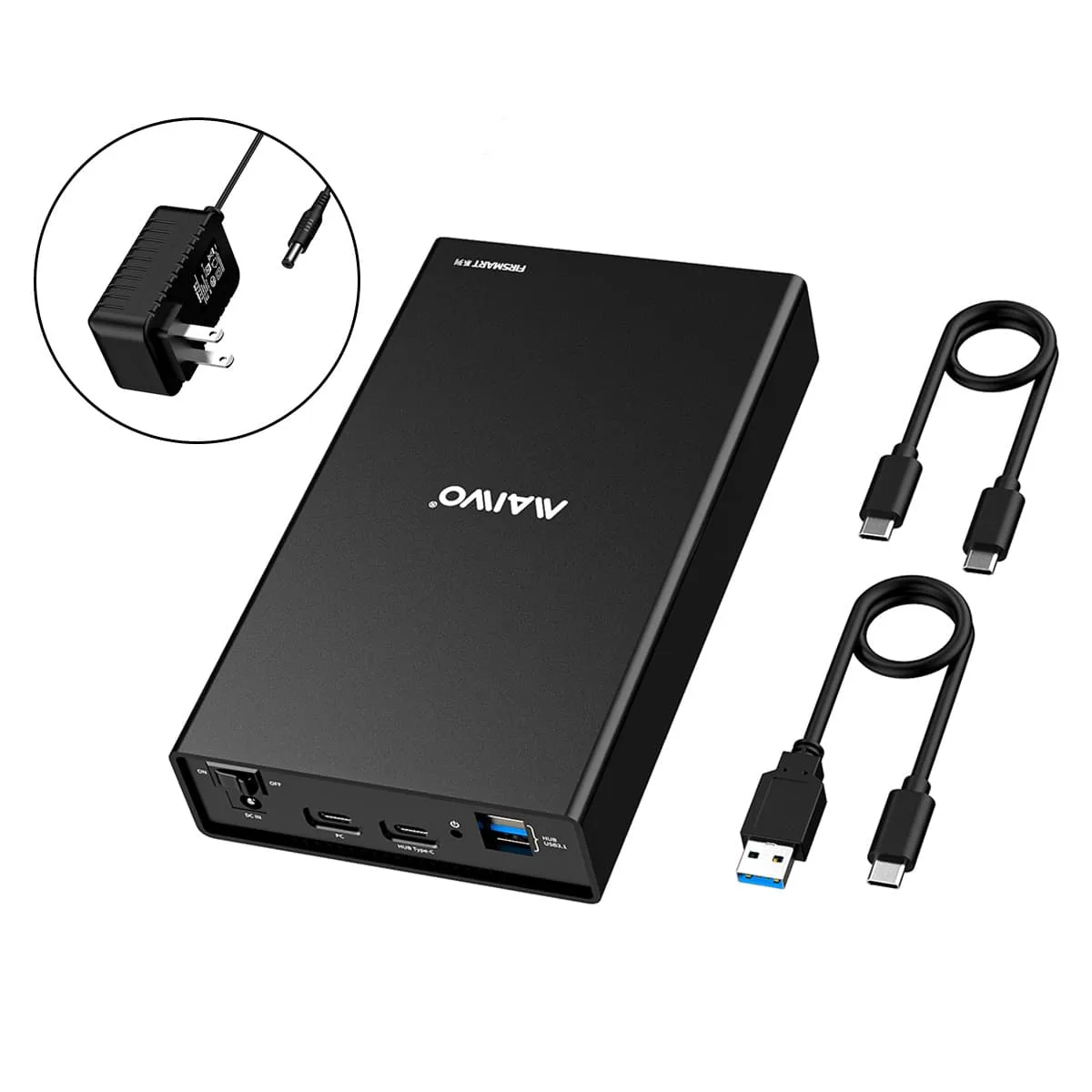
MAIWO K3527CH 2.5/3.5" SATA Drive Enclosure USB 3.1 Gen 2 Hub
Holds one 2.5 or 3.5 inch SATA drive up to 18 TB, connects via USB 3.1 Gen 2 Type-C at up to 10 Gbps, and adds a built-in Type-C plus two USB 3.1 hub ports for peripherals and phone charging
- ColorBlack
- Size2.5" & 3.5"
- TypeEnclosure
- AC AdapterYes
- MaterialAluminum
- Internal InterfaceSATA I/II/III
External Interface USB 3.1
- USB 3.1
- USB 3.1 Type-C
- CFast
Le versioni barrate esistono, ma non sono disponibili qui.
Size USB 3.0 3.5"
- 3.5" USB 3.0 SATA III w/ UASP Black
- 3.5" SATA
- USB 3.0 3.5"
Le versioni barrate esistono, ma non sono disponibili qui.
- Connect 2.5" or 3.5" SATA drives up to 18TB for massive storage expansion
- USB 3.1 Gen 2 Type-C port delivers up to 10Gbps bandwidth for fast transfers
- Built-in three-port hub adds one Type-C and two USB 3.1 ports for extra peripherals
- Aluminium casing dissipates heat without a fan for silent, reliable operation
- 12V/3A power adapter with multiple safeguards protects drives during use
Single-drive SATA enclosure with USB-C hub
The MAIWO K3527CH accepts one 2.5 or 3.5 inch SATA SSD or HDD up to 18TB and connects to a host through a USB-C port that runs at USB 3.1 Gen 2 10Gbps. Three extra downstream ports — one USB-C and two USB-A — let you attach peripherals such as a mouse, keyboard or router while the drive is in use. The enclosure also supplies power to charge a smartphone from the hub ports.
Fanless aluminium chassis with protected 12V supply
An all-aluminium body dissipates drive heat without a fan, keeping operation silent in normal use. The included 12V 3A adapter incorporates over-voltage, leakage, short-circuit and peak-voltage safeguards to protect both the drive and connected hub devices. A rear power switch lets you cut power to the whole unit without unplugging cables.
Tool-free drive bay and broad OS support
The single bay opens without tools so you can swap drives for backup, recovery or system migration tasks. Compatibility spans Windows, Linux and Mac OS 8.0 and above, plus game consoles, smart TVs and routers. Two cables are supplied — USB-A to USB-C and USB-C to USB-C — so the enclosure works with either host port type straight from the box.
Punti di forza
- Connect 2.5" or 3.5" SATA drives up to 18TB for massive storage expansion
- USB 3.1 Gen 2 Type-C port delivers up to 10Gbps bandwidth for fast transfers
- Built-in three-port hub adds one Type-C and two USB 3.1 ports for extra peripherals
- Aluminium casing dissipates heat without a fan for silent, reliable operation
- 12V/3A power adapter with multiple safeguards protects drives during use
Caratteristiche tecniche
| Brand | MAIWO |
|---|---|
| Model | K3527CH |
| Color | Black |
| Size | 2.5" & 3.5" |
| Type | Enclosure |
| AC Adapter | Yes |
| Material | Aluminum |
| Internal Interface | SATA I/II/III |
| External Interface | USB 3.1 |
| HDD Count Supported | Single HDD |
| Number of Bay | 1 |
| Maximum Capacity (per Bay) | 18TB |
| Fan | No |
| Power | 12V/3A |
| Operating Systems Supported | Windows/Linux/Mac OS |
| Dimensions | 7.48*4.33*1.38 Inc |
| Weight | 1.76lb |
| Package Contents | 1*Hard Drive Enclosure 1*USB A to C Cable 1*USB C to C Cable 1*Power Adapter 1*User Manual 1* Warranty Card |
Domande su questo articolo
How do I install a SATA drive in the K3527CH and which step is often missed?
Insert the 2.5 or 3.5 inch SATA drive into the internal SATA connector, secure it in the aluminium tray, connect the 12V/3A power adapter, then link the enclosure to the PC with the USB-C cable; the step often missed is plugging in the power adapter before the data cable, which prevents the drive from spinning up.
What maintenance or replacement will the K3527CH need over time?
The enclosure has no fan and relies on its aluminium body for heat dissipation, so the only upkeep is keeping the vents clear of dust; the 12V/3A power adapter is the component most likely to need replacement after extended use.
What is the first performance limit I will hit during sustained transfers on the K3527CH?
The internal SATA III interface caps sustained throughput at 6 Gbps, so even though the USB-C port supports 10 Gbps, long sequential reads or writes will plateau at the SATA 6 Gbps ceiling.
Anche in questo reparto
Anche i clienti hanno confrontato questi
Stesso reparto, stessa cassa — otto monete e un cambio bloccato per 30 minuti.




