

HPE
HPE 875330-B21 3.84 TB SAS 2.5" internal solid state drive
- Solid State Drive
$846.99
0.0108BTC
In stockWe take cryptocurrency — so the coins you hold can buy real hardware.Pay in crypto, spend it on real hardware. Free insured shipping worldwide over $399. Plain, unbranded boxes, sent from Germany.Free insured shipping over $399. Your rate is locked for 30 minutes once checkout opens.Rate locked 30 minutes. Every item sealed, serial-checked and covered by a 24-month warranty.Sealed, 24-month warranty.


MAIWO
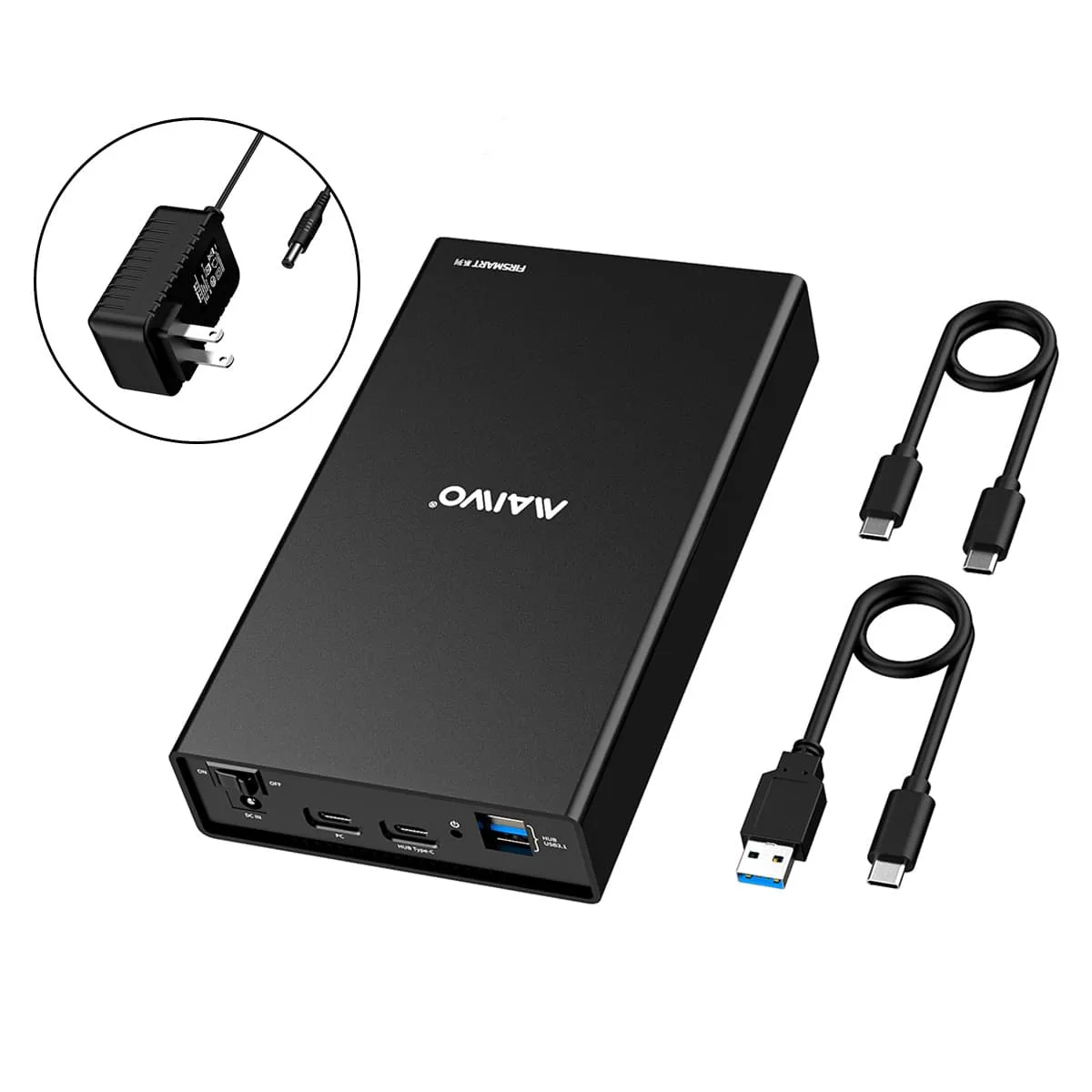
Holds one 2.5 or 3.5 inch SATA drive up to 18 TB, connects via USB 3.1 Gen 2 Type-C at up to 10 Gbps, and adds a built-in Type-C plus two USB 3.1 hub ports for peripherals and phone charging
External Interface USB 3.1
Struck-through versions exist but are not stocked here.
Size USB 3.0 3.5"
Struck-through versions exist but are not stocked here.
The MAIWO K3527CH accepts one 2.5 or 3.5 inch SATA SSD or HDD up to 18TB and connects to a host through a USB-C port that runs at USB 3.1 Gen 2 10Gbps. Three extra downstream ports — one USB-C and two USB-A — let you attach peripherals such as a mouse, keyboard or router while the drive is in use. The enclosure also supplies power to charge a smartphone from the hub ports.
An all-aluminium body dissipates drive heat without a fan, keeping operation silent in normal use. The included 12V 3A adapter incorporates over-voltage, leakage, short-circuit and peak-voltage safeguards to protect both the drive and connected hub devices. A rear power switch lets you cut power to the whole unit without unplugging cables.
The single bay opens without tools so you can swap drives for backup, recovery or system migration tasks. Compatibility spans Windows, Linux and Mac OS 8.0 and above, plus game consoles, smart TVs and routers. Two cables are supplied — USB-A to USB-C and USB-C to USB-C — so the enclosure works with either host port type straight from the box.
| Brand | MAIWO |
|---|---|
| Model | K3527CH |
| Color | Black |
| Size | 2.5" & 3.5" |
| Type | Enclosure |
| AC Adapter | Yes |
| Material | Aluminum |
| Internal Interface | SATA I/II/III |
| External Interface | USB 3.1 |
| HDD Count Supported | Single HDD |
| Number of Bay | 1 |
| Maximum Capacity (per Bay) | 18TB |
| Fan | No |
| Power | 12V/3A |
| Operating Systems Supported | Windows/Linux/Mac OS |
| Dimensions | 7.48*4.33*1.38 Inc |
| Weight | 1.76lb |
| Package Contents | 1*Hard Drive Enclosure 1*USB A to C Cable 1*USB C to C Cable 1*Power Adapter 1*User Manual 1* Warranty Card |
Insert the 2.5 or 3.5 inch SATA drive into the internal SATA connector, secure it in the aluminium tray, connect the 12V/3A power adapter, then link the enclosure to the PC with the USB-C cable; the step often missed is plugging in the power adapter before the data cable, which prevents the drive from spinning up.
The enclosure has no fan and relies on its aluminium body for heat dissipation, so the only upkeep is keeping the vents clear of dust; the 12V/3A power adapter is the component most likely to need replacement after extended use.
The internal SATA III interface caps sustained throughput at 6 Gbps, so even though the USB-C port supports 10 Gbps, long sequential reads or writes will plateau at the SATA 6 Gbps ceiling.
Also in this aisle
Same shelf, same checkout — eight coins and a 30-minute rate lock.
What you pay in, and what you read prices in.
Sent from your wallet at checkout
Display only — the catalogue is priced in USD
No currency matches that.
Pick the language the site speaks to you in.
New here?
Already have one?
There is no automatic reset: this shop sends no mail, so there is no one-time link to ask for. Leave the address on the account and it gets picked up by hand.
Request noted
Nothing is on its way to your inbox — this shop sends no mail at all. Someone picks these up by hand.
Remembered it?


