

SanDisk
SanDisk Cruzer Blade 8 GB USB 2.0 USB flash drive Black SDCZ50-008G-B35
$391.99
0.00501555BTC
在庫あり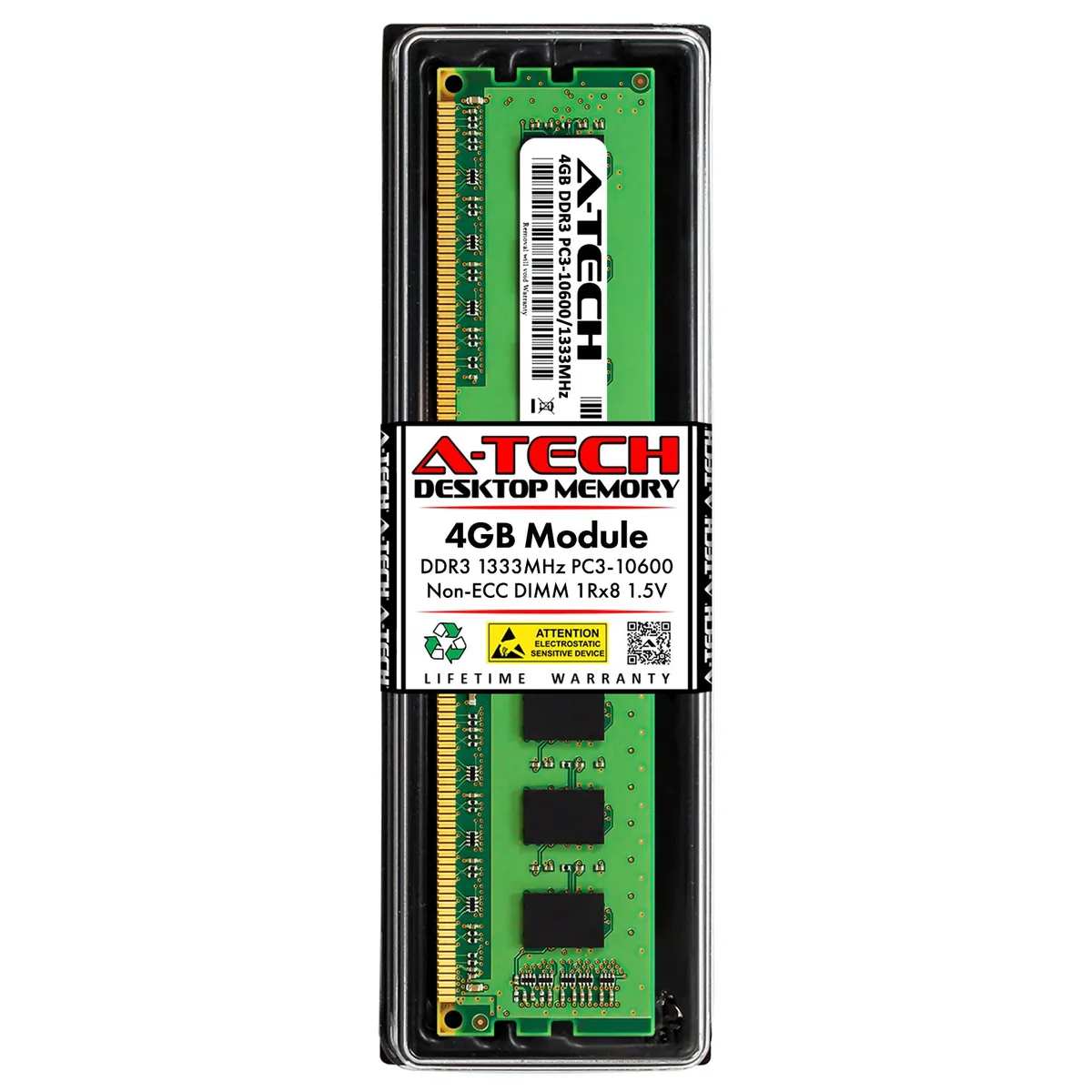


A-Tech
4GB DDR3 1333MHz desktop memory module with 240-pin DIMM form factor and 1.5V operation
This 4 GB DDR3 module runs at 1333 MHz with CL9 latency and standard 1.5 V operation. It uses a 240-pin unbuffered DIMM form factor built with major-brand chips. The kit is designed as a direct replacement for the Crucial CT51264BA1339J part number.
Owners of older AMD or Intel desktop platforms that accept DDR3 1333 non-ECC memory can use this stick to add capacity or replace a failed module. Systems requiring ECC, registered DIMMs, or speeds beyond PC3-10600 should select a different product.
Every module undergoes quality-assurance testing before shipment to confirm stable operation at the rated frequency. A lifetime warranty and US-based technical support are included with the purchase.
| Brand | A-Tech |
|---|---|
| Capacity | 4GB |
| Speed | DDR3 1333 (PC3 10600) |
| Tested Frequency | 1333 |
| CAS Latency | CL9 |
| Voltage | 1.50V |
| ECC | No |
| Buffered/Registered | Unbuffered |
| Chipset | Major Brand Chips |
| Features | Major Brand Chipset |
| Recommend Use | AMD & Intel Compatible |
Yes, this is a 240-pin DDR3 DIMM that requires a matching DDR3 desktop memory slot on the motherboard.
It will operate alongside other 1.5 V DDR3 1333 modules at the shared speed and voltage.
Check the memory frequency and CAS latency reported in your BIOS or a system-information tool such as CPU-Z.
同じ売り場の商品
同じ売り場、同じレジ — 8種類のコインと30分間のレートロック。
お支払いに使うコインと、価格表示に使う通貨です。
チェックアウト時にウォレットから送信されます。
表示のみ—カタログの価格は米ドル建てです。
該当する通貨がありません。
サイトの表示言語を選択してください。
一致する言語がありません。
初めてのご利用ですか?
すでにお持ちですか?
自動的な再設定はありません。当店はメールを送信しないため、ワンタイムリンクをお送りすることもできません。アカウントにメールアドレスを残しておいていただければ、担当者が手作業で確認いたします。
リクエストを受け付けました
受信箱に何かが届くことはありません — 当店はメールを一切送信していません。担当者が手作業で確認いたします。
思い出しましたか?



