


ASUS
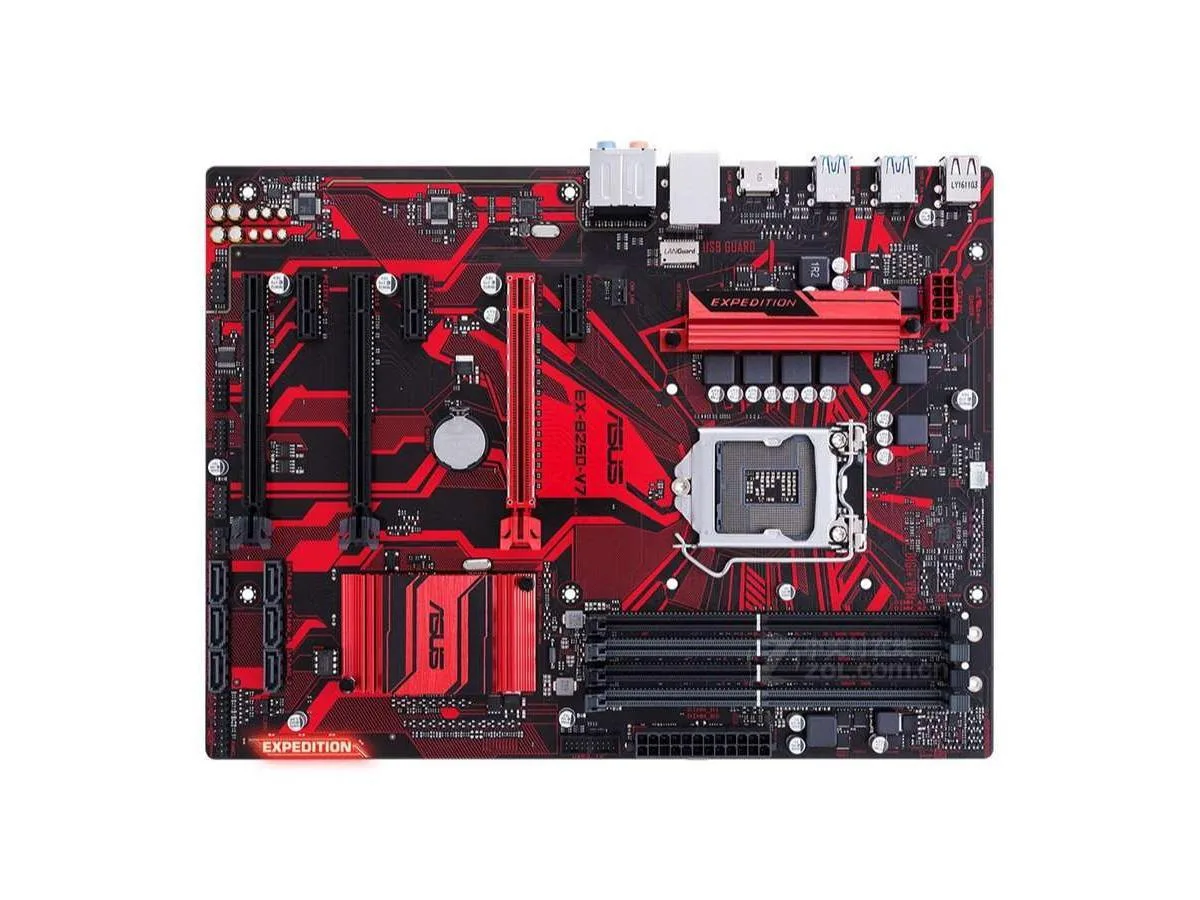
ASUS EX-B250-V7 Intel B250 LGA 1151 DDR4 64GB ATX motherboard
Supports 64 GB DDR4 memory on an Intel B250 ATX board with LGA 1151 socket
- CPU Socket TypeLGA 1151
- ChipsetIntel B250
- Maximum Memory Supported64GB
- Supports up to 64 GB DDR4 memory for multitasking
- LGA 1151 socket fits compatible Intel processors
- Intel B250 chipset provides stable platform features
- ATX form factor suits standard desktop builds
- Includes SATA cable for drive connectivity
ASUS EX-B250-V7 ATX motherboard for LGA 1151 systems
The ASUS EX-B250-V7 is an ATX motherboard built around the Intel B250 chipset and LGA 1151 socket. It supports DDR4 memory up to a total capacity of 64GB. This board suits builders assembling or repairing systems that require this specific platform.
Thermals noise and power draw in normal use
The motherboard draws power only for the chipset voltage regulators and onboard controllers under typical workloads. With no active cooling on the board itself system thermals and noise depend entirely on the CPU cooler and case airflow chosen by the builder.
Bundled accessories limited to one SATA cable
The package includes the motherboard a single SATA cable and the chassis I/O back panel. No additional cables brackets or software media are supplied. Builders who need more SATA connections extra mounting hardware or driver discs must source them separately.
特長
- Supports up to 64 GB DDR4 memory for multitasking
- LGA 1151 socket fits compatible Intel processors
- Intel B250 chipset provides stable platform features
- ATX form factor suits standard desktop builds
- Includes SATA cable for drive connectivity
仕様
| Brand | ASUS |
|---|---|
| Model | ASUS EX-B250-V7 |
| CPU Socket Type | LGA 1151 |
| Chipset | Intel B250 |
| Maximum Memory Supported | 64GB |
この商品に関する質問
How do I install the motherboard in an ATX case and which step is most often missed?
Mount the board on the ATX standoffs, connect the 24-pin and CPU power cables, fit the supplied I/O shield, then attach the single included SATA cable — the step most often missed is fitting the shield before the board.
What maintenance or replacement will this board need later?
The metal battery on the board will eventually need replacement when the system clock starts losing time.
What limit appears first when the board runs under sustained load?
The memory ceiling of 64 GB DDR4 is the first hard limit you will reach under sustained use.
同じ売り場の商品
よく比較されている商品
同じ売り場、同じレジ — 8種類のコインと30分間のレートロック。


Mushkin Enhanced
Mushkin Enhanced 4GB DDR2-800 CL6 SoDIMM Apple 971741A memory upgrade
$104.99
0.0013394BTC
在庫あり

SK hynix
SK hynix HYMD232M646C6-J 256MB DDR 333MHz PC2700 CL2.5 SODIMM laptop RAM
- 4GB (2 x 2GB)
$7.99
0.00010193BTC
在庫あり