
Lenovo Canada
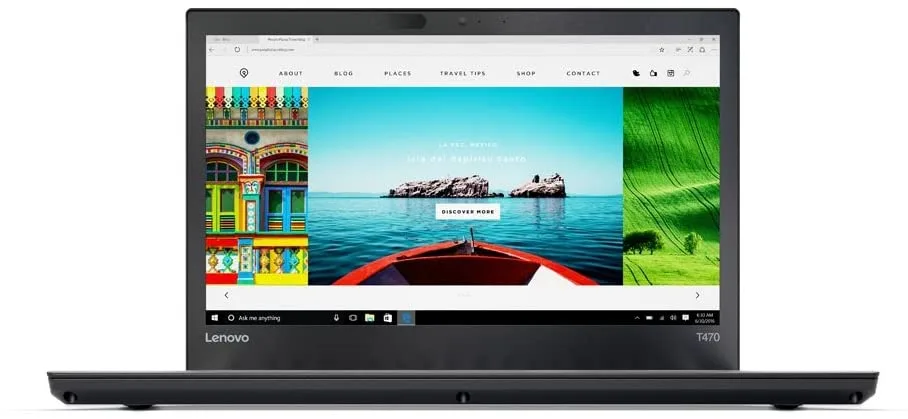
Lenovo Canada ThinkPad T470 2-in-1 laptop 14" i5-6300U 8GB 256GB
- 14.0"
$217.99
0.00278212BTC
在庫あり


ASUS
14-inch Full HD anti-glare laptop with 12-core Intel Core i7-1260P, 16 GB DDR5, 1 TB NVMe SSD and Windows 11 Pro
The ASUS ExpertBook B5 B5402CBA-XVE75 delivers a 12-core Intel Core i7 1260P processor running up to 4.7 GHz with 18 MB Smart Cache. It ships with Windows 11 Pro on a 1 TB NVMe SSD and 16 GB of DDR5 memory in a Star Black chassis.
Professionals who rely on Windows Hello facial recognition will use the 720p IR camera and physical privacy cover. Buyers who require a higher-resolution webcam or a discrete graphics engine should consider a different model.
The memory configuration pairs 8 GB soldered to the board with an 8 GB DDR5 SO-DIMM in a 262-pin slot. This arrangement fixes total capacity at 16 GB and leaves no empty slot for future expansion.
| Brand | ASUS |
|---|---|
| Series | ExpertBook |
| Model | B5 |
| Part Number | B5402CBAXVE75 |
| Color | Star Black |
| 配送重量 | 2.27 kg |
| 梱包サイズ | 381 × 254 × 76 mm |
The laptop has one 262-pin DDR5 SO-DIMM slot available; the other 8 GB is soldered.
Remove the bottom case screws, lift the cover, then insert the module at an angle until it clicks; many forget to seat it fully before locking it down.
The 1 TB drive is an M.2 PCIe 4.0 NVMe module; any replacement must match that interface.
同じ売り場の商品
同じ売り場、同じレジ — 8種類のコインと30分間のレートロック。
お支払いに使うコインと、価格表示に使う通貨です。
チェックアウト時にウォレットから送信されます。
表示のみ—カタログの価格は米ドル建てです。
該当する通貨がありません。
サイトの表示言語を選択してください。
一致する言語がありません。
初めてのご利用ですか?
すでにお持ちですか?
自動的な再設定はありません。当店はメールを送信しないため、ワンタイムリンクをお送りすることもできません。アカウントにメールアドレスを残しておいていただければ、担当者が手作業で確認いたします。
リクエストを受け付けました
受信箱に何かが届くことはありません — 当店はメールを一切送信していません。担当者が手作業で確認いたします。
思い出しましたか?


