

EN-Labs
EN-Labs 11-001-366 PCIe x4 USB 3.2 10Gbps 5-port card
- no
- 12CM Case fan,screw…
$31.99
0.00041233BTC
在庫あり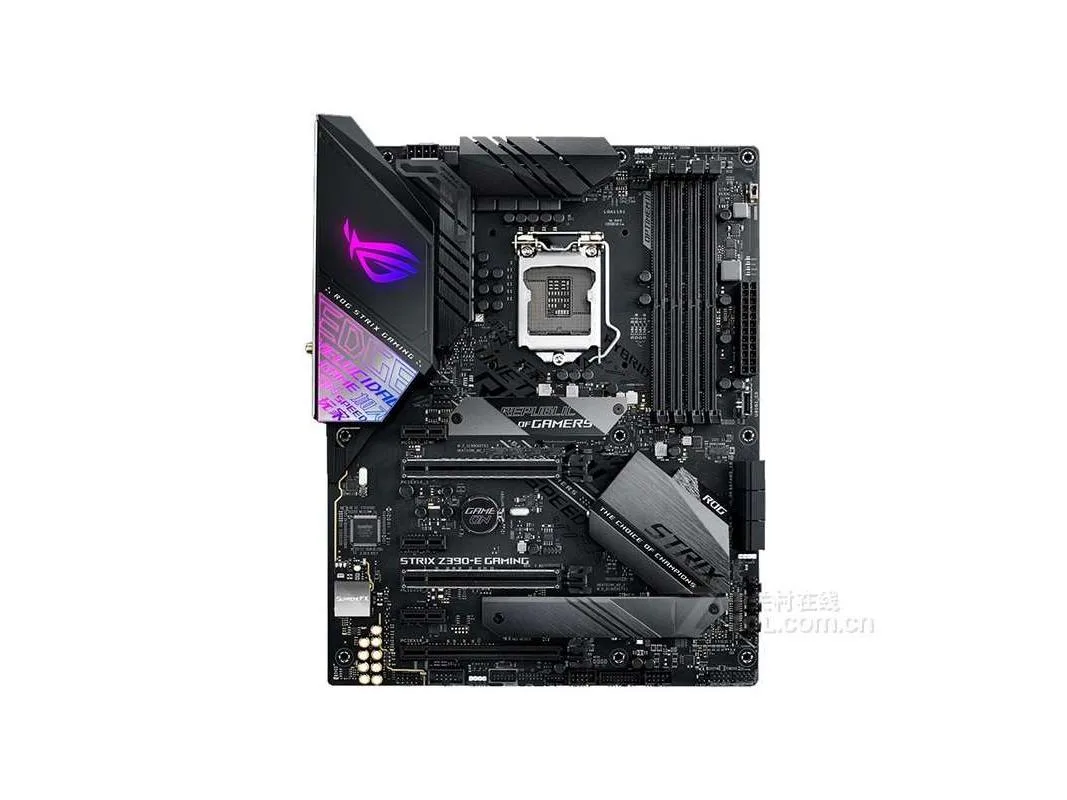


ASUS
ATX Intel Z390 motherboard with LGA 1151 socket supporting up to 64GB DDR4 memory
This ASUS board uses the Intel Z390 chipset and an LGA 1151 socket to support 8th and 9th generation Intel Core processors. It accepts up to 64GB of DDR4 memory across four slots. The ATX form factor fits standard full-size chassis and provides room for multiple expansion cards.
Suits users upgrading or replacing a board for a current 8th or 9th generation Intel processor who want the Z390 feature set. Builders starting a new system on a newer socket, or those needing more than 64GB of memory, should look elsewhere.
The board tops out at 64GB of DDR4 RAM, which is the hard limit for total system memory on this platform. If your workload demands more capacity, this motherboard cannot meet it.
| Brand | ASUS |
|---|---|
| Model | ASUS ROG STRIX Z390-E GAMING |
| CPU Socket Type | LGA 1151 |
| Chipset | Intel Z390 |
| Maximum Memory Supported | 64GB |
Mount the nine ATX standoffs, align the I/O shield, secure the board with screws, connect the 24-pin and 8-pin power cables, then attach the front-panel headers — the step most often missed is plugging in the 8-pin CPU power connector near the socket.
Reseat DDR4 modules if contact oxidation appears after several years; replace the metal coin-cell battery when the system loses CMOS settings or the clock drifts.
The VRM thermal ceiling is reached before the chipset or memory limits, so sustained all-core loads will throttle unless case airflow or a VRM heatsink fan is added.
同じ売り場の商品
同じ売り場、同じレジ — 8種類のコインと30分間のレートロック。
お支払いに使うコインと、価格表示に使う通貨です。
チェックアウト時にウォレットから送信されます。
表示のみ—カタログの価格は米ドル建てです。
該当する通貨がありません。
サイトの表示言語を選択してください。
初めてのご利用ですか?
すでにお持ちですか?
自動的な再設定はありません。当店はメールを送信しないため、ワンタイムリンクをお送りすることもできません。アカウントにメールアドレスを残しておいていただければ、担当者が手作業で確認いたします。
リクエストを受け付けました
受信箱に何かが届くことはありません — 当店はメールを一切送信していません。担当者が手作業で確認いたします。
思い出しましたか?



