


DELL
DELL 1.92TB SATA 2.5 enterprise SSD 9F9Y6-CP1
Enterprise SATA SSD delivers 1.92TB read-intensive storage for compatible PowerEdge servers
- InterfaceSATA
- 92TB capacity supports large datasets
- SATA 6Gbps interface fits standard server bays
- Read-intensive TLC design handles steady workloads
- 5 inch form factor matches Dell PowerEdge slots
- Tested components with updated firmware ensure reliability
Capacity and interface
This 1.92TB enterprise SSD uses a 6Gbps SATA interface in a 2.5-inch form factor. It is built with read-intensive TLC NAND for consistent performance in server environments. The drive carries Dell part number 9F9Y6-CP1 and model MZ7LH1T9HALTAD3.
Suitable workloads
The read-intensive design suits boot volumes, read-heavy databases and virtualisation hosts where write endurance is not the primary requirement. It is not intended for write-heavy applications such as high-frequency logging, OLTP databases or sustained video ingestion that demand higher endurance.
Compatibility matrix
Validated across a wide range of Dell PowerEdge servers including R640, R740, R740XD, R750, R760, T340, T440 and MX740C. The SATA interface and 2.5-inch size allow direct installation in supported drive bays without adapter brackets.
特長
- 92TB capacity supports large datasets
- SATA 6Gbps interface fits standard server bays
- Read-intensive TLC design handles steady workloads
- 5 inch form factor matches Dell PowerEdge slots
- Tested components with updated firmware ensure reliability
仕様
| Brand | Dell |
|---|---|
| Model | 9F9Y6, MZ7LH1T9HALTAD3 |
| Interface | SATA |
この商品に関する質問
Will the 2.5 inch form factor fit the drive bays in my Dell PowerEdge R740?
Yes, the 2.5 inch drive fits the standard 2.5 inch hot-swap bays used in the R740 and other listed PowerEdge models.
How do I install the drive in a PowerEdge R640, and what step is often missed?
Slide the drive into the hot-swap bay until the carrier clicks, then press the release latch to lock it; the step often missed is not fully engaging the latch, leaving the drive loose.
When should I plan to replace this read-intensive TLC SSD in a Dell PowerEdge R750?
Monitor the SMART wear indicator; replace the drive once the media wear-out value approaches the rated endurance limit for read-intensive workloads.
同じ売り場の商品
よく比較されている商品
同じ売り場、同じレジ — 8種類のコインと30分間のレートロック。


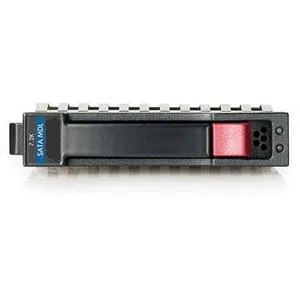
HP
HP 628059-B21 3TB 7200 RPM SATA 3.0Gb/s 3.5" internal hard drive
- Bare Drive
- SATA 3.0Gb/s
$276.99
0.00356473BTC
在庫あり
Seagate
Seagate Cheetah 10K.7 ST3300007LC 300GB 10000 RPM 8MB SCSI Ultra320 80pin 3.5" internal hard drive
- Bare Drive
- SCSI Ultra320 80pin
$125.99$142.99−12%
0.00162143BTC
在庫あり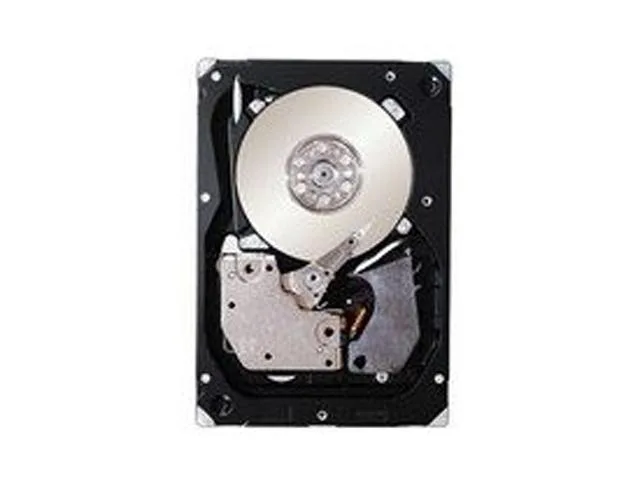
IBM
IBM 49Y2003 600GB 2.5" SAS 10000 RPM 16MB internal hard drive
- SAS 6Gb/s
- 10000 RPM
$354.99
0.00456855BTC
在庫あり