


DELL
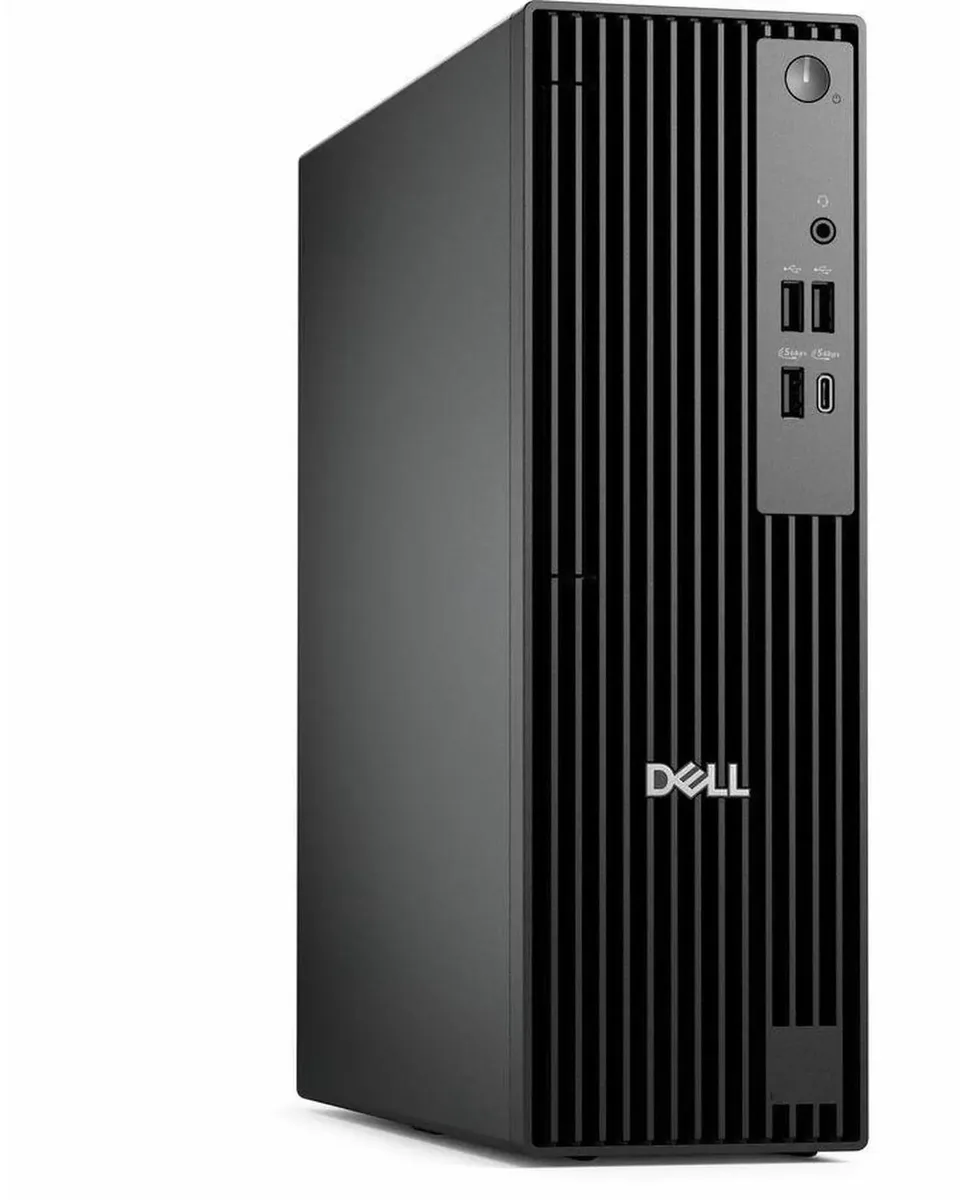
DELL Pro Slim QCS1250 i5-14500 8GB DDR5 256GB SSD desktop PC
Small-form-factor business desktop with a 14-core Intel Core i5-14500, 8 GB DDR5, 256 GB SSD and dual-monitor graphics
- TypeBusiness Desktops & Workstations
- Form FactorSmall Form Factor
- UsageBusiness
- Processor14th Generation Intel Core i5-14500 14-Core Processor 2.60GH
- Processor Main Features64 bit 14-Core Processor
- Cache Per Processor24MB Intel Smart Cache
- 14-core Intel i5-14500 reaches 5.00 GHz for fast multitasking
- 8 GB DDR5 memory accelerates data processing in daily workflows
- 256 GB SSD cuts boot and application load times
- Intel HD Graphics drives two displays via DisplayPort and HDMI
- 180 W power supply supports the compact small-form-factor chassis
Dell Pro Slim QCS1250 Business Desktop
The Dell Pro Slim QCS1250 is a small form factor desktop built for business professionals who need reliable performance in a compact chassis. It runs Windows 11 Pro on a 14-core Intel Core i5-14500 processor with 8GB of DDR5 memory and a 256GB solid state drive. Included USB keyboard and mouse allow immediate deployment for office productivity tasks.
Upgrade from older SFF workstations
This system replaces aging small form factor PCs that struggle with modern multithreaded workloads and slow mechanical storage. The jump is worthwhile when daily tasks involve multiple browser tabs, large spreadsheets, or video conferencing alongside background applications. Buyers who need discrete graphics performance for CAD or rendering should look elsewhere, as the platform relies on integrated Intel HD Graphics.
Sustained load behaviour
The 180W power supply and advanced cooling system are designed to maintain the processor's 2.60GHz base frequency during extended business workloads without thermal throttling. DDR5 memory bandwidth supports consistent throughput when switching between heavy applications. The 256GB SSD keeps boot and application launch times stable even after the drive fills with project files.
特長
- 14-core Intel i5-14500 reaches 5.00 GHz for fast multitasking
- 8 GB DDR5 memory accelerates data processing in daily workflows
- 256 GB SSD cuts boot and application load times
- Intel HD Graphics drives two displays via DisplayPort and HDMI
- 180 W power supply supports the compact small-form-factor chassis
仕様
| Brand | DELL |
|---|---|
| Series | Dell Pro |
| Model | QCS1250 |
| Type | Business Desktops & Workstations |
| Form Factor | Small Form Factor |
| Usage | Business |
| Processor | 14th Generation Intel Core i5-14500 14-Core Processor 2.60GHz Up to 5.00GHz |
| Processor Main Features | 64 bit 14-Core Processor |
| Cache Per Processor | 24MB Intel Smart Cache |
| Memory | 8GB DDR5 |
| Storage | 256GB SSD |
| Optical Drive | No |
| Optical Drive 2 | No |
| Graphics | Intel HD Graphics |
| Ethernet | Gigabit Ethernet |
| Power Supply | 180W |
| Monitor | Monitor not included |
| Keyboard | Dell USB keyboard |
| Mouse | Dell USB Mouse |
| Operating System | Windows 11 Pro |
| CPU Type | Intel Core i5 14th Gen |
| L3 Cache Per CPU | 24MB Intel Smart Cache |
| CPU Main Features | 64 bit 14-Core Processor |
| GPU/VGA Type | Intel HD Graphics |
| Graphics Card | Intel HD Graphics |
| Graphics Interface | Integrated |
| Memory Capacity | 8GB DDR5 |
| Memory Speed | DDR5 |
| Memory Spec | 8GB DDR5 |
| SSD | 256 GB |
| HDD | No |
| Storage Spec | 256GB SSD |
| Optical Drive Type | No |
| Screen Size | No Screen |
| Display Feature | Dual Monitor Capable |
| LAN Speed | 10/100/1000Mbps |
| WLAN | No Wifi |
| Bluetooth | No |
| Front USB | 2 x USB 2.0,1 x USB 3.2, 1 x USB Type-C 3.2 |
| Front Audio Ports | 1 x Headphone Jack |
| Card Reader | No |
| Video Ports | HDMI,DisplayPort |
| Rear USB | 2 x USB 3.2, 2 x USB 2.0 |
| RJ45 | 1 port |
| Keyboard Type | Dell Keyboard |
| Mouse Type | Dell Mouse |
| Dimensions (H x W x D) | 18 x 16 x 14 |
| Weight | 15 |
| Package Type | Dell Brown Box |
| Package Contents | Small Form Factor PC, Power cord |
この商品に関する質問
What clearance does the Dell Pro Slim QCS1250 small-form-factor chassis need for its 180 W power supply airflow?
The slim chassis draws cool air through the front and exhausts it at the rear, so leave at least 5 cm behind the unit and keep the front vents unobstructed; the 180 W supply runs warm under sustained load.
Which screw secures the side panel during the first boot, and why do builders often skip it?
A single captive thumbscrew on the rear edge holds the panel; many builders forget to tighten it after adding the included Dell USB keyboard and mouse cables, leaving the chassis open and airflow disrupted.
When should the 8 GB DDR5 memory be upgraded, and what module type matches the board?
Plan an upgrade when multitasking slows — add a second 8 GB DDR5 DIMM to enable dual-channel mode; the board has two slots and supports standard DDR5 speeds without XMP profiles.
同じ売り場の商品
よく比較されている商品
同じ売り場、同じレジ — 8種類のコインと30分間のレートロック。



Higole
Higole 11.6" Touch All-in-One PC Celeron N5095 8GB 128GB
- 11.6"
- 1366 x 768
$307.99
0.0038955BTC
在庫あり
Toemaagic
Toemaagic All-in-One PC 24" FHD i7 4.0GHz 16GB 512GB White
- Toemaagic
- 16 GB
$318.99
0.00403463BTC
在庫あり
Lenovo
Lenovo A100 23.8" FHD All-in-One PC Intel N100 32GB DDR4 2TB SSD 1TB Dock Windows 11 Pro White
- All-in-One PC
- All-in-One
$930.99
0.01177529BTC
在庫あり