

DELL
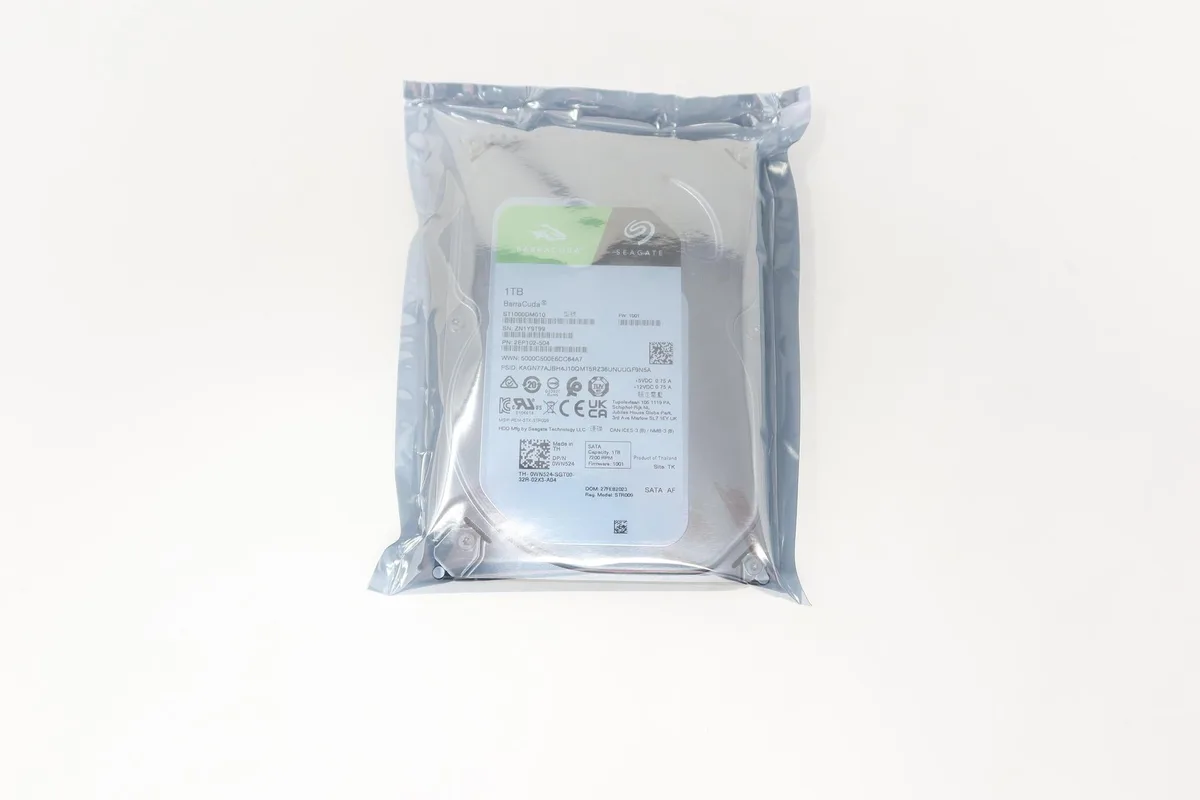
DELL Seagate ST1000DM010 1TB SATA 7200RPM 3.5" internal hard drive WN524
A 1 TB 3.5 inch SATA desktop drive spinning at 7200 RPM with 16 MB cache
- 1 TB capacity for mass storage
- 7200 RPM spindle speed for quick file access
- SATA 6 Gb/s interface for broad desktop compatibility
- 16 MB cache buffer to smooth read and write bursts
- 5 inch form factor fits standard drive bays
1 TB SATA desktop drive
The Dell-branded Seagate ST1000DM010 is a 1 TB internal hard drive built for desktop computers. It spins at 7200 RPM and connects through a SATA 6 Gb/s interface, making it suitable for everyday storage expansion or replacement in a standard tower.
3.5 inch form factor and 16 MB cache
The 3.5 inch chassis fits regular desktop drive bays and uses the same SATA data and power connectors found on virtually every motherboard and power supply. A 16 MB buffer helps smooth burst transfers during routine file copies and application loads.
Dell part WN524 for simple identification
The drive carries Dell part number WN524, which lets system administrators match the exact unit to service tags or procurement lists without guesswork. No additional cables, brackets or software utilities are mentioned in the supplied data.
特長
- 1 TB capacity for mass storage
- 7200 RPM spindle speed for quick file access
- SATA 6 Gb/s interface for broad desktop compatibility
- 16 MB cache buffer to smooth read and write bursts
- 5 inch form factor fits standard drive bays
仕様
この商品の仕様はまだ公開されていません。
この商品に関する質問
What does the SATA 6Gb/s interface mean for real-world speed?
The SATA 6Gb/s interface sets the link ceiling, while the 7200 RPM rotation and 16 MB cache determine actual sustained throughput.
Will this 3.5 inch drive fit my desktop bay and mounting points?
It uses the standard 3.5 inch form factor, so it fits any desktop 3.5 inch bay and aligns with the usual bottom or side screw holes.
How do I install the drive and what step is often missed?
Connect a SATA data cable to the motherboard and a SATA power lead from the PSU, then initialise and format the new volume in the operating system.
同じ売り場の商品
よく比較されている商品
同じ売り場、同じレジ — 8種類のコインと30分間のレートロック。


