
Lenovo
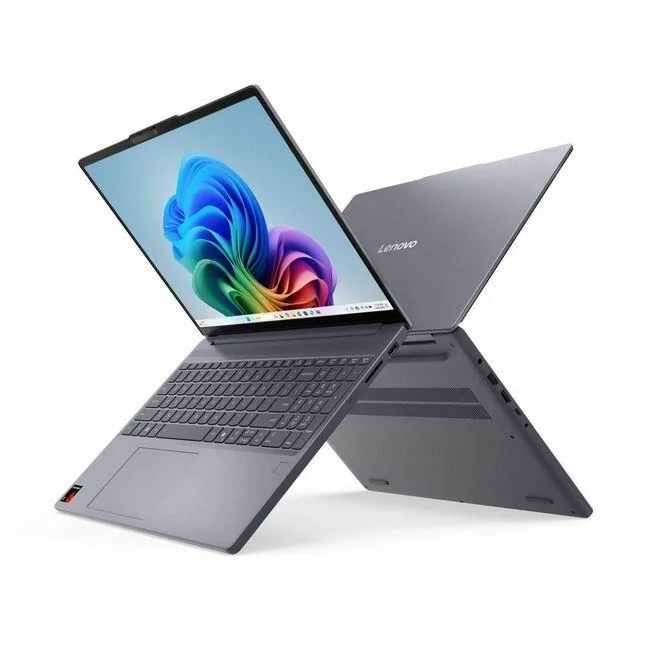
Lenovo 83N3004BUS business laptop 15.3" 16 GB 1 TB SSD
- Gray
- 15.3"
$619.99$678.99−9%
0.00795297BTC
在庫あり


HP
16-inch 1920 x 1200 IPS display laptop with AMD Ryzen 5 40 processor, 8GB DDR5 RAM and 512GB SSD
The 16-inch panel delivers a 1920 x 1200 resolution with IPS technology for wide viewing angles. DC dimming provides a flicker-free experience for extended work sessions. The taller aspect ratio offers more vertical space for documents and code.
Four cores running at 2.8 GHz handle everyday multitasking, streaming, and photo editing. The 8GB DDR5 memory supports responsive performance for typical office and creative workloads. Buyers who need more memory for heavy virtualization or video rendering should look at something else.
A 512GB PCIe solid-state drive holds the operating system, applications, and active project files. Windows 11 Home is pre-installed with a dedicated Copilot key for AI assistance. Users building large local media libraries or game collections will need additional storage.
この商品の仕様はまだ公開されていません。
The processor runs at 2.8 GHz with four cores and 8 GB of DDR5 memory, so everyday multitasking and 1080p streaming remain responsive when an external display is connected through the available USB-C port.
Open Windows Settings > System > Display to confirm the native 1920 x 1200 resolution is selected, then run a video or game to check for smooth motion and the flicker-free DC dimming behaviour described by the manufacturer.
The laptop ships with Windows 11 Home pre-installed and a matching AC adapter in the box; no mandatory extras are required for basic operation, though you may add a USB-C hub or external storage later if desired.
同じ売り場の商品
同じ売り場、同じレジ — 8種類のコインと30分間のレートロック。
お支払いに使うコインと、価格表示に使う通貨です。
チェックアウト時にウォレットから送信されます。
表示のみ—カタログの価格は米ドル建てです。
該当する通貨がありません。
サイトの表示言語を選択してください。
一致する言語がありません。
初めてのご利用ですか?
すでにお持ちですか?
自動的な再設定はありません。当店はメールを送信しないため、ワンタイムリンクをお送りすることもできません。アカウントにメールアドレスを残しておいていただければ、担当者が手作業で確認いたします。
リクエストを受け付けました
受信箱に何かが届くことはありません — 当店はメールを一切送信していません。担当者が手作業で確認いたします。
思い出しましたか?


