


MSI
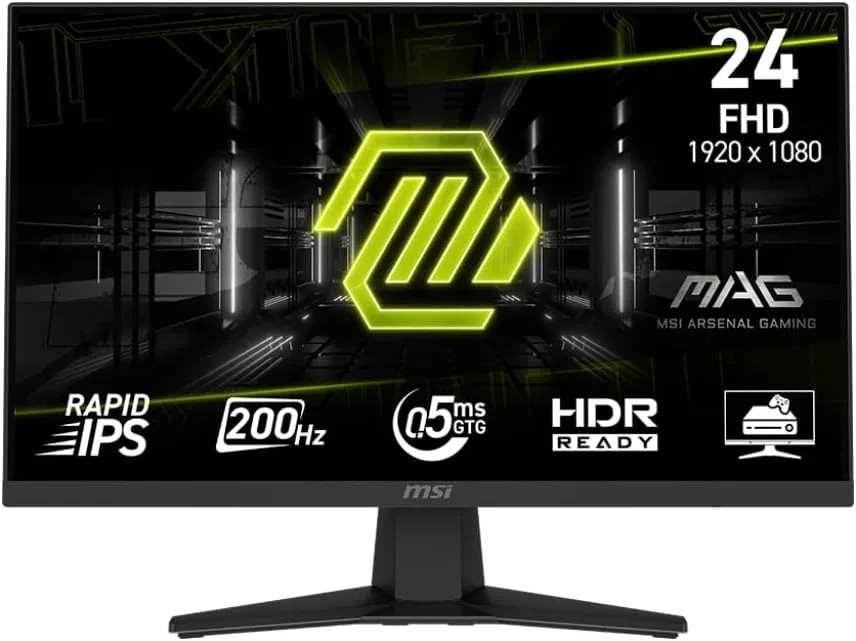
MSI MAG 244F 23.8" 200Hz FHD gaming monitor
A 23.8 inch Full HD Rapid IPS panel delivers a 200Hz refresh rate and 0.5ms response time with AMD FreeSync Premium and HDR Ready support
- Cabinet ColorMetallic Black
- Bezel Design3 Sided Thin Frame
- Screen Size24"(23.8" viewable)
- WidescreenYes
- Glare ScreenAnti-glare
- PanelRapid IPS
- 200Hz refresh rate delivers smooth, responsive gameplay
- 5ms GtG response time reduces motion blur in fast scenes
- Rapid IPS panel gives 178° viewing angles with anti-glare coating
- AMD FreeSync Premium cuts screen tearing and stutter
- HDR Ready enhances contrast and shadows for vivid visuals
23.8" 200Hz Rapid IPS Gaming Monitor
The MSI MAG 244F is a 23.8 inch Full HD gaming monitor built around a Rapid IPS panel. It delivers a 200Hz refresh rate and a 0.5ms GtG minimum response time for fast-paced play. The screen covers 178° horizontal and vertical viewing angles with an anti-glare coating. HDR Ready support adds contrast depth for richer visuals.
Competitive FPS and sim players.
This monitor suits gamers who prioritise high refresh rates at 1920 x 1080 resolution in shooters, racing sims and RPGs. AMD FreeSync Premium and console VRR support keep motion tear-free on PC, PS5 and Xbox. Creative professionals needing 4K resolution, wider colour gamuts or factory calibration should look at a different class of display.
VESA 100x100 mount frees desk space
A tilt-adjustable stand is included and the 100mm VESA pattern allows monitor-arm or wall mounting to reclaim desk area. The 16:9 aspect ratio and 300 cd/m² brightness fit standard gaming setups. Connectivity covers the essentials for PC and console use without requiring specialised adapters or docks.
特長
- 200Hz refresh rate delivers smooth, responsive gameplay
- 5ms GtG response time reduces motion blur in fast scenes
- Rapid IPS panel gives 178° viewing angles with anti-glare coating
- AMD FreeSync Premium cuts screen tearing and stutter
- HDR Ready enhances contrast and shadows for vivid visuals
仕様
| Brand | MSI |
|---|---|
| Model | MAG 244F |
| Part Number | 9S6-3BC41H-004 |
| Cabinet Color | Metallic Black |
| Bezel Design | 3 Sided Thin Frame |
| Screen Size | 24"(23.8" viewable) |
| Widescreen | Yes |
| Glare Screen | Anti-glare |
| Panel | Rapid IPS |
| Display Type | FHD |
| Adaptive Sync Technology | FreeSync Premium |
| Resolution | 1920 x 1080 |
| Viewing Angle | 178° (H) / 178° (V) |
| Aspect Ratio | 16:9 |
| Brightness | 300 cd/m2 |
| Contrast Ratio | 1,000:1 |
| Response Time | 0.5ms (GtG, Min) |
| Display Colors | 1.07B, 10 bits (8 bits + FRC) |
| Monitor Pixel Density | 0.2745mm |
| Refresh Rate | 200Hz |
| Curved Surface Screen | Flat Panel |
| HDMI | 1 x HDMI 2.0b |
| DisplayPort | 1 x DisplayPort 1.2 |
| Video Ports | 1 x DisplayPort 1.2a / 1 x HDMI 2.0b |
| Power Supply | 100~240V, 50/60Hz, External Adapter |
| Power Consumption | Power On: 36W Power Saving/Off: <0.5W |
| Stand Adjustments | Tilt -5° ~ 20° |
| Built-in Speakers | No |
| Built-in Webcam | No |
| VESA Compatibility - Mountable | 100 x 100mm |
| Features | AI Vision Rapid IPS for best response in gaming Flat screen for eSports experience AMD FreeSync IPS Panel for better color contrast & accuracy Super narrow bezel for max viewing size |
| Dimensions | 15.68" x 21.34" x 8.67" with stand 12.69" x 21.34" x 2.36" without stand |
| Weight | 6.35 lbs. |
| Package Contents | 1 x HDMI Cable (2.0), 1 x Power Cord (C13), 1 x Power adaptor, 1 x Quick Guide |
| 配送重量 | 2.15 kg |
| 梱包サイズ | 599 × 396 × 127 mm |
この商品に関する質問
What cable and graphics output do I need to reach the 200Hz refresh rate on this monitor?
Use a DisplayPort cable connected to a GPU with a DisplayPort 1.2 or newer output to drive the 1920 x 1080 panel at 200Hz.
Will my PS5 or Xbox Series X run variable refresh rate on this display?
Yes, the monitor supports VRR on both consoles through its HDMI ports, and HDMI CEC lets the console control power and input switching.
How can I confirm the panel is actually running at 200Hz after I plug it in?
Open the on-screen display, select the Information menu, and verify the refresh rate reads 200Hz; Windows Display Settings should also show 200Hz for the 1920 x 1080 resolution.
同じ売り場の商品
よく比較されている商品
同じ売り場、同じレジ — 8種類のコインと30分間のレートロック。




