

SanDisk
SanDisk Cruzer Blade 8 GB USB 2.0 USB flash drive Black SDCZ50-008G-B35
$391.99
0.00495895BTC
在庫あり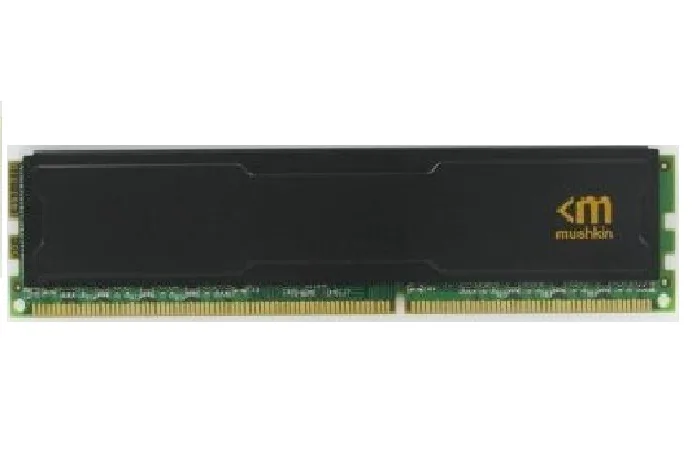
Mushkin Enhanced
A 4 GB DDR3 desktop module running at 1600 MHz with 11-11-11-28 timings and a Stiletto heatsink
This single 4 GB DDR3 UDIMM runs at 1600 MHz with PC3-12800 bandwidth and 11-11-11-28 timings. It operates at 1.5 V and includes the Stiletto heatsink for thermal management. The stick targets owners of older DDR3 platforms who need a straightforward capacity increase.
Align the notch with the motherboard key, press down until the retention clips click, and the module is seated. The low-profile Stiletto heatsink reduces the chance of interference with bulky CPU coolers. The most common issue is mixing this 1.5 V stick with 1.35 V low-voltage modules, which can prevent the system from posting.
Confirm the board accepts DDR3 UDIMMs and supports 1.5 V operation before ordering. Check how many free slots remain and whether the CPU or chipset limits total memory to less than the amount you plan to install. Ensure the BIOS is recent enough to recognise the 1600 MHz speed at the rated timings.
この商品の仕様はまだ公開されていません。
Open the BIOS or UEFI on first boot and confirm the memory frequency reads 1600 MHz with timings set to 11-11-11-28; CPU-Z or a similar utility inside the OS will show the same figures.
The box contains the single 4 GB DDR3 UDIMM fitted with the Stiletto heatsink; no additional brackets, cables or tools are needed — just a compatible DIMM slot.
This model is the 4 GB PC3-12800 (1600 MHz) variant; choose it when you need a single low-profile stick at that density and speed.
同じ売り場の商品
同じ売り場、同じレジ — 8種類のコインと30分間のレートロック。
お支払いに使うコインと、価格表示に使う通貨です。
チェックアウト時にウォレットから送信されます。
表示のみ—カタログの価格は米ドル建てです。
該当する通貨がありません。
サイトの表示言語を選択してください。
一致する言語がありません。
初めてのご利用ですか?
すでにお持ちですか?
自動的な再設定はありません。当店はメールを送信しないため、ワンタイムリンクをお送りすることもできません。アカウントにメールアドレスを残しておいていただければ、担当者が手作業で確認いたします。
リクエストを受け付けました
受信箱に何かが届くことはありません — 当店はメールを一切送信していません。担当者が手作業で確認いたします。
思い出しましたか?



