

OWC
OWC 16GB DDR4 3200MHz CL22 1.2V 260pin SODIMM Alienware X17 R1
- 16GB
- 260-Pin DDR4 Non-EC…
$82.99
0.001069BTC
在庫あり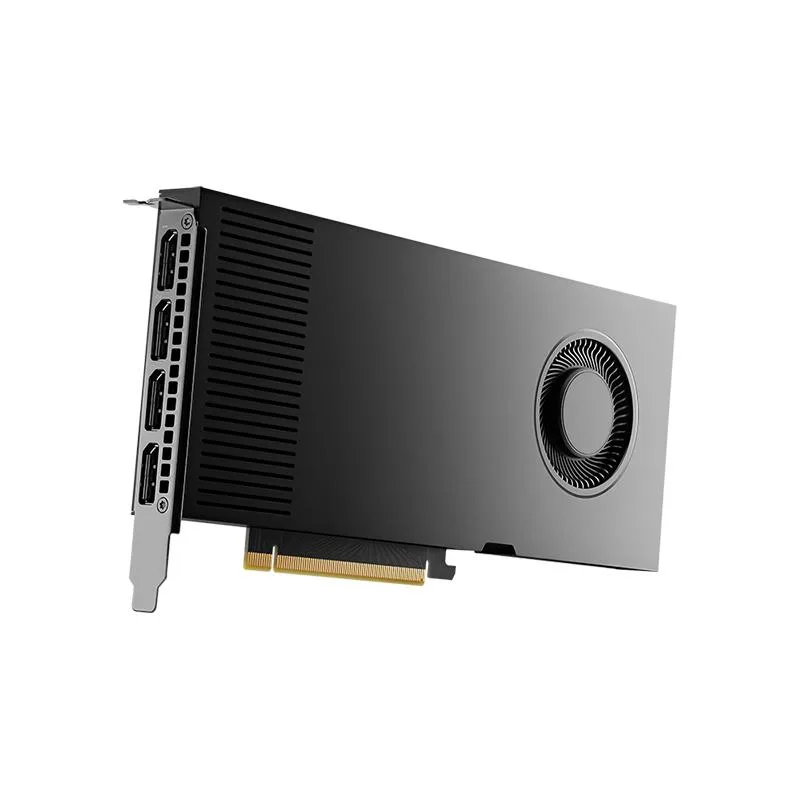
NVIDIA
Workstation GPU with 20 GB GDDR6 memory, PCIe 4.0 x16 interface, four DisplayPort outputs, and included power and HDMI adapters
The NVIDIA RTX 4000 Ada is a workstation graphics card equipped with 20GB of GDDR6 memory. It connects via a PCIe 4.0 x16 interface and provides four DisplayPort outputs. The retail package includes the board, a quick start guide, a support guide, an 8-pin to CEM5 16-pin power dongle, and a DP 1.4 to HDMI 2.0 adapter.
This card replaces workstation GPUs with smaller frame buffers when 20GB of GDDR6 memory is required for large datasets or multi-display setups. The jump is worth it when current hardware limits texture resolution, model complexity, or simultaneous 4K outputs. It is not for buyers who need consumer gaming features or single-slot form factors.
| Brand | NVIDIA |
|---|---|
| Model | 900-5G190-2570-000 |
| Memory Type | Computer Accessories |
It installs in a PCIe 4.0 x16 slot and draws power through the included 8-pin to 16-pin CEM5 dongle; plug the dongle firmly into the card before seating the board.
Many forget to connect the supplied 8-pin to CEM5 16-pin power dongle to the card before closing the case, leaving the GPU without power.
同じ売り場の商品
同じ売り場、同じレジ — 8種類のコインと30分間のレートロック。
お支払いに使うコインと、価格表示に使う通貨です。
チェックアウト時にウォレットから送信されます。
表示のみ—カタログの価格は米ドル建てです。
該当する通貨がありません。
サイトの表示言語を選択してください。
初めてのご利用ですか?
すでにお持ちですか?
自動的な再設定はありません。当店はメールを送信しないため、ワンタイムリンクをお送りすることもできません。アカウントにメールアドレスを残しておいていただければ、担当者が手作業で確認いたします。
リクエストを受け付けました
受信箱に何かが届くことはありません — 当店はメールを一切送信していません。担当者が手作業で確認いたします。
思い出しましたか?



