


OWC
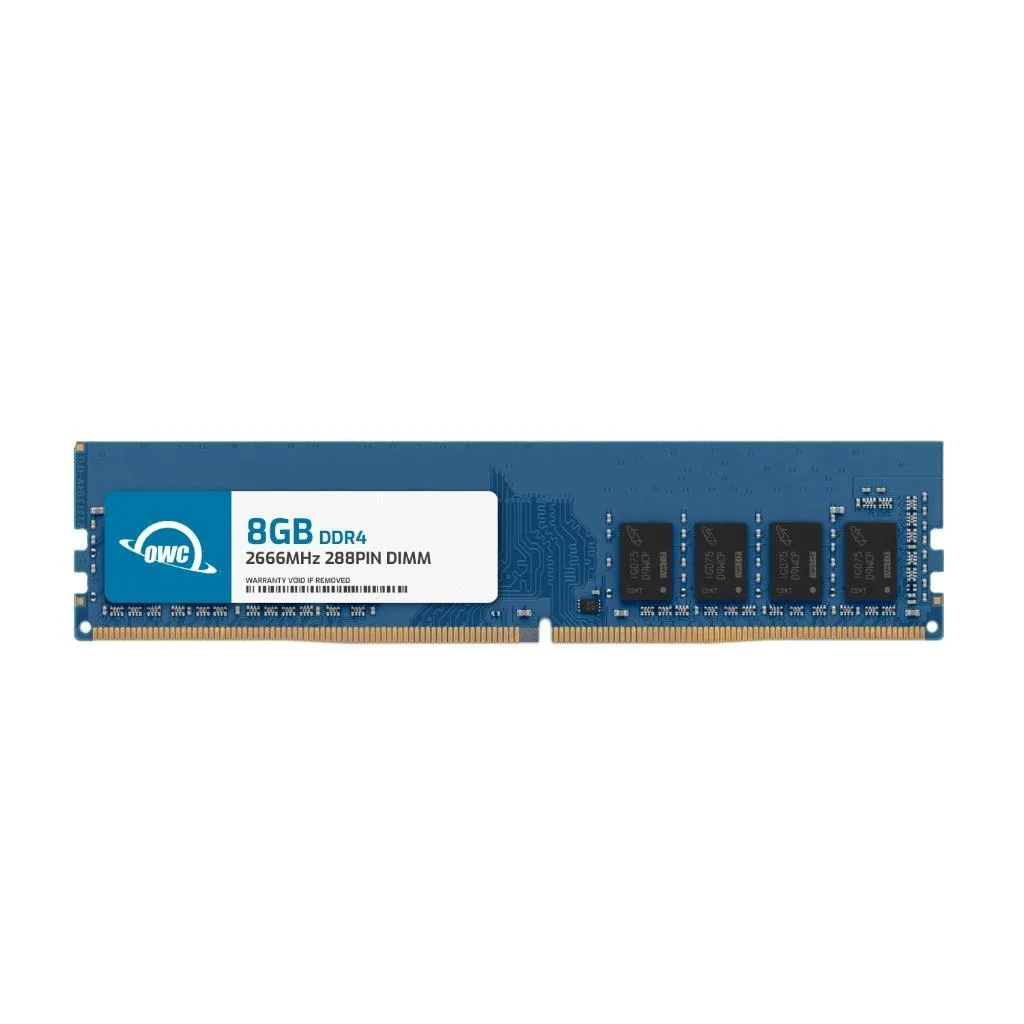
OWC 8GB DDR4 2666MHz CL19 1.2V 288-Pin UDIMM for Alienware Aurora R7 R8 R9
8GB DDR4-2666 CL19 UDIMM memory upgrade for Alienware Aurora R7, R8 and R9 desktops
- Capacity8GB
- Type288-Pin DDR4 Non-ECC UDIMM
- SpeedDDR4 2666 (PC4 21300)
- CAS LatencyCL19
- Voltage1.2V
- ECCNo
- 8GB capacity adds headroom for multitasking and larger workloads
- 2666MHz DDR4 speed with CL19 latency delivers responsive desktop performance
- 2V low-voltage operation reduces power draw and heat
- 288-pin unbuffered UDIMM fits Alienware Aurora R7 R8 R9 directly
- JEDEC and RoHS compliant for a warranty-safe upgrade
Alienware Aurora R7 R8 R9 upgrade
This 8GB DDR4 2666MHz module is built for Alienware Aurora R7 R8 R9 desktops. It adds capacity for multitasking and larger workloads in those specific systems. The non-ECC unbuffered design matches the factory specification for these towers. Buyers who need ECC or registered memory cannot use this kit.
Tool-free slot installation
The 288-pin UDIMM drops into the motherboard slots without tools in most Aurora chassis. Align the notch, press until the latches click, and the firmware detects the new rank automatically. A common error is mixing speeds; the stick will down-clock to 2133MHz or 2400MHz if slower modules remain installed.
Verify slot count and maximum capacity
Check how many DIMM slots your Aurora model provides and the total memory limit in the Dell service manual. The module runs at 1.2V with CL19 latency and 1Rx8 organisation. Remove any existing sticks that differ in voltage or rank configuration before adding this unit.
特長
- 8GB capacity adds headroom for multitasking and larger workloads
- 2666MHz DDR4 speed with CL19 latency delivers responsive desktop performance
- 2V low-voltage operation reduces power draw and heat
- 288-pin unbuffered UDIMM fits Alienware Aurora R7 R8 R9 directly
- JEDEC and RoHS compliant for a warranty-safe upgrade
仕様
| Brand | OWC |
|---|---|
| Part Number | 2U6D41R808GB |
| Capacity | 8GB |
| Type | 288-Pin DDR4 Non-ECC UDIMM |
| Speed | DDR4 2666 (PC4 21300) |
| CAS Latency | CL19 |
| Voltage | 1.2V |
| ECC | No |
| Buffered/Registered | Unbuffered |
| Rank | 1Rx8 |
| Heat Spreader | No |
| Compatible System | Alienware Aurora R7 Alienware Aurora R8 Alienware Aurora R9 |
このモデルの他のバージョン
同シリーズにさらに 5点
同じファミリーで、メモリ・クーラー・クロックが異なります — 購入前に比較してください。


OWC
OWC 8GB DDR4 2666MHz CL19 1.2V 288-Pin UDIMM Dell Vostro 3070 3470 3471 3670 3671
- 8GB
- 288-Pin DDR4 Non-EC…
$43.99
0.00056959BTC
在庫あり
OWC
OWC 2U6D41R808GB 8GB DDR4 2666MHz CL19 1.2V 288-Pin UDIMM for HP Pro 300 G6 A 300 G3 A G2 A G3
- 8GB
- 288-Pin DDR4 Non-EC…
$43.99
0.00056959BTC
在庫あり
OWC
OWC 8GB DDR4 2666MHz CL19 1.2V 288-Pin UDIMM for HP Pavilion 590/595
- 8GB
- 288-Pin DDR4 Non-EC…
$43.99
0.00056959BTC
在庫あり
OWC
OWC 3S2D41R808GB 8GB DDR4 3200MHz CL22 1.2V 260pin SODIMM Dell G7 17 7700
- 8GB
- 260-Pin DDR4 Non-EC…
$44.99
0.00058254BTC
在庫ありこの商品に関する質問
How can I confirm the 8GB DDR4 2666MHz CL19 module is running at the correct speed after installing it in my Aurora R8?
Open Task Manager or CPU-Z and verify the memory frequency reads 2666 MHz with timings of 19-19-19 at 1.2 V.
Does the package include only the 288-pin UDIMM stick, or are any tools or extra cables supplied?
The box contains the single 8 GB 288-pin non-ECC UDIMM; no tools, cables or additional hardware are included.
Should I choose the 8 GB 2666 MHz CL19 version or a different capacity for my Aurora R9 upgrade?
This 8 GB 2666 MHz CL19 1Rx8 module is the specific configuration validated for Aurora R7, R8 and R9; select it when you need a single 8 GB stick.
同じ売り場の商品
よく比較されている商品
同じ売り場、同じレジ — 8種類のコインと30分間のレートロック。

BFKK
BFKK 3U Rackmount Server Chassis EATX/ATX/MATX 4x5.25 6x3.5 Top/Side Cooling
- Rackmount
$214.99
0.00278373BTC
在庫あり

