RAZER
RAZER DeathAdder V3 HyperSpeed RZ01-05140100-R3U1 gaming mouse
- USB
- Optical
$75.99
0.00097841BTC
在庫あり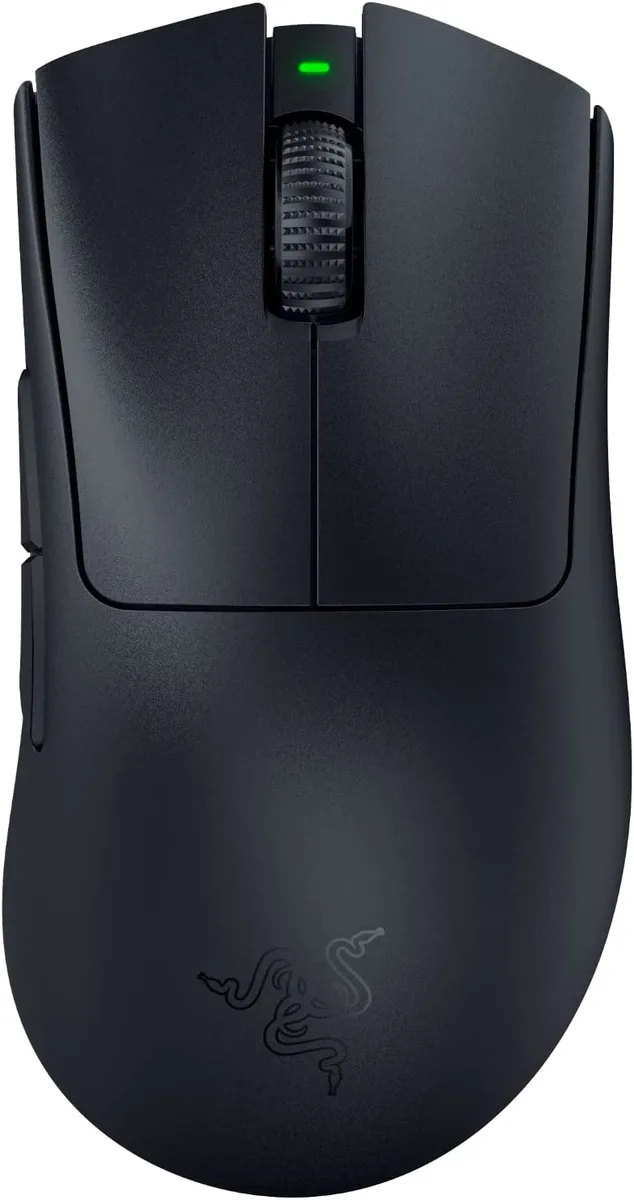


RAZER
A right-handed wireless gaming mouse with a 30000 dpi optical sensor, six programmable buttons, and up to 90 hours of battery life
Option Wireless
The Razer DeathAdder V3 Pro is a right-handed wireless gaming mouse weighing 63g. It connects via a USB HyperPolling Wireless Dongle and charges through a USB Type-A to Type-C cable. The Focus Pro 30K Optical Sensor delivers 30000 dpi resolution, while third-generation optical switches provide a 0.2ms actuation with a 90-million click lifecycle. Battery life reaches up to 90 hours of continuous use.
This mouse suits competitive FPS players who prioritise an ultra-lightweight 63g design and low-latency wireless performance. The ergonomic shape is refined for extended sessions. Buyers who need left-handed or ambidextrous models should look elsewhere, as the shape is strictly right-handed. Users requiring more than six programmable buttons or a heavier mouse for stability will not find those options here.
The single specification that decides fit is the Focus Pro 30K Optical Sensor with a maximum resolution of 30000 dpi. It tracks on a wider variety of surfaces, including glass, and supports intelligent functions for aim enhancement. If your workflow or game demands the highest native sensitivity and surface versatility, this sensor meets that requirement; if you operate at lower sensitivities on standard pads, the extra headroom may go unused.
| Brand | RAZER |
|---|---|
| Model | DeathAdder V3 Pro Black |
| Part Number | RZ01-04630100-R3U1 |
| Interface | USB |
| Tracking Method | Optical |
| Resolution (DPI) | 30000 dpi |
| Hand Orientation | Right Hand |
| Buttons | 6 |
| Color | Black |
| Package Contents | Razer DeathAdder V3 Pro Razer HyperPolling Wireless Dongle USB Type A to USB Type C Charging Cable Important Product Information Guide |
| 配送重量 | 0.37 kg |
| 梱包サイズ | 176 × 120 × 72 mm |
このモデルの他のバージョン
同じファミリーで、メモリ・クーラー・クロックが異なります — 購入前に比較してください。
The dongle uses a standard USB Type-A port on the PC or laptop.
Plug the dongle into a USB Type-A port, connect the USB Type-A to USB Type-C cable to the mouse and a power source, then turn the mouse on to complete pairing.
Replace the cable if the connector becomes loose, the sheath frays, or the mouse no longer reaches the full 90-hour battery runtime after a full charge.
同じ売り場の商品
同じ売り場、同じレジ — 8種類のコインと30分間のレートロック。
お支払いに使うコインと、価格表示に使う通貨です。
チェックアウト時にウォレットから送信されます。
表示のみ—カタログの価格は米ドル建てです。
該当する通貨がありません。
サイトの表示言語を選択してください。
初めてのご利用ですか?
すでにお持ちですか?
自動的な再設定はありません。当店はメールを送信しないため、ワンタイムリンクをお送りすることもできません。アカウントにメールアドレスを残しておいていただければ、担当者が手作業で確認いたします。
リクエストを受け付けました
受信箱に何かが届くことはありません — 当店はメールを一切送信していません。担当者が手作業で確認いたします。
思い出しましたか?